NTBackup utility has been proved as a wonder wand for users of Windows XP, Windows 2000 and Windows Server 2000. This utility is free and in-built application in above mentioned Windows OS providing a safe backup of data files including features such as Automated System Recovery (bare metal recovery), Volume Shadow Copy, Active Directory backup, Registry backup etc.
With this freely available software users could implement backup creation and avoid costly third party backup software tools and hence this utility was availed by many users. Backup was created in the form of BKF file which could be easily restored using restore application of same NTBackup utility. But due to many external and internal issues users face problem to restore backup file. We will discuss some major issues which restrict users to Recover Data from Windows Backup.
Corruption Issues In Backup File
When BKF file is damaged or corrupted users find it difficult to restore backup file this happens because corruption make structure of backup file and it becomes unrecognizable by NTBackup utility. When users execute NTBackup restore application and loads backup file error messages are prompted which consequently ceases the restoration process completely.
This corruption can strike due to various reasons such as; virus infection, improper handling of system, abrupt system shutdown, inappropriate creation of backup, catalog files missing, CRC errors, and lot more. All these reasons ultimately corrupt backup file to the core and users are unable to fetch back there data.

Image Switch from Windows XP to Windows 7/8
Users migrated from Windows XP to Windows 7 or Windows 8 thinking that users will restore backup file and get back all the old data readily. But unfortunately they couldn’t, this is because the newer versions of Windows including 7 and 8 do not support restoration of backup file.
Win7 has image system for backup and Win8 has File History system and backup applications of Win7 and Win8 are completely different from NTBackup utility and it also do not restore backup file of Windows XP NTBackup utility.
In both scenarios you will require some external help to provide a platform to restore backup file, BKF Repair is recommended for such restoration as it will provide restoration of backup file even if it is corrupted and supports Windows 7 & 8 OS as well.
About the Author:
Various software solutions developed by the company resemble the perfection and solve many technical issues faced by users. BKF Recovery is one such solution which enable user to perform BKF File Repair so that user gets to recover data from backup file.
|
3/05/2014 | Continue Reading...
If the HP laptop screens of your laptops are broken, cracked or have dead pixels, you need to carry out laptop screens replacement. To replace the screen you can have it done by a professional especially if you do not know how to do it. Most people tend to carry out minimal computer repairs themselves and you can easily replace HP laptop screens by following instructions that are readily available online. To do this you need a Philips screwdriver and a normal screwdriver.
You may also ask for help from a friend or a family member who is really good at computers and may be able to carry out laptop screens replacement. To be able to select the right laptop screens replacement for your laptop, you need to check the original manufacturer (OEM) part number which is often at the back of the screen that is broken or not working. You can also search for the right HP laptop screen by searching for a screen that is compatible with your laptop model or OEM. To carry out laptop screens replacement you can easily remove the faulty screen from your laptop by unscrewing the small screws that hold the HP laptop screens in place.
There are very many variations in laptop screens replacement as there are many types of LCD screens. To avoid being confused you can select the right replacement HP laptop screens for your laptop model. Selecting the proper screen is very important as the replacement screen must be an exact match as the original one that came with your laptop so that your laptop functions as it should.

Most laptop screen suppliers have easy to use locator tools which help you to identify the right screen for your laptop model. They may also have instructions on how to carry out Laptop Screens Replacement yourself including how to remove and replace your faulty laptop panel.You can get a better quality with higher resolution as these are available in almost all types of HP laptop screens. Some of the LCD HP laptop screens that are available include those with different screen resolutions such as svga, xga, wxga, wxga+, sxga among others.
There are also HP laptop screens with glossy finishes or matte finishes depending on what you prefer.It is important to note that laptop screens replacement are not manufactured by HP but they are manufactured by the same manufacturers who make the screens that are placed in HP computers. It is important that you purchase high quality screens so that they last long and have no defects. New replacement HP laptop screens are the best option as they are likely to last longer. Used HP laptop screens may not last as long but these tend to be cheaper and will work well for some time.
The author is a computer enthusiast and trained computer technician who has replaced laptop screens and other computer parts for ten years. He loves to carry out laptop screens replacements in his spare time.
|
2/25/2014 | Continue Reading...
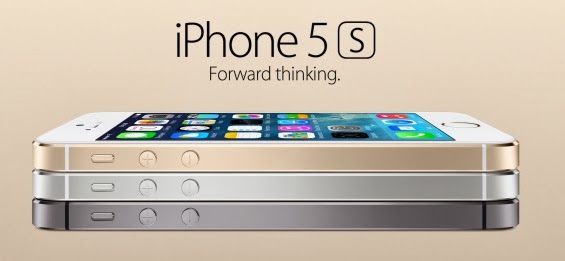
Apple surpasses other mobile brands by producing devices that are highly efficient to use, especially the iPhone. Though, iOS6 didn’t turned out to be a productive choice for many mobile users, iPhone 5S is one of the best looking smartphones that Apple has introduced, which comes along with a plethora of stylish accessories to further enhance the look of the device and is packed with astounding features. But with plenty of features and the perks of iPhone Mobile Application Development services it’s easy to overlook at some of them.
I’ve put together a list of 5 basic and useful tips to check out how to utilize your iPhone 5S device.
1. Get Quick and Secure Access with Touch ID
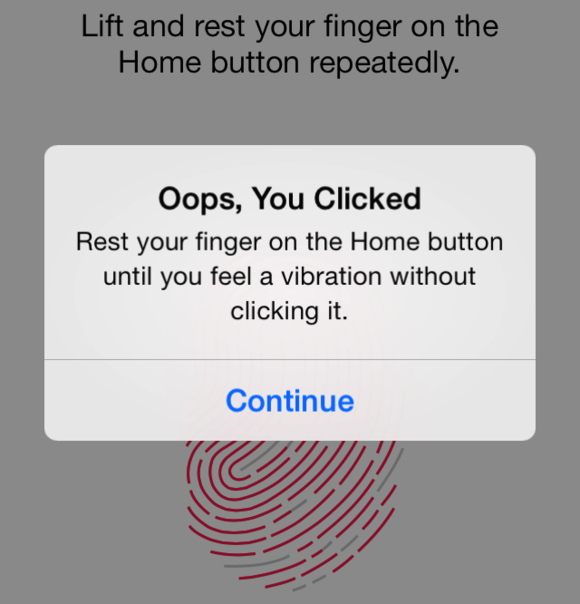
We all do check our phones dozens of times in a day. But, every time opening the passcode could slow you down. But it is important so as to avoid some other person from accessing your device. Thankfully, iPhone 5S has introduced a new feature –Touch ID (a fingerprint identity sensor) that lets you check your iPhone without wasting much of your time.
What’ll you need to do is to place your finger on the Home screen button to unlock your iPhone. Besides this, Touch ID also helps render secure shopping swiftly, as with a mere touch of your fingerprint you can approve buying from the Apple’s app store, iTunes Store, and the iBooks Store, thus you no longer need to enter your password.
2. Capture Incredible Photos with iSight Camera

The most important thing to consider when purchasing any mobile device is the quality of the camera, so that anyone can capture some great shots anywhere. iPhone 5S features avant-garde technologies tailored for the iSight camera app. In order to launch the camera app, swipe your home screen and just tap the small camera icon given at the bottom right of the lock screen.
What’s more, the iSight camera app helps to capture beautiful images around 8 megapixels in size. All you’ve to do is to aim and then shoot. The camera app introduced by a highly skilled iOS App Developer will select only the best shot and binds the rest captured photos in a sub folder. Now, this is definitely a great and easier way to delete the bad shots.
3. Save your Phone Battery Life
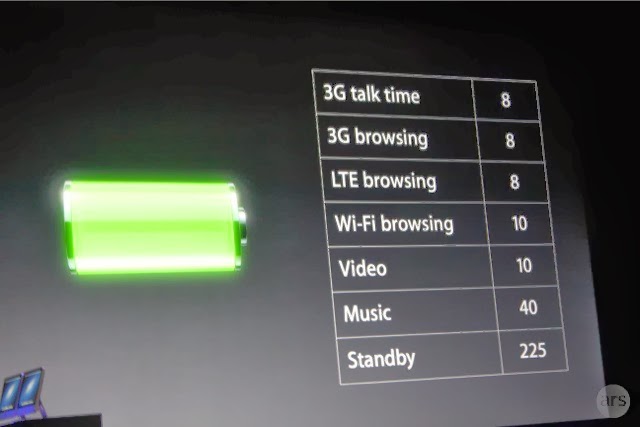
The most common yet highly essential aspect is turning off your iPhone 5S settings when the phone’s battery is running low. This way you can make your phone run a bit longer. Just go to the settings click on the option that you want to turn off and click on the off option. For example, in order to turn off your Wi-Fi, go to Settings > Wi-Fi > Off.
You can also turn off a lot of other options as well by visiting the settings option, like Bluetooth, Privacy, Sounds etc.
4. How to Make Siri More Useful
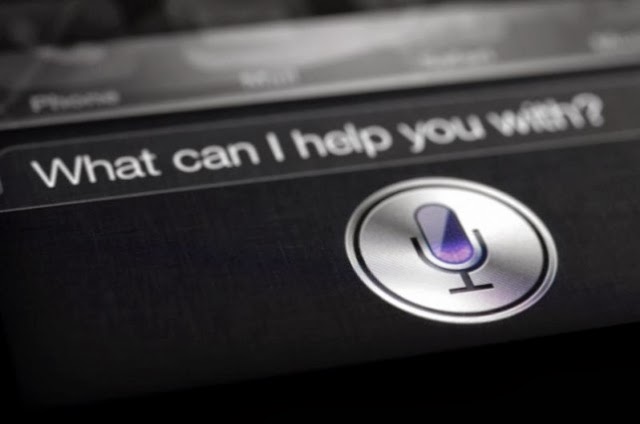
Want to make your daily tasks less burdensome? Then, you need to learn how to use Siri Although, Siri might not be a new addition to the iPhone 5S powered device, but it has been enhanced and is worth using. In order to launch the Siri app tapping and holding down the home screen button is not required, instead what you need to do is to go into:
Settings > General > Siri and turn Raise to Speak on.
Remember to talk to Siri – to work on things just the way as you talk to someone, it is because Siri understands whatever you say and meant. It even talks back. For example, you can tell Siri to turn on or turn off the Wi-Fi settings and much more.
5. Adding Additional Emoticons to your Text Messages

Sending plain text messages seems to be boring at times. If you want to add zing to you text messages, iPhone 5S bestows you with the option to unlock a wide variety of emoticons and images to be added to your messages. You can do this be picking up an Emoji. How? Just follow the below mentioned ways:
Go to Settings > General > Keyboard > Keyboards > Add New Keyboard > Emoji.
So, the next time when you’re typing up a message, you can see a globe icon at the bottom left of your message window – just flick it up to access a wide range of emoticons to use.
If you’ve purchased iPhone 5S and missed out a few basic features, such as how to add security, make use of the camera, and a few other basic things, it is recommended that you must take a good look at the aforementioned tips that will provide you with a good idea – as how to efficiently use your iPhone 5S as per your requirements.
About the Author:
Rick Brown is a highly skilled and experienced content writer and working for a iPhone Application Development Company. You can hire an iPhone App Developer by getting in touch with him.
Posted by Ravi Kolhe |
2/25/2014 | Continue Reading...
When it comes to running a website speed is absolutely everything. If your website does not load fast enough then you will find that your website visitors will leave in droves. In addition to this you will find that it is VERY difficult to get ranked highly in the search engines. Have no fear though. If you work with a decent Phoenix Web Development company then it is simple to boost the speed of your website. On this page I want to share with you five tips that you can use to boost the speed of your page. If you do not know how to implement any of these into your site then by all means ask a Phoenix Web Design Company. They should be able to help you out!
1. One of the main reasons as to why websites load slowly is because there is far too much media on a page. There are plenty of website owners who think that in order to have a decent website they need to pack it to the brim with videos, sound clips (awful idea by the way) and photos. You really don’t. In fact, in the world of web design, especially in this day and age ‘less is more’! It is therefore suggested that you cut back to only what is necessary. Do not include anything that is not contributing to the overall feel of the website.
2. There are plenty of websites out there which have poor coding behind the site. What you need to remember is that before a web site is displayed every piece of code needs to be loaded by the web browser or web server. Every line of code that is loaded will add a significant amount of time onto the load speed of the website. I suggest that if your site is loading slowly then you get in touch with an experienced web developer in Phoenix. They will be able to go through your code line by line and cut it back.
3. There are many websites out there which load slowly but for an indeterminate reason. Most of the time this is down to the web server that they are located on. If your site is loading slowly and you are on a very cheap hosting plan then it may be worth talking to a web designer to help you get moved to a new host. A lot of the time this can add a lot of speed to your site without adding too much in terms of running costs.
4. There are some file formats that are not suitable for the web. For example, if the images on your website are in .bmp format then they can easily run to a good couple of megabytes in size. This could take up to a minute to download. If you convert them to .jpg format or even .gif then you could cut them back to a few KB in size without losing too much quality (it will be unnoticeable on screens). This will take seconds to load instead. If you do not know how to change the file type of images then I suggest that you talk to a professional.
5. Look into trying to get your website cached in the browser of your website user. This will ensure that your website loads quickly in each subsequent visit. This may be something that is very difficult to incorporate into your website if you are not familiar with coding. However, this is one of the best ways to boost load speed.
|
1/30/2014 | Continue Reading...
Want to take a screen with your android tablet or mobile phone?If the answer is positive, the first thing you need to do is to check whether your android device supporting screenshots becausetaking a screenshot on Android deviceis not as straightforward as it seems. The operation system Android 4.0 or later offers us a built-in way to take a good screenshot, however, if your device using an older version of the Android, it’s little consolation to capture a screenshots.
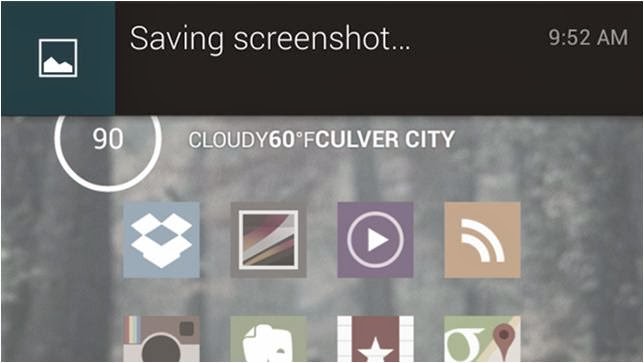
On the whole, there are two types of all the android devices; one is the device support a built-in way to take a good screenshot, the other is not. Aimed at the two types of mobile phones,below editor will show android user an easy-to-use guide helping android user to take the screenshot on an Android Device respectively!
For the Devices that support screenshots: Android 4.0 or above
Well, most of the android devices that equipped with the operation system Android 4.0 or latercan take the screenshots directly. So if you want to capture a picture of the phone’s screen, just hit the Volume Down button and keep it down for a while, at the same time press the Power button, then you will get a prompt message allowing you to take a screenshot. Why we can capture a screenshot in this way? It is because most of the Mobile phone makers had upgrade the phone operationsystem and screenshots are built right into your phone!
For the Device that don’t support screenshots: Android 2.3 or below
Well, for the devices that do not support screenshots, it is a little trouble to get a screenshots. Generally we go and get an app for help. There exists many free app on the Internet can help you to take a screenshot; unfortunately they all can’t work on anunrooted android device.
If you don't want to root your android device because of the complexhigh-risk operation,$3 will save you much energy. An app named No Root Screenshot It (£2.99) is a well-received program easily enables you to capture a screenshot, with it what you should do is download and install it on your android device.
Note: the app needs connect the android device to you PC via an USB cable because when you installed it on your device and connect it to you PC, it will instruct you to get a free desktop application to help you finishing the screenshots job. Once the two matched apps were installed successfully inturn, the app will enable screenshots on the device.
Author the Author:
Jerry Brown is a good writer of drm-assistant.com. He writes for it for two years and step into the software industry for three years. The app DVD ripping program his site shares with the DVD movie lovers had earns much praise. Plus it can take DVD region code off as well!
|
1/23/2014 | Continue Reading...
Yes, you heard it right! You can also create your own custom web-browser for your computer and browse within it. There may be a question rise in your mind that how we can make a browser without knowing any coding, but don’t worry because there is a free online tool which let you make your own browser with some customized features without any coding to do. If you want to make yours and want to know how then you’ve to read this post because here we’re going to teach you briefly how to make your own browser for PC.
Customizations you can apply:
In the browser you are going to make, you can apply the following customizations, i.e
1. Your own logo
2. Custom Name
3. Custom bookmarks and homepage
4. Custom features – given below etc.
How to Make Your Own Browser Online:
Now here we’re going to teach you how you can make your own web-browser for your computer, having your own logo icon, bookmarks etc. Actually we’ll be make use of MakeMyBrowser which let you do it. The process of making a browser with this is very easy and straight forward, all you need to do is to follow the below instructions and do the steps carefully.
Step-1: First of all you need to do is go to MakeMyBrowser’s WEBSITE [www.makemybrowser.com] and then click on “Start Now” button.
Step-2: In the new page, you will need to give a name to your browser and set your own (or pre-made) icon to the new browser, So enter the name in the first box, and click on ‘Select or upload’ button, a new box appear where you have to select an icon or click on upload button if you want to upload your own.
Step-3: Now next step is to add your bookmarks, so click on select bookmarks button at the lower-right corner. After you click on this button, it asks you that do you want to import your bookmarks from google chrome browser ? Now it is upto you, click import if you want or click “Continue/Skip” button if you don’t want.
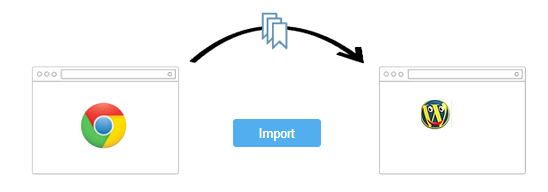
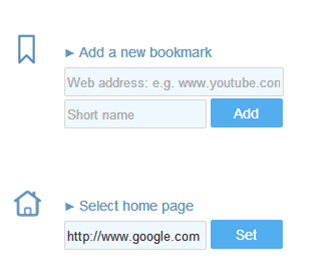
Step-4: Here you can add your own bookmarks to the browser, Gmail, Facebook, Yahoo and Amazon are already added if you want to add your own then you’ve to click on ‘Add A New Bookmark’ so you’ll be given two boxes first is to add the link and second is name. Also click on ‘Select Homepage’ if you want to select a homepage of your own choice. After setting that click on add features.
Step-5: Now here are some features you can add to your new browser you’re going to make i.e popup blocking, Unblock blocked sites, Translator, screen captures with annotations, etc. So select one by one in the list which you want to add to your newly browser and then click on Select Theme button.
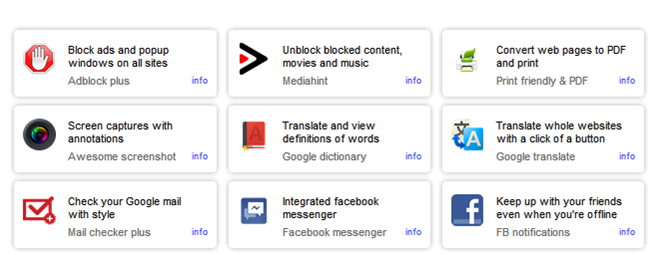
Step-6: Now you’ll be given 8 themes from which you can select a theme you want. As you select a theme, your browser is ready to download, now click on finish and download button so an automatic download starts and you can see the new browser you created in your downloads folder. Now you can install this on your computer and enjoy your own customized browser.
Read: How To Make Free Online Phone Calls
So friends, above we shared a web-based application which can be used in order to make your own web-browser for your computer, I hope you liked this post.
About the Author:
Basheer Ahmad loves to surf online share useful tools regarding internet/tech etc, through his blog. He recommends to Convert/Download Youtube Videos Using Free Online Tools without any software.
|
1/20/2014 | Continue Reading...
Social media, in the present time is important! Important and life shaping relationships are build on these platforms and hence, for business brand, it has become more important now than ever before for the brands to optimize their social media efforts.
Although concentrating on the search engine optimization of your brand and perhaps investing in a fully scaled PPC services would offer remarkable returns to the business, but if your vision for your brand includes longevity, you would like to optimize your social media efforts as well, in order to maximize the chances of success.
Social media in its most basic form is the means for establishing a strong online community around your brand. And while there is a complete host of endeavors which a business house, entrepreneur or organization may undertake to optimize their social media presence, we shall here concentrate on the content. If you have always wondered the type of content that you should create or post on your social media profiles, we come with a few possible options readymade for you. With our expansive knowledge of the social media platform, we are hopeful that the following suggestions and principles of social media marketing would work for your brand too:
1. Create Content worth Sharing
Content is all about your distinctive playing with words and its related collaterals, and words have the power to either make or break someone. While churning up content for your social media, try and design a story – something which inspirers people, shared a chord with them, is something that they can relate to. Do not use social media platform as a monotonous robot, which only wishes to drive more traffic to their website or are there to share yet another discount scheme or special offer.
We are not asking you to turn overtly devotional, but the point is simple – while coming up with a piece of content, do ask yourself – is it worth for an online reader to share?
2. Concentrate on One Platform for Now
Optimize your endeavors for a particular platform, instead of creating a complex potpourri of different available networking sites. The point here is exclusivity. The reason why a particular customer or online user would subscribe to a particular channel of the online marketing mix is because of its exclusivity – the exclusive ounces of information shared via that particular platform.
Thus, understand your business and your customers well, and decide what works best for them – email marketing, Facebook or Twitter, or YouTube etc. and optimize your social media optimization for that particular platform. By the virtue of the viral nature of various social media platforms, the content will get shared everywhere else even before you could tell.
3. Everybody loves a good contest
The point is simple, allow users to showcase their talent on your social media platforms, or ask them to participate in any which way possible. If you are an ecommerce store, ask for your trusted online followers to post a picture of themselves posing with a product that they brought from there store – offer free goodies or gift vouchers to one that comes up with the most beautiful or maximum number of pictures. Or, run a photography contest; ask them to upload a picture on a particular theme suiting the niche of your business operations and offer handsome prizes to the winners. This is a good way to get the activity rolling on your social media pages.
4. Share Your Stories
If someone is following you on the social circles, and that too for a considerable amount of time, you can be rest assured that they are really interested to know more about your business, its various initiatives and its personality as a thriving entity. Hence, mingle! Share with them the stores, the struggle it took you to be where you are today, your experiences, what drives you, and get chatty! Ask them about their feedback, views, or in any way to supplement to the discussion. Share your pictures while you are headed to a conference in a foreign locale, or when you are partying on the occasion of your company having completed 2 years, etc.
Be more than a trade and commerce entity, express your personality, be a human that they can connect with, not just a good business deal or a trading opportunity.
5. Let Your Followers Shine on Your Page
Often we grow older but never grow over the fact that we would like an audience to our lives; and if not a full-fledged audience then at least someone to notice us in some way. You have the opportunity to provide your readers with that stage subtly lit up with the lime light, and allow them to actually shine. All you have to do is to acknowledge. Run a ‘Member of Month’ contest on your Facebook, wherein the one with the maximum and the most meaningful activity on your page would be acknowledged at the end of the month – with perhaps a public acknowledgment on your page and a special goodie bag for the same. You can also create ‘Hero of the Month’ wherein you would share about a customer or an employee or any contact whatsoever, who was your hero – and why?
Summary
Each brand has its own story, its own uniqueness. We hope that the above mentioned suggestions work for your business brand, and if you would be so kind enough, we would like to know your story. How you turned social media in your favor, and what kind of content would you usually share? Share with us your thoughts and opinions about the same in the comments section below.
About the Author:
Arbaz Khan heads Tech Plus Reviews and SEO service delhi company and has a special skill for providing the most competitive SMO Services Delhi. Get in touch with Arbaz to discuss any of your online marketing campaigns.
Posted by Ravi Kolhe |
12/16/2013 | Continue Reading...
Surely no entrepreneur would refuse the possibility of an effective promotional idea. The fact that business nowadays is truly competitive makes brand awareness truly essential. It is in this context that the introduction of effective promotional products becomes a welcome relief. This act is perhaps considered as a positive contribution to any business’ overall promotional tactic.
There are several reasons why a business utilizes promotional products, whatever particular product it is that they should choose. Topmost on the list of benefits would perhaps be the positive effect on brand awareness amongst clients, particularly those who are not yet on the list of existing customers of the business brand. It may even be a better way to promote the brand because although the business spends on these products such as flash drives, they can cut off on other advertising expenses. Through giving away products for promotional purposes, the brand reaches the customer directly thus eliminating cost for print or broadcast advertising.
In line with this, the benefit of giving away promotional products is also on helping make great recall for clients on the particular business brand. This is a good way to create a seemingly continuous advertising tool without any follow-through expense. How so? Take for instance a business brand which gave away custom USB drives to their clients who may even be first-time buyers only. Because they are able to take home and use over and over again the USB drives with the business brand imprinted on it, the customer is reminded of the business brand giving it more possibility of him coming back to buy that same brand or product again. Every business ought to realize that the infusion of brand recall is an effective way of selling any product and this could be achieved through giving away the likes of custom USB drives.
The patronage of customers to your product should be kept in mind at all times and it should be corresponded with reward. There would be no better way to keep your customer coming back to buy your products than when you keep them happy because of the rewards they are able to receive from you. You benefit from giving away promotional products by creating a long-term commitment of buying your product or patronizing your business from your customers which consequently allows your business to grow and live long. Who could think that a small token from you such as USB drives would go a long way for your business?
At a time such as today when people are becoming more dependent on the use of devices such as flash drives to secure pertinent data which they use on a daily basis, giving away such products can be truly rewarding for the business. For the reason that you are able to address one of their important needs, you or your business is an embodiment of one who can be trusted and depended upon. In the end, you can be assured of a well-established dealer-customer relationship making your benefits flow immensely for giving away promotional products.
Jasmine is one of the reliable person in promoting products. He basically studies the behavior and characteristics of different electronics parts or components such as promotional flash drives, Custom USB Drives, Custom Flash Drives, and etc.
|
11/12/2013 | Continue Reading...