Showing posts with label Gadgets. Show all posts

Price Hike Expected for iPhone 6

‘All good things come with a higher price quote’- this proverb is apt for iPhone 6. While the entire cyber space and tech world is going gaga about the rumoured features of iPhone 6, which are undoubtedly very advanced, we are pretty sure that it is going to come with quite some price difference as well. The bigger scratch resistant screen for which Apple has invested half a million dollars, the A8 processor chip for which it has signed a deal with a Taiwanese company, the acquisition of PrimeSense Technology promising iPhone 6 to come with advanced camera and display and many more advanced features of iPhone 6 indicates an obvious price hike as well.

Apart from this obvious facts, analyst Chris Caso has also come with his own explanation as to why we can expect a price hike for iPhone 6. He is of the opinion that iPhone 5s, the latest model in the iPhone 5 series came with some advanced features, but it came with the same price tag as that of the iPhone 5c. This trend has led Caso to assume that it must have caused revenue erosion, but Apple had to deal with it because it wanted iPhone 5s to compete with Samsung’s Galaxy series phone on the price quotient. Therefore, Apple will definitely try to make up for the losses on the profit margin of iPhone 5s by quoting a higher price for iPhone 6.

However, he also states that iPhone 6 will certainly come with different internal storage capacity, most probably starting from 16GB and the price will increase by 100$ with increasing gigabytes. Therefore, suiting the budget of a wide range of consumers. The users have to consider their usage before investing on iPhone 6. However, there is no denying the fact that paying 100$ for every 16 GB or 34 GB at the max increase in storage capacity is expensive when compared with the price of SD card with the same internal memory.

Nonetheless, it is too early to come with a concrete solution just now as it has been only a couple of months since the release of iPhone 5s. But we are very sure that it will be higher than the price of the present phone because of all the above mentioned factors. So let’s keep our fingers crossed and hope that iPhone 6 will come with lucrative contracts so that different categories of consumers bag it. There are other brands in the market who are known for superior Android devices, along with the release of iPhone 6 we would see in the market other manufacturers superior smartphones that are Galaxy Note 4, Xperia Z3 , Google Nexus 6 and LG G3 . No doubt, end user is going to enjoy because of the head on collission of alll of these beasts.
Posted by Ravi Kolhe | 3/21/2014 | Continue Reading...

Samsung Galaxy Note 4 Specifications

The upcoming beast from the Korean giant Samsung, Note 4 is the trending topic among tech-geeks. After the announcement of Galaxy S5 at MWC in Barcelona, Samsung Galaxy Note 4 is the next Smartphone cum phablet in the line-up to be released by the multinational company in third quarter later this year.

Samsung Galaxy Note 4 Specifications
Galaxy Note 4 is expected to cover up and remove all the flaws experienced in Samsung’s previous smartphones and is likely to come up with mind boggling specifications. Samsung Galaxy Note 4 is also expected to have Exynos 6 Hex-core processor clocked at 2.3 Ghz along with 3,700 mAh battery capacity and boosted by 4 GB RAM.

An improvement in camera specifications is expected with 18 MP rear camera and 5 MP front camera along with features like Optical image stabilization, auto focus and 4k video recording. According to the rumors, the Samsung Galaxy Note 4 will come with a newly designed S-Pen supported by Wacom digitizer-tech, but the air command & other commands will be modified, thus using the Galaxy Note will be more of a pleasure than pain.

Well with such a huge improvement in specifications from it’s predecessor along with stunning features it is expected to empty your pockets when it gets launched in August this year.

Samsung Galaxy Note 4 Specifications
Galaxy Note 4 will have a all new Snapdragon-SoC processor that can bite through any tasks with much ease and coupled with a 4 GB RAM, the processes will run like butter.

For many such stories and latest update stay tuned or you may even subscribe to our blog. Happy reading..!! Source – http://shoutaword.com
Posted by Ravi Kolhe | 3/11/2014 | Continue Reading...

Google Nexus 6 Release Date, Price, Specs and Features

One of the new tech toys that has joined the smart phone league, would be the Google’s “Nexus Series”, and with the Google Nexus 5, launched just months ago, doing a tremendous business in the market, we are here to review what to expect from its successor “Google Nexus 6”. Though most of it is mostly speculations, and the brand has kept mum about the product, we could definitely indulge in some wishful thinking.

Release Date

The key to marketing is to know the best time to launch a product. Every brand has created their own niches in the market, so even if you have a brilliant product lined up and the launch dates crash with a major brand, the feedbacks can be ugly and the reviews tough. However, Google does know how to market its product and keep the yearning on. We saw speculations of Nexus 5 launch in May 2013 which was however unveiled in November, so rumors of Nexus 6 launch vary somewhere from May 2014 to latest by October 2014. We just hope, that Google manages the balancing task well- impatience versus consistency.

Price

One of the best thing about Google Nexus 5, was its affordability, which obviously always has to be rated against the features the phone promises to contain. If the rumors are to be believed, then Nexus 6 promises to deliver some kick-ass features. So, we can definitely expect it to be pricey yet affordable, something within $450, say a $100 more as compared to its predecessor which approximately amounts to Rs. 32,000 INR. Start saving people.

Specs and Features

So far as features are concerned, this is an amazing deal with some really fancy features in addition to your basic navigation and GPS accessories; take wireless charging, infrared sensors, ambient Light or HDMI Video Audio Inputs for example. And if these caught your fancy, the specifications are going to blow you off. Loaded with an Android 6 Milkshake or what could possibly be the Android 4.5 lolly pop, this sleek gadget with a 5.3 Super LCD screen allows a storage space of 128 GB in addition to 4GB RAM and is expected to run on a CPU of Qualcomm Snapdragon 800 or more. With unbeatable connectivity and Picture Quality (13MP Primary Camera along with a 5MP Secondary Camera), this one would be definitely up for grabs.

But with so much said about Google Nexus 6, the real test for the product would actually be tested with what the other market giants namely Samsung and Apple has in store for 2014. No doubts Google Nexus 6 would be killer product for sure, we wonder if it’s going to be killer enough?
Posted by Ravi Kolhe | 3/04/2014 | Continue Reading...

Samsung Galaxy S6 | Next From Samsung

Samsung’s next flagship device, Galaxy S6 will be more than just an improvement over the previous device, it will be a total revamp. The Galaxy S6 will have a lot of features, not gimmicks, because that has changed with the arrival of Galaxy S5. Galaxy S5 came with a lot of features, useful in each and every situation you can imagine. But what about the Galaxy S6? Well it’s going to be the next big thing you wished for. Let us take a dive into the specs of the next Galaxy.

Display and Operating System

The Samsung Galaxy S6 will be a bit bigger than the Galaxy S5 which eases one handed operation. The device will come with a resolution of 2560x1440 with a pixel density of 532PPI all encased in a 5.2 inch SUPER AMOLED panel, protecting the screen will be CORNING GORILLA glass. The new TouchWiz UI will be implemented over the Android 5.0, with halo like icons with floating widgets and other key elements. Since we are not seeing so much bloatware on the Galaxy S5 we expect it to be the same on Galaxy S6 as well.

Processor and Camera

Samsung made a big leap from their conventional 13 Megapixel to a 16 Megapixel in the Galaxy S5, well it’s not too much to say the Galaxy S6 will pack a 21 Megapixel camera with the same ISOCELL technology giving the user more rich and detailed shots in that picture perfect moments and 4K video recording for those shouldn’t miss moments. The processor will be another step Samsung’s going to make, with the device packing a Snapdragon 805 SoC clocked at 2.6GHz with CAT 6 support and LTE support as well helped along with 3GB of RAM and there will be an Exynos variant with the A15 core clockin at 2.4GHz and A7 clocking at 1.9GHz both being quad core with the same RAM.

Battery and Other Features

Samsung Galaxy S6 will come with a 3200mAh battery which will last the device a full day with heavy usage. Other interesting feature will be the IP rating for water and dust proofing.

For more news and articles on the Samsung Galaxy S6, keep a tab on www.trickstech.in, and subscribe to our feeds.

Cheers !!!

Source - http://www.nexus6price.com
Posted by Ravi Kolhe | 3/04/2014 | Continue Reading...

Let your brain act younger by playing multitasking video games

A recent study to be published in Academic Journal Nature has uncovered a new possible application for video games. The study shows that video games can be used to boost short and long term focus in older adults. With that in mind, there’s a question rising: can video games help people’s brains act younger?

Let’s see what research says

multitasking video games
The study run by cognitive scientists from the University of California cost three hundred thousand dollars and took a sample of adults through a custom built video game. The game was designed to make people pick out road signs while driving a car, discounting signs that were of no importance while picking out significant ones.

The sample was split broadly into two areas: those in their twenties and those between sixty and eighty. The younger sample registered a twenty six percent drop in efficiency when multi tasking while the older sample immediately registered a drop of sixty four percent.

The study was repeated after the samples were trained in the use of the game over time and the results were interesting to say the least. The study noted that the older sample regained the cognitive ability of the younger sample after being exposed to the game over time. Furthermore the older sample operated at this level equal to the younger sample outside of the game environment and continued to show improvements over six months.

Videos can help train specific areas of the mind

It looks like video games can be used to train certain areas of the mind. The issue is that the best way to train the mind is still not known. Dr Daphne Bavelier, a cognitive scientist whose own research into training the brain with video games has paved the way for further study, believes that the art to training the brain effectively using video games of other interactive media is still not understood.

So called brain games designed to boost mental ability are not scrutinized enough and should be constantly altered and studied to ascertain the perfect balance to stimulate the brain. Rather than support and admit that video games are good, some people are just too focused on laying out their drawbacks.

We’re still talking about experiments

Dr Gazzaley believes that the study - entitled Neuroracer (because it’s powered by the Neuroracer video game) by the University of California - is a major leap forward but should not be used as clear definitive evidence of real world application. His opinion on the matter is that the Neuroracer study showed clear benefits for the six months after but was not an accurate depiction of the real world, being a laboratory controlled experiment. Further study is required to understand the possible real world implications of the findings.

Chief among what is to be uncovered is whether these benefits are actually permanent or long term. Whether the experiment is proof that brain boosting abilities can be achieved with video game stimulus is not proved without a doubt by Neuroracer.

The study did however use theta brain wave measuring apparatus to judge alterations in the theta brain wave (linked to attention spans) and this was indeed improved in the older sample. This gave very clear evidence that something has improved during the game. What and for how long is up for debate.

We can’t know for sure what will happen from now, however we want to hope that video games can revive the brain and make it more active. Now it’s up to the scientists to prove their allegations, and who knows, maybe at one point in the future video games will be seen as a therapeutic way of boosting the brain?

About the Author:
Christopher Austin is the writer to this article and several other articles. He loves to talk, discuss and spread awareness about anything interesting going on around us. He is also editor at a gaming site Cooking Games 365.
Posted by Ravi Kolhe | 2/25/2014 | Continue Reading...

Delving Into the Future of Smartphones

The amount of innovation and invention in technology, features and functions that are being made in the smartphone industry is just massive. Every company is trying to outsmart the other, in the race to become the leader of the industry. The intensity of the competition has led to the creation of some of the most insanely awesome devices. However, we are not shunning our door of expectations yet, but expecting these brands to come out with more captivating devices.

A new year and everyone expect new devices especially from the top brands. With 2014 here, people have already contemplated what kind of devices might make the headlines. Bloggers and tech gurus have already been giving us a fair idea on the kind of devices that we can expect to see from particular brands.

Delving Into the Future of Smartphones
Apple

This smartphone giant is planning to unleash some more monsters into the battlefield sometime this year. Apple plans to bring the iPhone 6 and the iPhone Air. There are talks about a late release of the iPhone 6 probably around November; otherwise it might just get an early release sometime in May. The idea of an early release is being strongly supported from many quarters considering the fact that the company is going to get into the phablet game with its iPhone Air that will most probably have a 6 inch display and is destined to be released early around May.

The iPhone 6 is expected to have a bigger display and a more compact form, thanks to thinner and lighter materials that would be used. The display will be constructed out of unscratchable Sapphire glass and the device might just be the thinnest smartphone, if reports are to be believed.

HTC

HTC plans to introduce another HTC One into the already existing crowd of HTC Ones. You can expect solid build quality like other HTC devices and the model will have a 2.3 GHz quad core Qualcomm chip and a 5 inch display, running on Android 4.4 KitKat. This device might get a very early release in February when the Mobile World Congress takes place.

Nokia

Nokia Mobile has been seriously trying to restore its position in the mobile industry ever since it was overtaken by Samsung and Apple with the arrival of smartphones. It has regained some fresh ground by being the only brand that exclusively produces only Windows phone. The company is expected to launch another Lumia device - the Nokia Lumia 929, which will have a 5 inch full-HD display. There are talks of Nokia launching it in the US, at the MWC in the last week of February, unless it gets an early release.

Samsung

Undoubtedly the biggest player in the market, at the moment, with its line of galaxy smart devices, this Korean giant rules the roost in terms of sales. After continuously setting benchmarks with the S2, S3 and S4 devices the brand is expected to launch the Galaxy S5 towards the end of the first quarter of 2014.

Samsung Mobile has floated the idea of making its next line of smartphones with only 64-bit processors. If rumours are to be believed, Samsung might just drop Android for Tizen, the OS it has co-developed with Intel. However, Samsung might also release the S5 with Android in continuation of the Galaxy S line, and release another smartphone with Tizen. There are lots of rumours flying around and it is really hard to figure what might be the actual product that will be released.

The Galaxy round with a curved screen has been announced and confirmed, unlike the S5. You just might get to possess it really early because it is slated for an early launch.

LG

LG plans to bring out a curved display smartphone similar to the Samsung Galaxy Round. The only difference between the two, in terms of the form, is that the LG Flex’s display will have a horizontal axis curve while the Samsung device will have a vertical axis curve. It will have a Qualcomm Snapdragon 800 processor, a 13 MP camera, and some snazzy functions 11 ac WiFi and NFC like infrared transmitter for controlling devices like TV. It will feature a 6 inch POLED screen, landing it in the phablet category.

You can keep yourself updated about these smartphones through various electronic and digital magazines - print or online. There are also online shopping sites that will be including them in their smartphones collection once the products are launched. You can also go for pre-release orders that online shopping sites provide, before the devices are actually launched on these sites, as soon as they are officially announced by the companies.

About the Author:
Chandan is a tech enthusiast and blogger with a flair for writing crisp and concise articles that bring to light all the necessary details of a device in a way that is understood by the common reader. He Works with Flipkart.com and has extensively researched in Online Shopping websites in order to gain some levels of insight into the market. His expertise along with enthusiasm for writing has helped him create crisp articles that speak directly to the consumer. The field of e-commerce is a budding and booming business model that is ever changing; Chandan keeps track of how the market evolves and researches products based on the market flux. He always goes for the bigger picture when writing about products and thinks of the impact it will have on the new gen consumer.
Posted by Ravi Kolhe | 2/25/2014 | Continue Reading...

How to protect HP Laptop Screens

If the HP laptop screens of your laptops are broken, cracked or have dead pixels, you need to carry out laptop screens replacement. To replace the screen you can have it done by a professional especially if you do not know how to do it. Most people tend to carry out minimal computer repairs themselves and you can easily replace HP laptop screens by following instructions that are readily available online. To do this you need a Philips screwdriver and a normal screwdriver.

You may also ask for help from a friend or a family member who is really good at computers and may be able to carry out laptop screens replacement. To be able to select the right laptop screens replacement for your laptop, you need to check the original manufacturer (OEM) part number which is often at the back of the screen that is broken or not working. You can also search for the right HP laptop screen by searching for a screen that is compatible with your laptop model or OEM. To carry out laptop screens replacement you can easily remove the faulty screen from your laptop by unscrewing the small screws that hold the HP laptop screens in place.

There are very many variations in laptop screens replacement as there are many types of LCD screens. To avoid being confused you can select the right replacement HP laptop screens for your laptop model. Selecting the proper screen is very important as the replacement screen must be an exact match as the original one that came with your laptop so that your laptop functions as it should.

How to protect HP Laptop Screens
Most laptop screen suppliers have easy to use locator tools which help you to identify the right screen for your laptop model. They may also have instructions on how to carry out Laptop Screens Replacement yourself including how to remove and replace your faulty laptop panel.You can get a better quality with higher resolution as these are available in almost all types of HP laptop screens. Some of the LCD HP laptop screens that are available include those with different screen resolutions such as svga, xga, wxga, wxga+, sxga among others.

There are also HP laptop screens with glossy finishes or matte finishes depending on what you prefer.It is important to note that laptop screens replacement are not manufactured by HP but they are manufactured by the same manufacturers who make the screens that are placed in HP computers. It is important that you purchase high quality screens so that they last long and have no defects. New replacement HP laptop screens are the best option as they are likely to last longer. Used HP laptop screens may not last as long but these tend to be cheaper and will work well for some time.

The author is a computer enthusiast and trained computer technician who has replaced laptop screens and other computer parts for ten years. He loves to carry out laptop screens replacements in his spare time.
Posted by Ravi Kolhe | 2/25/2014 | Continue Reading...

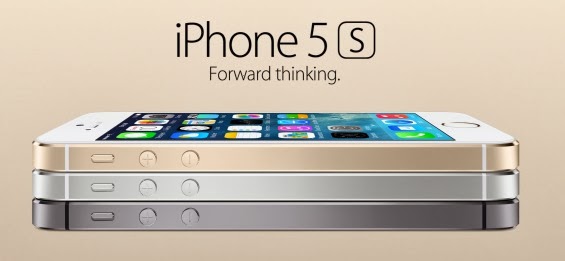
5 Handy Tips to Explore your iPhone 5S efficiently


Apple surpasses other mobile brands by producing devices that are highly efficient to use, especially the iPhone. Though, iOS6 didn’t turned out to be a productive choice for many mobile users, iPhone 5S is one of the best looking smartphones that Apple has introduced, which comes along with a plethora of stylish accessories to further enhance the look of the device and is packed with astounding features. But with plenty of features and the perks of iPhone Mobile Application Development services it’s easy to overlook at some of them.
5 Handy Tips to Explore your iPhone 5S efficiently
I’ve put together a list of 5 basic and useful tips to check out how to utilize your iPhone 5S device.

1. Get Quick and Secure Access with Touch ID

Get Quick and Secure Access with Touch ID
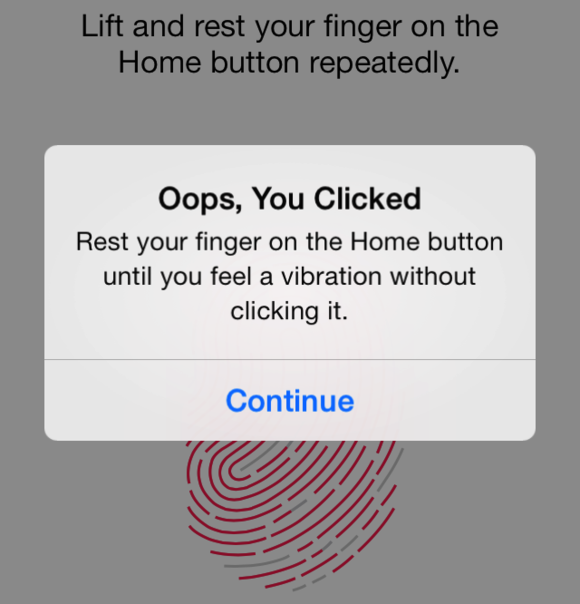
We all do check our phones dozens of times in a day. But, every time opening the passcode could slow you down. But it is important so as to avoid some other person from accessing your device. Thankfully, iPhone 5S has introduced a new feature –Touch ID (a fingerprint identity sensor) that lets you check your iPhone without wasting much of your time.

What’ll you need to do is to place your finger on the Home screen button to unlock your iPhone. Besides this, Touch ID also helps render secure shopping swiftly, as with a mere touch of your fingerprint you can approve buying from the Apple’s app store, iTunes Store, and the iBooks Store, thus you no longer need to enter your password.

2. Capture Incredible Photos with iSight Camera

iSight Camera
The most important thing to consider when purchasing any mobile device is the quality of the camera, so that anyone can capture some great shots anywhere. iPhone 5S features avant-garde technologies tailored for the iSight camera app. In order to launch the camera app, swipe your home screen and just tap the small camera icon given at the bottom right of the lock screen.

What’s more, the iSight camera app helps to capture beautiful images around 8 megapixels in size. All you’ve to do is to aim and then shoot. The camera app introduced by a highly skilled iOS App Developer will select only the best shot and binds the rest captured photos in a sub folder. Now, this is definitely a great and easier way to delete the bad shots.

3. Save your Phone Battery Life

Battery Life
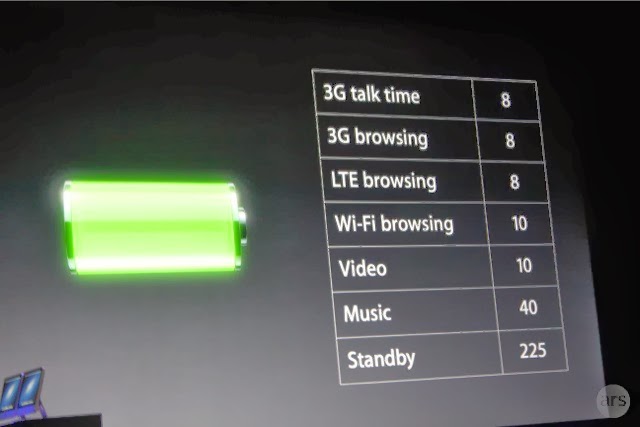
The most common yet highly essential aspect is turning off your iPhone 5S settings when the phone’s battery is running low. This way you can make your phone run a bit longer. Just go to the settings click on the option that you want to turn off and click on the off option. For example, in order to turn off your Wi-Fi, go to Settings > Wi-Fi > Off.

You can also turn off a lot of other options as well by visiting the settings option, like Bluetooth, Privacy, Sounds etc.

4. How to Make Siri More Useful


How to Make Siri More Useful
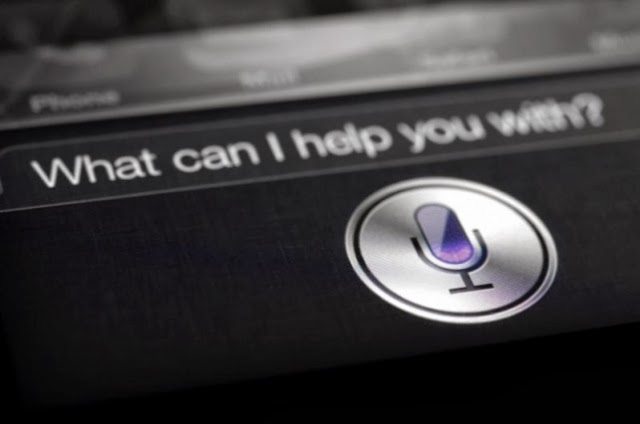
Want to make your daily tasks less burdensome? Then, you need to learn how to use Siri Although, Siri might not be a new addition to the iPhone 5S powered device, but it has been enhanced and is worth using. In order to launch the Siri app tapping and holding down the home screen button is not required, instead what you need to do is to go into: Settings > General > Siri and turn Raise to Speak on.

Remember to talk to Siri – to work on things just the way as you talk to someone, it is because Siri understands whatever you say and meant. It even talks back. For example, you can tell Siri to turn on or turn off the Wi-Fi settings and much more.

5. Adding Additional Emoticons to your Text Messages


Additional Emoticons
Sending plain text messages seems to be boring at times. If you want to add zing to you text messages, iPhone 5S bestows you with the option to unlock a wide variety of emoticons and images to be added to your messages. You can do this be picking up an Emoji. How? Just follow the below mentioned ways:

Go to Settings > General > Keyboard > Keyboards > Add New Keyboard > Emoji.

So, the next time when you’re typing up a message, you can see a globe icon at the bottom left of your message window – just flick it up to access a wide range of emoticons to use.

If you’ve purchased iPhone 5S and missed out a few basic features, such as how to add security, make use of the camera, and a few other basic things, it is recommended that you must take a good look at the aforementioned tips that will provide you with a good idea – as how to efficiently use your iPhone 5S as per your requirements.

About the Author:
Rick Brown is a highly skilled and experienced content writer and working for a iPhone Application Development Company. You can hire an iPhone App Developer by getting in touch with him.
Posted by Ravi Kolhe | 2/25/2014 | Continue Reading...

Will Samsung go Metal with the Galaxy S6?

People always have expectations. No matter how advanced a device is there is always something that is missing. That is one thing that Samsung can readily attest to. It’s no secret that Samsung has done very well when it comes to their Galaxy S series of smart phones. It is also no secret that they have received a lot of criticism over the casing of the devices. Samsung is well known for their plastic casing on their flagship line of smart phones. This is one thing that people are always complaining about.

The plastic casing makes handling a device a bit tricky. Of course the sleek look is appreciated but the slippery nature of it, not so much. Some people have to struggle to get a grip on their Samsung smart phones. This can be frustrating at times. The casing also makes the devices venerable to accidents like drops. This is one of the reasons why people want a metal casing.

Samsung go Metal with the Galaxy S6
This has been one desire that Samsung has not found away to fulfill. People were expecting they would do something different with the Galaxy S4 but that did not happen. Then people kept hoping that the Galaxy Note 4 would also be different. That was a disappointment too. What Samsung did with the Note 4 was just give it a faux leather design. People have however not given up. There are rumors that Samsung are seriously considering the metal casing on their devices.

Samsung is apparently looking for options on aluminum or metal casings. This may not be ready however for the S5 and that would mean the S6 would get it. This is not something that Samsung has spoken about but the insinuations are still there. There have been reports of Samsung sending engineers to research on the technology. If this were true, then it would be good news for a lot of Samsung fans. Even if it may take a while to perfect the whole thing, it would definitely be worth it.

A metal or aluminum casing for the Samsung Galaxy S6 would boost the device to greater height. Besides offering more convenience, it would provide better protection for the device. There have been unconfirmed reports that the metal casing may go into a new line of Samsung smart phones. That however can not be taken very seriously. Even if they did launch a new line, they would still need to make improvements on the casing of the Galaxy S series. It is highly probable that the Samsung Galaxy S6 will come with a metal casing when it does get released.
Posted by Ravi Kolhe | 2/22/2014 | Continue Reading...

Experience More Innovation from Samsung Galaxy Note 4 Phablet

Galaxy Note 4 Phablet is likely to be the next big device in the world of handheld devices. While all people are busy talking about the release of the Galaxy S5, rumors has it that this techno logy giant is planning to release a new phablet. The new device is an innovative technology creation that will be a successor to its Galaxy Note 3. Rumors have it that the new Note 4 will be released during the second half of this year.

According to the executive vice present of Samsung Lee Young Hee, the device is being designed to meet the needs of high-end segment of the market. This implies that this device is likely to have new-age technology that will impress the market. The device is being developed by professionals for professionals.


Samsung Galaxy Note 4 release date

Rumors are that this device will be released during the third quarter of this year. This is likely to be between August and September. Some sources working with Samsung reveal that the device will come with more innovative features than its preceding models.

Galaxy Note 3 had a fabulous response from consumers. Samsung based its innovation on Galaxy Note 3 while manufacturing this device. Most of the improvements made on Samsung Note 3 were based on the reviews of reviewers and users. In addition, it comes with more innovative and unbeaten specs.

Specs of Galaxy Note 4

Samsung considered the fact that, when purchasing any Smartphone, consumers consider its specs.

Among the specs of this device include the following:

• Camera: This device will come with 13 Mega pixel cameras. These cameras will come with a new feature called anti-snake. This makes it possible to take still shots perfectly using this device. In addition, you can take quality shots under low light using this device. The camera will also be extra sensitive.

• Operating system: This device will have an Android 4.4 KitKat. Galaxy Note 3 came with a 4.3 Jellybean. This implies that 4.4 will be an upgrade of this device and it would mean that the device will introduce new notifications icons and more personalized themes.

• Wireless charging: Rumors have it that Samsung is developing a more innovative technology that will include wireless charging. There are Smartphone models that are already using wireless charging technology. However, these use charging pad to charge phones. With the new device, magnetic resonance technology will apply. This implies that Galaxy Note 4 will charge longer to enhance convenience.

Other specs of this device include a 5.9 inch full high definition screen. The device will also have an octa-core processor with internal memory of 4 GB. People are always looking for gadgets with larger memory. This Galaxy Note is expected to come with an expendable memory of up to 64G. This implies that the device will be the first to allow users to enjoy 64-bit memory. The battery of this device will have 3,300mAh. Nevertheless, technology fans can always expect the best from Galaxy Note 4.
Posted by Ravi Kolhe | 2/22/2014 | Continue Reading...

Know More about Samsung Note 4 Background

Many fans are expecting the launching of the Samsung Galaxy Note 4 eagerly. By now, the social media is full of stories of how the gadget looks like. Some other sites even have images that are expected to liken it. While the fans scroll through reading the various specifications and the tentative date of launch, you could maybe ask yourself; what is running at the background? How did the Samsung actually come about the features that are expected to appear in the current Note 4?

Well, in such a market, it is almost impossible to completely ignore the competitors. This is because for everything that you produce, you must have the competitors at the back of your mind. Every company wants to produce a gadget that is stronger than its competitors. They also want to build on the limitations of the others. This way, they try the market and bring about new, high-quality products.

Even the finest details are put into deep consideration here. For instance, Samsung was very much concerned when they were unveiling the Samsung Note 3. This is because they were afraid that the iphone 5C that was launched could have left the customers thinking that the plastic backing symbolized that it was cheap.

This would also have meant that the quality was compromised, hence shifting people’s attention away from the gadget. Therefore, the idea of having a plastic backed gadget versus the metal backed gadget means everything to a manufacturing company. To this effect, it is also rumored that the Korean Company is trying to test the workability of other materials apart from glass/ metal and plastics. Actually, the ET News reported that Samsung has already sent some of its best engineers to Vietnam to further these tests on materials such as aluminum and also magnesium, to be used as backs.

The other thing about this gadget is its expected display. In the past, Samsung has been known to adjust the screen of every new phone they introduce to the market by 0.2 inches. However, so many fans have their hopes high and crossed fingers that this time, the tradition could be broken and see the Company skip to a 5.9 inch screen. Well, at the moment, the Samsung note 3 has a 5.7 inch screen and it is not known whether this will be maintained for its successor or the fans’ demands will finally be met.
Posted by Ravi Kolhe | 2/06/2014 | Continue Reading...

How to Take Screenshots on an Android Device

Want to take a screen with your android tablet or mobile phone?If the answer is positive, the first thing you need to do is to check whether your android device supporting screenshots becausetaking a screenshot on Android deviceis not as straightforward as it seems. The operation system Android 4.0 or later offers us a built-in way to take a good screenshot, however, if your device using an older version of the Android, it’s little consolation to capture a screenshots.

How to Take Screenshots on an Android Device
On the whole, there are two types of all the android devices; one is the device support a built-in way to take a good screenshot, the other is not. Aimed at the two types of mobile phones,below editor will show android user an easy-to-use guide helping android user to take the screenshot on an Android Device respectively!

For the Devices that support screenshots: Android 4.0 or above

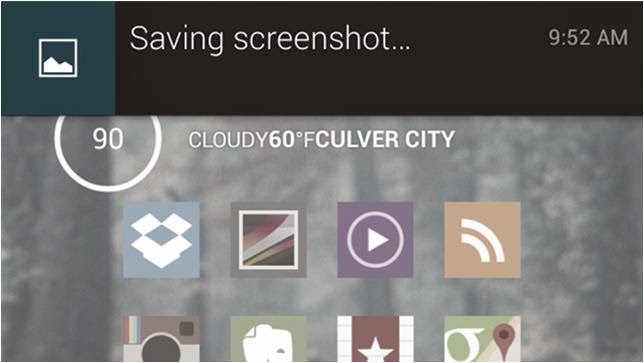
Well, most of the android devices that equipped with the operation system Android 4.0 or latercan take the screenshots directly. So if you want to capture a picture of the phone’s screen, just hit the Volume Down button and keep it down for a while, at the same time press the Power button, then you will get a prompt message allowing you to take a screenshot. Why we can capture a screenshot in this way? It is because most of the Mobile phone makers had upgrade the phone operationsystem and screenshots are built right into your phone!

For the Device that don’t support screenshots: Android 2.3 or below

Well, for the devices that do not support screenshots, it is a little trouble to get a screenshots. Generally we go and get an app for help. There exists many free app on the Internet can help you to take a screenshot; unfortunately they all can’t work on anunrooted android device.

If you don't want to root your android device because of the complexhigh-risk operation,$3 will save you much energy. An app named No Root Screenshot It (£2.99) is a well-received program easily enables you to capture a screenshot, with it what you should do is download and install it on your android device.

Note: the app needs connect the android device to you PC via an USB cable because when you installed it on your device and connect it to you PC, it will instruct you to get a free desktop application to help you finishing the screenshots job. Once the two matched apps were installed successfully inturn, the app will enable screenshots on the device.

Author the Author:
Jerry Brown is a good writer of drm-assistant.com. He writes for it for two years and step into the software industry for three years. The app DVD ripping program his site shares with the DVD movie lovers had earns much praise. Plus it can take DVD region code off as well!
Posted by Ravi Kolhe | 1/23/2014 | Continue Reading...

Top 10 Windows Phone Apps for Students For Language Learning

A mobile phone may not be the perfect device to help a student learn a language, but it does have its benefits and those benefits may be enjoyed by students if they know where to look for the apps. The apps listed below are all very useful Windows apps that will help a student to learn a new language. Many of them are good because they are also very useful for learning other subjects too. The list is in no particular order, as it seemed unfair to rank them.

1 - Tutorle
You can learn a new language by using dictionaries. The difference is that you can do it with voice pronunciation functions too, and it has a flash card section. It helps you to figure out and pronounce new words a lot easier.

2 - My Flip Cards

This is a flip card app that works in a very similar way to regular flashcards apps. The best thing about this app that makes it a cut above the rest is that you are given the choice of over three million flashcards to flip through. This means that you will not have to write your own flashcards to flip between because they are already done for you and waiting for you to start flipping when you are ready.

3 - Power Planner

This is a nice little app for remembering to do your homework. It is a planning app that allows you to create a wide number of plans for different situations. This means that you may even plan how you study your language and plan out your next month’s lessons that you have to attend. It can remind you of when thing such as homework are going to be due and allows you to plan for any sort of language based up-and-coming problems.

4 - Langeroo Toolbox Apps

This is a toolbox of quizzes and flashcards that a student of languages may use in order to get more done when it comes to a language. It is a good tool for revision, which may appeal to some students, and it has flashcards for learning languages. There are over one hundred flashcards that have an image that goes with each word to help the student associate the foreign word with the picture.

5 - Bing Translator

This is the Bing version of the Google translator and is useful for finding words that you are unsure about. It is not going to do your homework for you, but it is going to make your coursework a little more sophisticated. This is especially true if the app is used to try and figure out new words that may be used within coursework text. You may make it appear as if you have a far larger vocabulary than you actually do.

6 - FlashStudy English

Sadly, this app is nothing to do with the movie flash dance, and is more a flashcard app for people learning English. You may set the app so that the cards come up in a certain order. This means that you may make it a little more difficult as the flashcard app goes on. Or, you could put them in a random order and learn English that way. It is very good for people who are trying to learn past, present and future tenses in English.

7 - Spanish Past Tense

It teaches you about the Spanish language, but it concentrates on sentence structure. It is good for any level of Spanish learning that you happen to be on, and it helps you to focus on past tense in a way that vastly improves your written Spanish. There are 240 Spanish verbs in the app that help you to sort through and figure out your sentences a little easier. You can pick up the language a lot quicker and a lot more efficiently.

8 - Flashcards+

This is a nice flashcards app that you can use on a language course. It has a very nice built-in flashcard editor so that you can create your own flashcards very easily. You can keep creating flashcards as you go so that it helps you to learn in the long run and build up your knowledge more thoroughly.

9 – Skydrive

With a list such as this, it is hard to miss adding at least one cloud service. This cloud service will allow you to save a mass of your homework on the cloud, and will make it easier for you to share your project work with other students and get your collaborative works done a little faster and more efficiently. You can save notes, dates and important details too. Plus, you can use it to save your essays or your essay structures, notes and plans.

10 - Todoist Lite

Take down notes on each different niche of you language. Add a folder for things that happen in the kitchen, bedroom, office, etc. Or, you can go the route of learning new phrases and writing them down so that you can practice them through the day. Three new full phrases per week in your to-do list and you will soon have the language mastered.

About the Author:Korah Morrison, UCLA student and working as freelance writer at uk.college-paper.org.
Posted by Ravi Kolhe | 1/19/2014 | Continue Reading...

Five Tablet Computers for Students

Tablets have become an essential tool for students just like their desktop or laptop, and their school toolbox. These come handy for taking notes, researching on the Internet, and help during the study hours. The demands for tablets have increased in leaps and bounds in recent times – students need displays with dense pixels, faster performance, and accessories that would increase their productivity in class as well as libraries.
Five Tablet Computers for Students
Photo: 9to5mac.com
Here are some choices that you can pick from:


Samsung Galaxy Note 8.0

Five Tablet Computers for Students
Photo: pcpro.co.uk
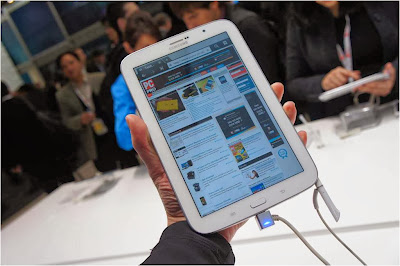
This Android tablet can make students ditch pen and paper for taking notes and turn all digital. The S Pen digitized stylus helps you to draw or write on the screen with acuteness such that your notes or diagrams are perfect and shared or uploaded conveniently to the cloud. There is a multi-window mode too which makes it more useful when working with two apps. The 8-inch Note is lighter and more comfortable for writing than the 10.1 -inch version.
Price- $400

Google Nexus 7

Five Tablet Computers for Students
photo: journerdism.com
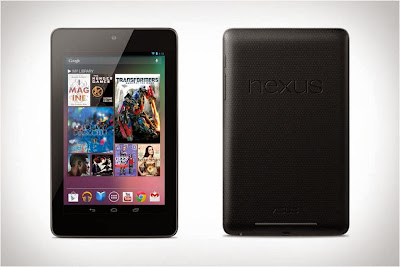
New Nexus 7 from Google is the sort of gadget you would need if reading is more of a necessity for you rather than writing. With high resolution and full HD display, the smallest of texts appear brusque and readable. This version is slimmer and lighter than the earlier ones making it a good choice.
Price: $230

Sony Xperia Tablet Z

Five Tablet Computers for Students
photo: digitaltrends.com
This tablet makes you go all digital with your textbooks with the 10 inch screen. It is sleek and does not add on much to the weight of your bag. Moreover, the splendid screen enables you to watch videos during your free time as well. Its USP is the resistance towards water and dust; therefore, this is an investment that will not let you down easily.
Price: $500

Apple iPad and iPad Mini

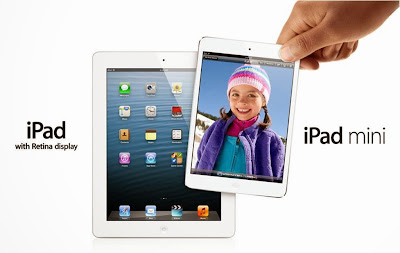
iPads have been reputed long enough for being an excellent gadget for students, the most important reason being the resourcefulness of iTunesU. Apple is associated with secondary schools and universities that offer course materials and lectures along with other such information through this education portal. Additionally there are innumerable apps that are focused especially on education ranging from note-taking to study via the app store. The 9.7- inch iPad with retina display is perfect for reading textbooks, web pages, and magazines. On the other hand, the Mini version of 7.9-inch might be more appealing for students who carry them all day long.

HP Slate Book x2

We know that suggesting a laptop or desktop over an Android tablet is not done; the slate here comes with some laptop-like features that you might not want to miss out on. The added key board dock helps you type faster than on-screen keys. It also adds more battery life and ports, making it perfect for students who can use it all day without worrying about running out of battery life. HP Slatebook has some very productive apps like the Splashtop Remote Desktop which helps students to access their files and computers even when they are away from the dorm.
Price: $480

About the Author:
Saitosh Raigen covers brilliant directories reviews on his blog every year. He consults for different NYC SEM Services and believes that SEM in itself is vast and can only be understood by keeping up with whats going around and doing things to know the results.
Posted by Ravi Kolhe | 12/20/2013 | Continue Reading...

Google Nexus 6 Fights Its Way To The Market

If not for so much, Google can be applauded for the tremendous trend of Smartphone production it has maintained. Not long ago Google launched nexus 5, and already the steamy news in the industry today there is; is on Nexus 6. Are observers being way too apprehensive on the next release?

A Real Knock Out In The Industry!

What is ruling the heads of many sites in the web today are the photos of the expected Nexus 6?When you look at the photos, you will notice that the Nexus 6 is not any different from its predecessor; the nexus 5. So what does Google have to say about this?

It could seem so early to announce of the mind blowing specs that Nexus 6 comes with in the public domain, but there is no stopping for Google this time! Nexus 6 is simply a super knock out for its competitors!

With the fact that Google has made its releases annually, it may be true on the release of Nexus 6 in 2014. Although the dates and the month have not been mentioned, the release is still underway!Nexus 6 is expected to hit the headlines of Smart phone competition arena in the first quarter of 2014.

Motorola is said to be a co-partner of the trend in. If you notice, Motorola has already released its Moto G, which is not even a week old! The Moto G is a sophisticated Smartphone, which has been a major jaw dropper to the observers, as well as the users. The key reason why Google opted to partner with Motorola can only be better explained by Google its self, although the high possibilities of the partnership is on the high rise of dedication and standard Smartphone production that Motorola has demonstrated. May be if they work together;a better outcome of the results as well as the sale of the Nexus 6 will fall into place.

Although Nexus 6 is said to look similar to the nexus 5 with an X display, the functionality cannot be ruled to be the same at this time. Google has always ensured that its gadgets are unique, with upped features, and it is not expected to change this trend. With the features on display, Nexus 6 is simply coming as a major beast in the Smartphone industry.
Posted by Ravi Kolhe | 12/16/2013 | Continue Reading...

Educational iPad Games – Educate your child with Fun

How can parents educate their kids using an iPad without turning to violent games that can affect their behavior? In today’s modern world avoiding technology is impossible, so rather than force your child not to use gadgets, it’s a lot better for a parent to foster that curiosity by offering their kids the opportunity to play fun, engaging games. Believe it or not, iPads can actually help children develop their cognitive functions a lot faster, and as long as the games employed are educational, they won’t affect or influence personality in any way.
Educational iPad Games
Reading Raven

Reading Raven is an extremely interesting, phonics-based app that offers step-by-step reading lessons to kids under 6 years old. Kids will undergo wonderful adventures and along their quest they will also learn how to read. On their journey they’ll come across circus acrobats, caterpillars that become butterflies, ball balancing seals, snow monsters, space robots, flying penguins and more. So if you’re trying to find the perfect combination of an educational app and a game, Reading Raven is an excellent choice.

Laugh and Learn: Shapes & Colors

Little kids who want to learn about colors and shapes will love this game. It features all kinds of interactions with sounds and animations, as well as really fun sing along songs meant to boost interest. Tilt or tap the screen and a learning world will start moving. Begin interacting with the on-screen colors & shapes, listen to the name of the color or shape, and make your toddler have an amazing time of the iPad.

Eye Paint Animals

Eye Paint is an extremely interesting game that offers kids the chance to create incredible images together with famous artists by implementing their own illustrations. It’s an extremely invigorating app because it fosters creativity in kids. They will have to paint using the camera, capture colors, textures and patterns around them. The painting created by kids can be saved and printed. Drawing is always fun and when it’s carried out on an iPad it becomes even more alluring.

Native Numbers

Native Numbers is an excellent addition for today’s already saturated math app marketplace. The game is exactly what parents would want for their little ones because if provides the deepest understanding on math vocabulary and number concepts. The creators of the app, Native Brains, have mentioned that kids are capable of amazing things as long as they’re given the chance to express themselves. Parents who embrace that philosophy are well-aware that games like Native Numbers can be extremely educational and at the same time fun for their kids.

Social Quest

Developed by speech-language pathologist and author Rosie Simms, Social Quest is a keeper. The app is meant to improve expression and pragmatic language comprehension in various social situations and it is meant for kids in middle school, elementary school, and high-school. Social Quest makes use of real contextual images, life situations, and a problem-solving quest theme meant for kids who will have to navigate through the locations and earn rewards.

Tense Builder

Tense Builder is an excellent app that will not just keep kids entertained, but also help them identify tenses correctly in the most engaging way possible. Children are supposed to use the correct tense by playing several animated videos that showcase present, past and future tense. The game features 48 lessons and it will help toddlers learn about sequencing and differentiating events.

Kids are extremely curious and as a devoted parent you have to foster that curiosity in the most educational way possible. Don’t hide your iPad from your toddlers and allow them to use it to play educational games and apps.

About the Author:
Jason Phillips is a lifelong gamer who loves to play latest and craziest games. Apart he is a Technical Writer, and a content writer at the site of Army Games 365. You can play and feel the war by playing these games.
Posted by Ravi Kolhe | 12/16/2013 | Continue Reading...

Could Amazon AppStream be the Future of App Development

One of the most frustrating experiences in life is when you have to see something being reduced to mediocrity only so that it can be made available to a larger group of people. This is exactly what happens with the apps that are being made today, and what Amazon’s new cloud service may be able to put an end to. Basically, AppStream should allow developers to host their apps in the Amazon’s EC2, and then stream them to the end users.

When developing an app, you have to consider a number of different factors. First of all, you need to know what platform you are developing the app for. Now, if you are developing for iOS, you’re golden, but if you are developing for Android, you have to consider its numerous versions and make sure that the app is supported by as many as possible. Naturally, in order to achieve this you have to sacrifice some of the functionality that the app could otherwise have.

Apart from avoiding any software conflicts, you also have to think about the hardware of the app user’s devices. While there are high end devices out there that are capable of running demanding apps, you have to bear in mind that the majority of smartphones and tablets are much more limited when it comes to preferences, which means that your app can’t be too demanding if you want a wider audience.

Could Amazon AppStream
That’s when AppStream comes in handy.

What AppStream does is making all of those restrictions a thing of the past. When using this service, the developer can make the app as demanding as needed, without worrying about either software – platform, or hardware of the user’s device. The cloud service that hosts the app does all the work, and only streams a projection to the user’s display.

This means that the developers don’t have to worry about whether there are enough phones out there that can run demanding 3D visualizations or other processes, as everything is taken care of by the service.

Previously, if they wanted to make the app available on different platforms, the developers would have to make a separate app for each of them, which would demand a whole lot of time and effort. With this setup, however, the developer only needs to upload the app (in its entirety, or just some of its parts) to the cloud and provide simple, small clients for every platform that they want the app to be available on. Additionally, updating the app is much easier, both for users and developers. Instead of having to address each of the versions of their app for different platforms, developers simply have to send the updated app to the AppStream, which automatically updates it for all the users. Users also don’t have to waste their storage space or time with downloading the app and installing it, but they do have to get the client for the app.

This could mean that we might see a surge in beautiful apps that we could never dream of running before, and that they will be available even on lower end devices. Likewise, by removing hardware and platform constraints from the developers, chances are more of them will be making their apps available for different platforms, which should increase competition in different markets, which should in turn, increase the quality of the apps that we are offered.

About the Author:
Leana Thorne is a passionate blogger and a regular contributor to several tech blogs. She enjoys exploring new internet technologies and sharing newly found information. Currently is writing for Crucial VPS hosting.
Posted by Ravi Kolhe | 12/04/2013 | Continue Reading...

Best apps to track down a stolen Android phone

It is horrible if your phone is lost or stolen. But, there are now apps out there that will help you catch the people who either picked up your phone or stole it. There are even apps that will show you where your phone has been, as many thieves will sell a phone as soon as possible so that they are not the ones that get caught with it. Here are a few apps that will help you track your phone, and apps that will help you lock up your phone or wipe its memory if needed, as this is often required for security reasons if you think you will never see your phone again.

Lookout Security Anti-Theft

This is an anti theft app that also acts as a virus scanner. It looks out for malware and viruses and protects your data from both angles--those being from people attacking from the Internet and people trying to steal your phone. It can keep your data secure and will even help you to find your phone on the Google maps function. You can also make your phone make a very loud noise, even if you put the phone on silent. This will help you to figure out if your phone is lost in your house or car or if it is lost outside or has been stolen (through its absence). If the battery has gone flat, then you still may see where its last location was before it went flat. Another great feature is if someone tries to unlock your phone in any way, then it takes a photo of the person doing it and sends it to you via an email.

Kaspersky Internet Security

This is a company that is better known for its work on protecting people from online viruses and such. However, it can also offer you protection on your android phone. It can filter calls and texts and even has functions to help you locate a missing phone. It is able to help you figure out if your phone is missing in the house, and/or if it has simply been misplaced. It is silly to think that every time you lose something that it has been stolen. This app is here to help you find your phone, whether it was lost in your house or whether it has been stolen.

Avast! Mobile Security

This is both a mobile security app and an antivirus software too. It is run by a company that is better known for online security, but has also branched out into things such as helping you to lock your phone and helping you to retrieve it if it is lost. It is able to wipe the memory on your phone if you lose your phone or if it is stolen. It is able to lock down your data so that people have trouble getting in and seeing what is wrong with it. It can also schedule automatic scans for viruses and such on your phone whilst you are asleep, which is okay so long as you do not have a bit of battery power left, in which case it may flat your battery before your phone alarm manages to go off. Thanks to the security on the phone, you are able to have more time to track down your phone, and even have more of a chance of someone handing it in (as they cannot use it themselves).

Where’s My Droid

This app makes no trouble in telling you what it does with its name alone. It is build solely around finding your phone, and it has different levels of what you may consider severity. It starts off by helping you find it around the house. It is a very good app for people who are frequently losing their phone around their house. It will cut through your silent modes and play sounds to tell you where the phone is. If you are becoming increasingly worried, then it will switch on the GPS and it will tell you where it is on the map. You can see if you left it at school or at work, and you can even see if it is in a stranger’s house. It can be fun if you left it on a bus, as you get to see it go around the same routes over and over again. Although some people do not take losing their phone with a pinch of salt and often become very upset, which is why it is a good thing that apps such as this one exist.

About the Author:
Kate Funk is a freelance writer at http://www.aussiessay.com. She is mainly focusing on technology, gadgets and all the latest trends which are interesting for networking enthusiasts.
Posted by Ravi Kolhe | 11/26/2013 | Continue Reading...

Tablet apps for web developers

We are all witnesses of the tablets becoming an absolutely essential part of our lives. Many people have started using tablets not only for their leisure but for work too. And the number only grows each day. The good news is that, getting more popular, tablets are indeed quickly starting to be used as handy tools for work. More people are starting to replace laptops and notebooks for tablets. Some find them much more comfortable to carry to a presentation at work, for example. But tablets have more advantages than this – not only lighter, they are less distracting and most importantly, their battery lives are longer. Tablets are a very good option for web developers who don't want to carry around a heavy laptop. There are some very good tablet applications for web developers that make their work on a tablet easy and pleasant. Let's check them out.

AndFTP

This is an app through which you can transfer files to your web server via FTP, FTPS, SFTP and other protocols as well. Using this app, you can make different FTP servers. You can see the files on your Android device and on the remote server at the same time. Of course, the app allows you to delete, copy, create folders and rename, as any other FTP client.

Solid explorer

This app allows you to navigate file systems, having multiple settings to view, sort, search and bookmark. It has a two-pane window which makes moving of files easier.

JavaScript Reference

This is a reference app that is very easy to use and has a very clear interface. There are details and examples for each property. The app covers all Javascript and HTML DOM objects.

kWS – Android Web Server

This is a web server app that is so fast that when you load a page from it through your local WiFi network, you won't see any difference. It works like a standard web server and it supports most file types. This app is a great way to test your web page.

MySQL Connect This is a nice app that allows you to connect to the MySQL database. It's very lightweight and it comes very handy when you need to urgently connect MySQL.

WordPress for Android This is an open source app that gives you the chance to edit content, post, view and manage statuses. Drupal Editor This app allows you to create and edit articles on the website. Joooid 1.2 Joomla!Editor

This app allows you to publish articles that have HTML text, maps, images and more.

gAnalytics

This is a handy app through which you can easily access Google Analytics.

FTPOnTheGo

In case you need to repair a website, this is the perfect app for emergencies on iPhone. The same application for Android is DroidEdit Pro.

Skitch

This is the perfect app for quickly documenting an idea. It allows you to sketch a design idea, using text, images, shapes and others. Everything you create will be stored in the database of Evernote. The app also allows you to share what you've done.

Webmaster's HTML Editor Lite

This app lets you edit HTML, PHP, JavaScrips and CSS.

These were some of the many tablet applications for web developers. It's mobile, practical, comfortable and fun to be able to create and maintain websites via your tablet. Give this idea a try and see if it this modern method will work better for you.

About the Author:
Rose Finchley knows a lot about technologies. She works as a technician at http://www.shinylondon.co.uk/deep-cleaning-hampstead-nw3/ and has a lot to share with her readers.
Posted by Ravi Kolhe | 11/22/2013 | Continue Reading...

Samsung Galaxy S5 Specs, Features and Price

Are you eagerly waiting for the launch of the Samsung Galaxy S5? It’s worth reminding ourselves what is the wait actually about. Firstly, there is enough reason to wait for S5. It is a revolutionary gadget with impressive features and specs set to introduce the future of smart phones while at the same time insulting all the failures in S4.

● Processor power and speed: this is normally the true test of a worth of a Smartphone. It’s what will determine for instance the multitasking ability, speed of downloading data; basically everything about efficient data processing. Now for S5 is scheduled to introduce a 6 octa-core processor with 64 bits support, it would be less power consuming and less heat generating gadget.

● Operating System: being a Samsung gadget, it will definitely operate on android. This time round it will be an upgraded version of android, android 4.4kit Kat. This will be a massive step ahead from its predecessors and will stage for stiffer OS competition by rival manufacturers.

● Bigger memory and storage capacity: with a rumored 3GB RAM, S5 will definitely auger well with the power bestowed in the processor. It means even as the processor multitasks heavily, there will be ample storage space to handle the load. No hang-ups.

● Advanced camera: S5 is set to push the number of camera pixels up to 16000pixels, a 3000 improvement from S4. This will make it possible for the users of this phone to capture clearer pictures and videos especially at night. Besides this is an impressive stabilization and powerful image sensor camera.

● Full 3D HD screen display: nothing is better nowadays for video technology than 3D images. Other phone manufacturers are finding it tricky to install 3D but this is exactly what Samsung is promising in S5.

● Reinvented battery: a bigger battery is so probable with S5 to be able to power all these functions efficiently and for a long time without failure. Samsung have no option and it has proposed a massive 4000mAh battery for S5.

Galaxy S5 Price

Samsung has never had intentions of fleecing its customers. However, we cannot expect the S5 to cost so much less than $350, the debut retail cost of the S4. But the cost never came close to the value.

For more information on the same subject you may follow the source http://galaxys5news.com and subscribe it to receive all the latest updates of Galaxy S5.
Posted by Ravi Kolhe | 11/22/2013 | Continue Reading...