NTBackup utility has been proved as a wonder wand for users of Windows XP, Windows 2000 and Windows Server 2000. This utility is free and in-built application in above mentioned Windows OS providing a safe backup of data files including features such as Automated System Recovery (bare metal recovery), Volume Shadow Copy, Active Directory backup, Registry backup etc.
With this freely available software users could implement backup creation and avoid costly third party backup software tools and hence this utility was availed by many users. Backup was created in the form of BKF file which could be easily restored using restore application of same NTBackup utility. But due to many external and internal issues users face problem to restore backup file. We will discuss some major issues which restrict users to Recover Data from Windows Backup.
Corruption Issues In Backup File
When BKF file is damaged or corrupted users find it difficult to restore backup file this happens because corruption make structure of backup file and it becomes unrecognizable by NTBackup utility. When users execute NTBackup restore application and loads backup file error messages are prompted which consequently ceases the restoration process completely.
This corruption can strike due to various reasons such as; virus infection, improper handling of system, abrupt system shutdown, inappropriate creation of backup, catalog files missing, CRC errors, and lot more. All these reasons ultimately corrupt backup file to the core and users are unable to fetch back there data.

Image Switch from Windows XP to Windows 7/8
Users migrated from Windows XP to Windows 7 or Windows 8 thinking that users will restore backup file and get back all the old data readily. But unfortunately they couldn’t, this is because the newer versions of Windows including 7 and 8 do not support restoration of backup file.
Win7 has image system for backup and Win8 has File History system and backup applications of Win7 and Win8 are completely different from NTBackup utility and it also do not restore backup file of Windows XP NTBackup utility.
In both scenarios you will require some external help to provide a platform to restore backup file, BKF Repair is recommended for such restoration as it will provide restoration of backup file even if it is corrupted and supports Windows 7 & 8 OS as well.
About the Author:
Various software solutions developed by the company resemble the perfection and solve many technical issues faced by users. BKF Recovery is one such solution which enable user to perform BKF File Repair so that user gets to recover data from backup file.
|
3/05/2014 | Continue Reading...
If the HP laptop screens of your laptops are broken, cracked or have dead pixels, you need to carry out laptop screens replacement. To replace the screen you can have it done by a professional especially if you do not know how to do it. Most people tend to carry out minimal computer repairs themselves and you can easily replace HP laptop screens by following instructions that are readily available online. To do this you need a Philips screwdriver and a normal screwdriver.
You may also ask for help from a friend or a family member who is really good at computers and may be able to carry out laptop screens replacement. To be able to select the right laptop screens replacement for your laptop, you need to check the original manufacturer (OEM) part number which is often at the back of the screen that is broken or not working. You can also search for the right HP laptop screen by searching for a screen that is compatible with your laptop model or OEM. To carry out laptop screens replacement you can easily remove the faulty screen from your laptop by unscrewing the small screws that hold the HP laptop screens in place.
There are very many variations in laptop screens replacement as there are many types of LCD screens. To avoid being confused you can select the right replacement HP laptop screens for your laptop model. Selecting the proper screen is very important as the replacement screen must be an exact match as the original one that came with your laptop so that your laptop functions as it should.

Most laptop screen suppliers have easy to use locator tools which help you to identify the right screen for your laptop model. They may also have instructions on how to carry out Laptop Screens Replacement yourself including how to remove and replace your faulty laptop panel.You can get a better quality with higher resolution as these are available in almost all types of HP laptop screens. Some of the LCD HP laptop screens that are available include those with different screen resolutions such as svga, xga, wxga, wxga+, sxga among others.
There are also HP laptop screens with glossy finishes or matte finishes depending on what you prefer.It is important to note that laptop screens replacement are not manufactured by HP but they are manufactured by the same manufacturers who make the screens that are placed in HP computers. It is important that you purchase high quality screens so that they last long and have no defects. New replacement HP laptop screens are the best option as they are likely to last longer. Used HP laptop screens may not last as long but these tend to be cheaper and will work well for some time.
The author is a computer enthusiast and trained computer technician who has replaced laptop screens and other computer parts for ten years. He loves to carry out laptop screens replacements in his spare time.
|
2/25/2014 | Continue Reading...
Apple surpasses other mobile brands by producing devices that are highly efficient to use, especially the iPhone. Though, iOS6 didn’t turned out to be a productive choice for many mobile users, iPhone 5S is one of the best looking smartphones that Apple has introduced, which comes along with a plethora of stylish accessories to further enhance the look of the device and is packed with astounding features. But with plenty of features and the perks of iPhone Mobile Application Development services it’s easy to overlook at some of them.
I’ve put together a list of 5 basic and useful tips to check out how to utilize your iPhone 5S device.
1. Get Quick and Secure Access with Touch ID
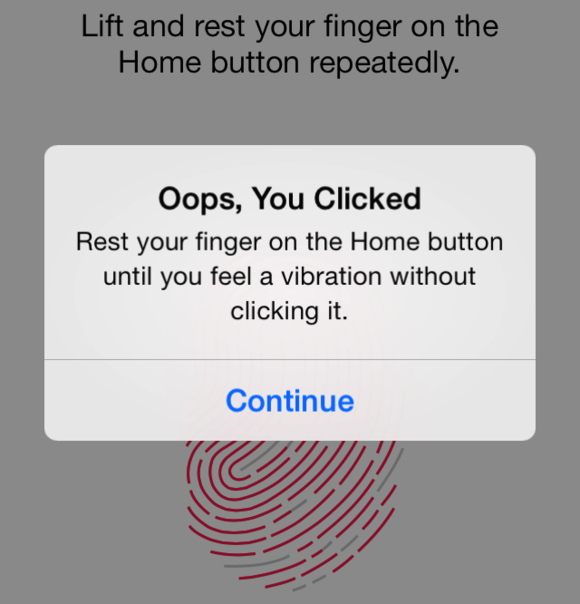
We all do check our phones dozens of times in a day. But, every time opening the passcode could slow you down. But it is important so as to avoid some other person from accessing your device. Thankfully, iPhone 5S has introduced a new feature –Touch ID (a fingerprint identity sensor) that lets you check your iPhone without wasting much of your time.
What’ll you need to do is to place your finger on the Home screen button to unlock your iPhone. Besides this, Touch ID also helps render secure shopping swiftly, as with a mere touch of your fingerprint you can approve buying from the Apple’s app store, iTunes Store, and the iBooks Store, thus you no longer need to enter your password.
2. Capture Incredible Photos with iSight Camera

The most important thing to consider when purchasing any mobile device is the quality of the camera, so that anyone can capture some great shots anywhere. iPhone 5S features avant-garde technologies tailored for the iSight camera app. In order to launch the camera app, swipe your home screen and just tap the small camera icon given at the bottom right of the lock screen.
What’s more, the iSight camera app helps to capture beautiful images around 8 megapixels in size. All you’ve to do is to aim and then shoot. The camera app introduced by a highly skilled iOS App Developer will select only the best shot and binds the rest captured photos in a sub folder. Now, this is definitely a great and easier way to delete the bad shots.
3. Save your Phone Battery Life
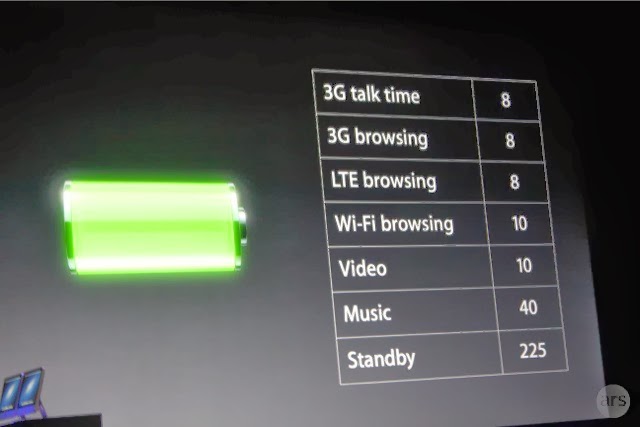
The most common yet highly essential aspect is turning off your iPhone 5S settings when the phone’s battery is running low. This way you can make your phone run a bit longer. Just go to the settings click on the option that you want to turn off and click on the off option. For example, in order to turn off your Wi-Fi, go to Settings > Wi-Fi > Off.
You can also turn off a lot of other options as well by visiting the settings option, like Bluetooth, Privacy, Sounds etc.
4. How to Make Siri More Useful
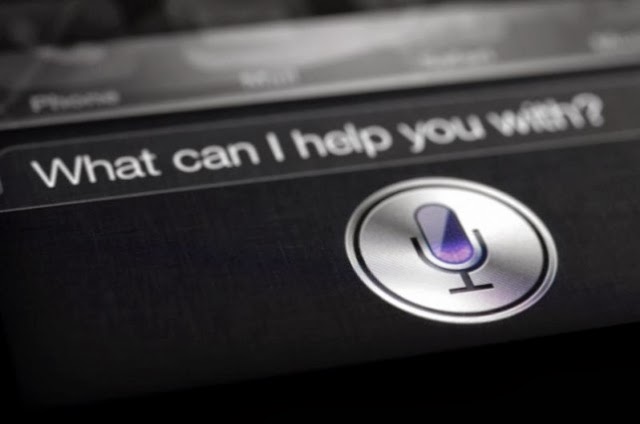
Want to make your daily tasks less burdensome? Then, you need to learn how to use Siri Although, Siri might not be a new addition to the iPhone 5S powered device, but it has been enhanced and is worth using. In order to launch the Siri app tapping and holding down the home screen button is not required, instead what you need to do is to go into:
Settings > General > Siri and turn Raise to Speak on.
Remember to talk to Siri – to work on things just the way as you talk to someone, it is because Siri understands whatever you say and meant. It even talks back. For example, you can tell Siri to turn on or turn off the Wi-Fi settings and much more.
5. Adding Additional Emoticons to your Text Messages

Sending plain text messages seems to be boring at times. If you want to add zing to you text messages, iPhone 5S bestows you with the option to unlock a wide variety of emoticons and images to be added to your messages. You can do this be picking up an Emoji. How? Just follow the below mentioned ways:
Go to Settings > General > Keyboard > Keyboards > Add New Keyboard > Emoji.
So, the next time when you’re typing up a message, you can see a globe icon at the bottom left of your message window – just flick it up to access a wide range of emoticons to use.
If you’ve purchased iPhone 5S and missed out a few basic features, such as how to add security, make use of the camera, and a few other basic things, it is recommended that you must take a good look at the aforementioned tips that will provide you with a good idea – as how to efficiently use your iPhone 5S as per your requirements.
About the Author:
Rick Brown is a highly skilled and experienced content writer and working for a iPhone Application Development Company. You can hire an iPhone App Developer by getting in touch with him.
Posted by Ravi Kolhe |
2/25/2014 | Continue Reading...
When it comes to running a website speed is absolutely everything. If your website does not load fast enough then you will find that your website visitors will leave in droves. In addition to this you will find that it is VERY difficult to get ranked highly in the search engines. Have no fear though. If you work with a decent Phoenix Web Development company then it is simple to boost the speed of your website. On this page I want to share with you five tips that you can use to boost the speed of your page. If you do not know how to implement any of these into your site then by all means ask a Phoenix Web Design Company. They should be able to help you out!
1. One of the main reasons as to why websites load slowly is because there is far too much media on a page. There are plenty of website owners who think that in order to have a decent website they need to pack it to the brim with videos, sound clips (awful idea by the way) and photos. You really don’t. In fact, in the world of web design, especially in this day and age ‘less is more’! It is therefore suggested that you cut back to only what is necessary. Do not include anything that is not contributing to the overall feel of the website.
2. There are plenty of websites out there which have poor coding behind the site. What you need to remember is that before a web site is displayed every piece of code needs to be loaded by the web browser or web server. Every line of code that is loaded will add a significant amount of time onto the load speed of the website. I suggest that if your site is loading slowly then you get in touch with an experienced web developer in Phoenix. They will be able to go through your code line by line and cut it back.
3. There are many websites out there which load slowly but for an indeterminate reason. Most of the time this is down to the web server that they are located on. If your site is loading slowly and you are on a very cheap hosting plan then it may be worth talking to a web designer to help you get moved to a new host. A lot of the time this can add a lot of speed to your site without adding too much in terms of running costs.
4. There are some file formats that are not suitable for the web. For example, if the images on your website are in .bmp format then they can easily run to a good couple of megabytes in size. This could take up to a minute to download. If you convert them to .jpg format or even .gif then you could cut them back to a few KB in size without losing too much quality (it will be unnoticeable on screens). This will take seconds to load instead. If you do not know how to change the file type of images then I suggest that you talk to a professional.
5. Look into trying to get your website cached in the browser of your website user. This will ensure that your website loads quickly in each subsequent visit. This may be something that is very difficult to incorporate into your website if you are not familiar with coding. However, this is one of the best ways to boost load speed.
|
1/30/2014 | Continue Reading...
Want to take a screen with your android tablet or mobile phone?If the answer is positive, the first thing you need to do is to check whether your android device supporting screenshots becausetaking a screenshot on Android deviceis not as straightforward as it seems. The operation system Android 4.0 or later offers us a built-in way to take a good screenshot, however, if your device using an older version of the Android, it’s little consolation to capture a screenshots.
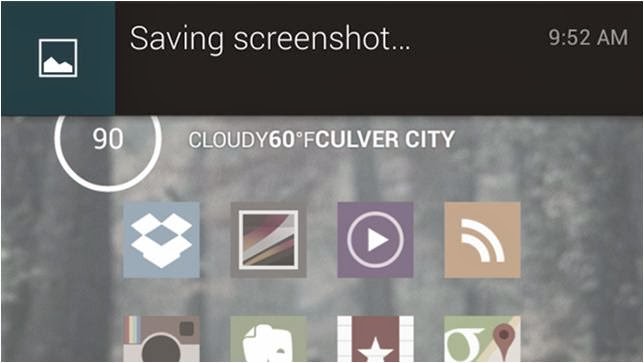
On the whole, there are two types of all the android devices; one is the device support a built-in way to take a good screenshot, the other is not. Aimed at the two types of mobile phones,below editor will show android user an easy-to-use guide helping android user to take the screenshot on an Android Device respectively!
For the Devices that support screenshots: Android 4.0 or above
Well, most of the android devices that equipped with the operation system Android 4.0 or latercan take the screenshots directly. So if you want to capture a picture of the phone’s screen, just hit the Volume Down button and keep it down for a while, at the same time press the Power button, then you will get a prompt message allowing you to take a screenshot. Why we can capture a screenshot in this way? It is because most of the Mobile phone makers had upgrade the phone operationsystem and screenshots are built right into your phone!
For the Device that don’t support screenshots: Android 2.3 or below
Well, for the devices that do not support screenshots, it is a little trouble to get a screenshots. Generally we go and get an app for help. There exists many free app on the Internet can help you to take a screenshot; unfortunately they all can’t work on anunrooted android device.
If you don't want to root your android device because of the complexhigh-risk operation,$3 will save you much energy. An app named No Root Screenshot It (£2.99) is a well-received program easily enables you to capture a screenshot, with it what you should do is download and install it on your android device.
Note: the app needs connect the android device to you PC via an USB cable because when you installed it on your device and connect it to you PC, it will instruct you to get a free desktop application to help you finishing the screenshots job. Once the two matched apps were installed successfully inturn, the app will enable screenshots on the device.
Author the Author:
Jerry Brown is a good writer of drm-assistant.com. He writes for it for two years and step into the software industry for three years. The app DVD ripping program his site shares with the DVD movie lovers had earns much praise. Plus it can take DVD region code off as well!
|
1/23/2014 | Continue Reading...
Yes, you heard it right! You can also create your own custom web-browser for your computer and browse within it. There may be a question rise in your mind that how we can make a browser without knowing any coding, but don’t worry because there is a free online tool which let you make your own browser with some customized features without any coding to do. If you want to make yours and want to know how then you’ve to read this post because here we’re going to teach you briefly how to make your own browser for PC.
Customizations you can apply:
In the browser you are going to make, you can apply the following customizations, i.e
1. Your own logo
2. Custom Name
3. Custom bookmarks and homepage
4. Custom features – given below etc.
How to Make Your Own Browser Online:
Now here we’re going to teach you how you can make your own web-browser for your computer, having your own logo icon, bookmarks etc. Actually we’ll be make use of MakeMyBrowser which let you do it. The process of making a browser with this is very easy and straight forward, all you need to do is to follow the below instructions and do the steps carefully.
Step-1: First of all you need to do is go to MakeMyBrowser’s WEBSITE [www.makemybrowser.com] and then click on “Start Now” button.
Step-2: In the new page, you will need to give a name to your browser and set your own (or pre-made) icon to the new browser, So enter the name in the first box, and click on ‘Select or upload’ button, a new box appear where you have to select an icon or click on upload button if you want to upload your own.
Step-3: Now next step is to add your bookmarks, so click on select bookmarks button at the lower-right corner. After you click on this button, it asks you that do you want to import your bookmarks from google chrome browser ? Now it is upto you, click import if you want or click “Continue/Skip” button if you don’t want.
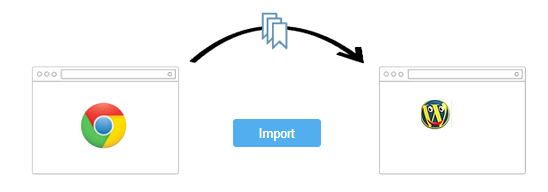
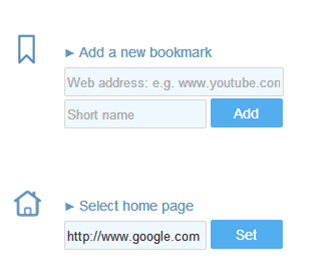
Step-4: Here you can add your own bookmarks to the browser, Gmail, Facebook, Yahoo and Amazon are already added if you want to add your own then you’ve to click on ‘Add A New Bookmark’ so you’ll be given two boxes first is to add the link and second is name. Also click on ‘Select Homepage’ if you want to select a homepage of your own choice. After setting that click on add features.
Step-5: Now here are some features you can add to your new browser you’re going to make i.e popup blocking, Unblock blocked sites, Translator, screen captures with annotations, etc. So select one by one in the list which you want to add to your newly browser and then click on Select Theme button.
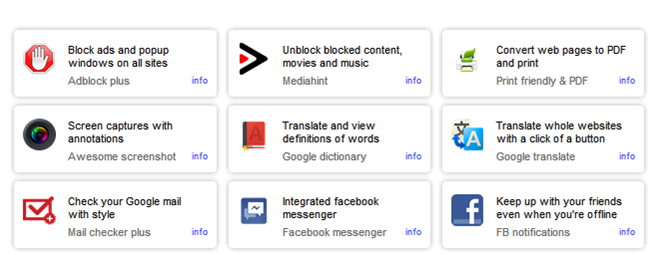
Step-6: Now you’ll be given 8 themes from which you can select a theme you want. As you select a theme, your browser is ready to download, now click on finish and download button so an automatic download starts and you can see the new browser you created in your downloads folder. Now you can install this on your computer and enjoy your own customized browser.
Read: How To Make Free Online Phone Calls
So friends, above we shared a web-based application which can be used in order to make your own web-browser for your computer, I hope you liked this post.
About the Author:
Basheer Ahmad loves to surf online share useful tools regarding internet/tech etc, through his blog. He recommends to Convert/Download Youtube Videos Using Free Online Tools without any software.
|
1/20/2014 | Continue Reading...
Social media, in the present time is important! Important and life shaping relationships are build on these platforms and hence, for business brand, it has become more important now than ever before for the brands to optimize their social media efforts.
Although concentrating on the search engine optimization of your brand and perhaps investing in a fully scaled PPC services would offer remarkable returns to the business, but if your vision for your brand includes longevity, you would like to optimize your social media efforts as well, in order to maximize the chances of success.
Social media in its most basic form is the means for establishing a strong online community around your brand. And while there is a complete host of endeavors which a business house, entrepreneur or organization may undertake to optimize their social media presence, we shall here concentrate on the content. If you have always wondered the type of content that you should create or post on your social media profiles, we come with a few possible options readymade for you. With our expansive knowledge of the social media platform, we are hopeful that the following suggestions and principles of social media marketing would work for your brand too:
1. Create Content worth Sharing
Content is all about your distinctive playing with words and its related collaterals, and words have the power to either make or break someone. While churning up content for your social media, try and design a story – something which inspirers people, shared a chord with them, is something that they can relate to. Do not use social media platform as a monotonous robot, which only wishes to drive more traffic to their website or are there to share yet another discount scheme or special offer.
We are not asking you to turn overtly devotional, but the point is simple – while coming up with a piece of content, do ask yourself – is it worth for an online reader to share?
2. Concentrate on One Platform for Now
Optimize your endeavors for a particular platform, instead of creating a complex potpourri of different available networking sites. The point here is exclusivity. The reason why a particular customer or online user would subscribe to a particular channel of the online marketing mix is because of its exclusivity – the exclusive ounces of information shared via that particular platform.
Thus, understand your business and your customers well, and decide what works best for them – email marketing, Facebook or Twitter, or YouTube etc. and optimize your social media optimization for that particular platform. By the virtue of the viral nature of various social media platforms, the content will get shared everywhere else even before you could tell.
3. Everybody loves a good contest
The point is simple, allow users to showcase their talent on your social media platforms, or ask them to participate in any which way possible. If you are an ecommerce store, ask for your trusted online followers to post a picture of themselves posing with a product that they brought from there store – offer free goodies or gift vouchers to one that comes up with the most beautiful or maximum number of pictures. Or, run a photography contest; ask them to upload a picture on a particular theme suiting the niche of your business operations and offer handsome prizes to the winners. This is a good way to get the activity rolling on your social media pages.
4. Share Your Stories
If someone is following you on the social circles, and that too for a considerable amount of time, you can be rest assured that they are really interested to know more about your business, its various initiatives and its personality as a thriving entity. Hence, mingle! Share with them the stores, the struggle it took you to be where you are today, your experiences, what drives you, and get chatty! Ask them about their feedback, views, or in any way to supplement to the discussion. Share your pictures while you are headed to a conference in a foreign locale, or when you are partying on the occasion of your company having completed 2 years, etc.
Be more than a trade and commerce entity, express your personality, be a human that they can connect with, not just a good business deal or a trading opportunity.
5. Let Your Followers Shine on Your Page
Often we grow older but never grow over the fact that we would like an audience to our lives; and if not a full-fledged audience then at least someone to notice us in some way. You have the opportunity to provide your readers with that stage subtly lit up with the lime light, and allow them to actually shine. All you have to do is to acknowledge. Run a ‘Member of Month’ contest on your Facebook, wherein the one with the maximum and the most meaningful activity on your page would be acknowledged at the end of the month – with perhaps a public acknowledgment on your page and a special goodie bag for the same. You can also create ‘Hero of the Month’ wherein you would share about a customer or an employee or any contact whatsoever, who was your hero – and why?
Summary
Each brand has its own story, its own uniqueness. We hope that the above mentioned suggestions work for your business brand, and if you would be so kind enough, we would like to know your story. How you turned social media in your favor, and what kind of content would you usually share? Share with us your thoughts and opinions about the same in the comments section below.
About the Author:
Arbaz Khan heads Tech Plus Reviews and SEO service delhi company and has a special skill for providing the most competitive SMO Services Delhi. Get in touch with Arbaz to discuss any of your online marketing campaigns.
Posted by Ravi Kolhe |
12/16/2013 | Continue Reading...
Surely no entrepreneur would refuse the possibility of an effective promotional idea. The fact that business nowadays is truly competitive makes brand awareness truly essential. It is in this context that the introduction of effective promotional products becomes a welcome relief. This act is perhaps considered as a positive contribution to any business’ overall promotional tactic.
There are several reasons why a business utilizes promotional products, whatever particular product it is that they should choose. Topmost on the list of benefits would perhaps be the positive effect on brand awareness amongst clients, particularly those who are not yet on the list of existing customers of the business brand. It may even be a better way to promote the brand because although the business spends on these products such as flash drives, they can cut off on other advertising expenses. Through giving away products for promotional purposes, the brand reaches the customer directly thus eliminating cost for print or broadcast advertising.
In line with this, the benefit of giving away promotional products is also on helping make great recall for clients on the particular business brand. This is a good way to create a seemingly continuous advertising tool without any follow-through expense. How so? Take for instance a business brand which gave away custom USB drives to their clients who may even be first-time buyers only. Because they are able to take home and use over and over again the USB drives with the business brand imprinted on it, the customer is reminded of the business brand giving it more possibility of him coming back to buy that same brand or product again. Every business ought to realize that the infusion of brand recall is an effective way of selling any product and this could be achieved through giving away the likes of custom USB drives.
The patronage of customers to your product should be kept in mind at all times and it should be corresponded with reward. There would be no better way to keep your customer coming back to buy your products than when you keep them happy because of the rewards they are able to receive from you. You benefit from giving away promotional products by creating a long-term commitment of buying your product or patronizing your business from your customers which consequently allows your business to grow and live long. Who could think that a small token from you such as USB drives would go a long way for your business?
At a time such as today when people are becoming more dependent on the use of devices such as flash drives to secure pertinent data which they use on a daily basis, giving away such products can be truly rewarding for the business. For the reason that you are able to address one of their important needs, you or your business is an embodiment of one who can be trusted and depended upon. In the end, you can be assured of a well-established dealer-customer relationship making your benefits flow immensely for giving away promotional products.
Jasmine is one of the reliable person in promoting products. He basically studies the behavior and characteristics of different electronics parts or components such as promotional flash drives, Custom USB Drives, Custom Flash Drives, and etc.
|
11/12/2013 | Continue Reading...
Today I would like to introduce you a tool called SEO Doctor. You may hear about it before but I still write this tutorial to help you learn how to SEO a website for free and in order to use SEO tools for your specific purposes.
So what is SEO Doctor, and how to use it?
What is SEO Doctor?
SEO Doctor is the best tool to help you in analyzing your website during On-Page optimization process. It require some standards for you to approach, and of course, it is free and easily to use too.
How to install SEO Doctor?
Well, to install SEO Doctor, you need to install Firefox browser on your computer first then open it, go to Firefox’s menu toolbar and point your mouse to Add-ons tab. Finally type the keyword: SEO Doctor, install this add-on and restart your Firefox browser.
Attributes in SEO Doctor

These are all-important attributes within SEO Doctor and On-Page optimization process as well.
ALT Image tag attribute
With regular images, Googlebot would not understand the content of your images that you want to convey to your readers, so that to help Googlebot know what itis then you need to add the ALT attribute to describe the images. In addition, you should type your desired keywords into ALT Image tag, and finally name the images something like “SEO-doctor-tool.jpg” for example.
Web Analytics attribute
Google Analytics is a free tool that allows you to insert it into your website in order to track traffic by hour, day, etc.
Certainly, you should register and install Google Analytics into your website too.
H1 Tag attribute
H1 is one of Heading tags, each page only need one individual H1 tag and particularly your keywords must appeared intoH1 tag too. For the best results, you should put H1 tag as the Header of each page.
H2 Tag attribute
H2 is also one of heading tags. You can use this tagmore than two times each page and keywords shouldbe in this tag too. Besides of that, you may get H3 tag, which used into your article content.
Number of links attribute
If your website have more than 100 affiliates then SEO Doctor will warn you for this issue. You should manage this attribute effectively, if your affiliates are outbound links, you should need to know exact whichthese websites are and if something goes wrong, you need to remove them immediately.
Loading Time attribute
Loading time is an important attribute within SEO;this attribute is depended on your hosting. When your hosting is out of bandwidth then you need to upgrade it or contacting forsupport.
However, whether your website was at the top search results but if, your website loading time is too long; your readers may get angry and frustrated with it too.
Meta Description attribute
Meta Description is the most important tag for your On-Page optimization process. It helps your readers decide whether to click on your website or not. SEO Doctor also advised you to write about 70 words. However, in my opinion, you should write about 15 to 25 words. If your Meta Description is too long then your ideas could not able to display.
Finally, you must ensure that your keywords are available into Meta Description tag, the best position is at the beginning of the tag.
Page Indexable attribute
With this attribute, first you should have robot.txt file and keep in mind to add meta tag into.
<head>.
<meta name=”robots” content=”index, follow” />
Page Rank Flow attribute
More than 50%, higher to had better result.
Seo Friendly URLs attribute
Seo Friendly URLs is also one of the attribute that affected to your SEO process. You should write a title tag in the caps lockform and the title need contain the keywords too. A title should be written in paragraph 75 characters.
Inbound links attribute
With this attribute, SEO Doctor requires Yahoo API available. In my opinion, this attribute is not necessary and do not affected much to your On-page optimization process. However, if you want to give it a shot, go for it.
Nguyentony is admin of Cases Website, a website writes about the samsung galaxy s4 wallet case and best galaxy note 10 1 case.
|
10/25/2013 | Continue Reading...
All of them need computers for their homes and offices. Everyone is making use of computers as it has become the basic medium to learn various things and implement them. Whether it’s for schools, colleges, offices or any private firms computers are must for all the work to be performed. For learning and for working, computers need to be available with the latest specifications. There are many such people who cannot put lump sum amount in buying the equipments so they can get the computers on lease which doesn’t need to spend more money on them.
Look for such services:
There are many companies who offer such solutions for the individuals and businesses. There are many online rental services where you can get all the equipments related to computers. You can have the computers or laptops for lease for a certain period of time. Based on your need you can search for the services. If you need a computer for a home then you can look for the brand with the application that you want to make use of them or if you want it for your business then make sure you get the latest brand product which is the updated version so that you make use of it for your required purpose.
If you buy a computer then it will get outdated after couple of years so the best option is to hire them or take them on lease where you can get the latest ones at affordable prices. Buying can be expensive so you can go for such options if you are looking for short-term solution. When you search for such company, look for the requirements that you need. If you want to install any software for your official purpose then make sure you ask them test machine so that you can check whether the computer is functioning properly while the software is installed.
Get the best deals:
You can search online for such companies where computers on lease are available. Every company is different and will have different policies. Research about them clearly and get fair deals. You can take help of your colleagues or supervisor who know about these services. Through the reference of them you can make good deals and can save money. There might be people who are dealing with these services for long periods so they can suggest you the services with whom you can get the computers at good rates. Also you can trust them as they are known services.
If you are searching online for these solutions then compare the services and their price quotes from one site to another. Check which company is providing your more benefits and are reliable. Check whether the computers are branded ones and all the latest applications are available to you. Before you sign the contract, be sure you clear all your queries and read the contract paper work completely so that there are no hidden charges mentioned on it. If you have any doubts then you can take help of them. Many people are going for computer leasing instead of buying them.
|
10/23/2013 | Continue Reading...
Search Engine Optimization (SEO) is the process of optimizing a website by improving its internal and external factors, and the main goal is to increase the website traffic received by search engines. The majority of web traffic is due to the largest search engines, such as Google, Yahoo and Bing. If your website can not be found by search engines or its content can not be indexed in these search engines' databases, you miss the opportunity of finding more potential customers on the Internet.

Search Engine Optimization is a necessity for every website, whether its goal is to offer some services, products or simply information for your company. The keywords and phrases that users type into the search bar and that best describe your website are valuable, and the targeted visitors of your website can bring both profit and popularity, which means that investing in SEO can have a high pay-off.
However, often there are some mistakes made during the overall process of the Search Engine Optimization, which can seriously deteriorate your website's ranking. For example, websites that have many inbound links and still have some mistakes on their pages will probably have a better opportunity of improve their ranking when the problems are removed and taken care of.
What are the most common SEO mistakes you should avoid when optimizing your website?
1. Lack of title or a poorly chosen title
Remember that when you are adding a page on your website, you should not only put a title, but also choose the best one for your article. The titles you use should be catchy and easy to remember. In addition, title's length is usually quite limited, which makes it absolutely necessary to use it optimally, by carefully choosing literally each letter in your title. Another common mistake when it comes to titles is using some "parasitic" and unnecessary words or phrases, such as "Welcome to the page of..."
2. Multiple repetitions of your keywords in the title and in the meta description
In the very start of the SEO's era one of the most favourite web masters' techniques was to repeat dozens and dozens of times the same keywords not only in the title, but also in the meta description of the page. However, the search engine machines have become much smarter since then and this trick is no longer recommended for use, because it carries more negative rather than positive effect. The maximum allowable repetition of the same keyword in meta tags is three times.
3. Lack of relativity between the keywords in the meta description and the keywords in the page content
Another commonly used technique in order to “lure” some visitors was using a pile of meta keywords that are known to be some of the most search for on the Internet. Do not do that in case they are not connected in any way with the content of your pages.
4. Too long titles and meta tags
The optimal length of the title is about 45-50 characters. The optimal length of the meta description is up to 120-150 characters. You also need to have I mind that the space between the separate words, as well as all punctuation marks are included in this number.
5. Page spamming – a multiple repetition of the keyword in the page content
Pages that are literally crowded with keywords and phrases are clearly not made for the users, but for search engine machines. However, the software of most search engines in intelligent enough in order to stick to some basic principles for page ranking.
6. Poor content, too long pages or pages with too many links
Poor content pages are not well-taken by search engines, but the other extreme is not desirable either. According some criteria, one text page without the graphics should not exceed 150 KB. According to Google, it is not advisable to have more than 100 links in a single web page.
7. Mirror websites
Search engines do not take positively websites that have nearly identical content, so it is not recommendable to use such a trick.
About the Author:
Rose Finchley is passionate freelance blogger and tech geek. She works as a wed designer and you can check out cleaning Palmers Green. She loves to share her experience with the readers.
|
9/27/2013 | Continue Reading...
Projectors are being used at all major occasions nowadays. A few years back only business houses were using it but now the concept has spread to private parties and other functions too. Major multinationals and large business houses normally buy and keep the LCD screen projectors. But it is not feasible for all. They are not only expensive but need to be maintained properly and have to be kept in a clean space. It is more sensible and affordable to take LCD Screen Projectors on hire whenever required.
LCD projectors are normally hired for the following occasions
1. Video conference
2. Corporate trainings
3. Business conferences
4. School and college functions
5. Launch of some new products
6. Birthdays and Weddings and some large gatherings.
There are many manufacturers of these LCD projectors. So you can easily find different brands and types. You can easily find many audio visual hire and rental companies catering to all events of all sizes offering hire and full services. These agencies normally also have the optional services of DJs and bands with instruments. They can also supply chairs with and without arms for seating. They also keep a generator [petrol & diesel] in cases of power disruption. The projectors come in different types keeping the audience in mind with different Lumens to set the brightness.
You have to consider a few points when you plan to take a LCD Screen Projectors on hire:
1. Browse the internet, check in the yellow pages or contact your friends but do a thorough home work on the suppliers before you take a projector or any gadget on hire.
2. Always negotiate on the rental charges. The suppliers know that these costly equipments are a bit difficult to get so they tend to charge as they like trying to take advantage of your urgency. In case there are any particular specifications, mention it to the supplier so that there is no delay in arranging for same.
3. You would need a projector that has high lumen count to get a brighter and sharper picture.
4. Since most of the times the projectors are hired to promote a new product, you should not compromise on the quality of the LCD screen projector even if it is a little costlier than you budgeted.
5. Keep a mike and sound system handy in case you need to explain about some thing shown in the presentation. You should be prepared with good speakers too in case there are a large audience.
6. Always insist on the accessories like the remote control or carrying case. You don’t know when you could require them.
Always insist on the technicians to accompany when you get the projectors. Even if you are experienced, do not touch the projector on your own you could mess up your entire presentation. The technicians will arrange everything including the brightness required and volume to be heard clearly. They would dismantle everything once the presentation is over or re assemble it again at a new venue if had asked for it.
It is cheaper and more convenient to hire LCD projectors rather than purchase them.
|
9/25/2013 | Continue Reading...
There are a lot of speculations as to which gadget will do the honors of launching the Android 5.0 into the market. The Samsung Galaxy S5 is one of the favorites. The last version of the Samsung Smartphone had the Android 4.0, and owing to the ever growing competition in smartphone market, we can confidently say that Samsung will be looking for huge upgrades in its processor, OS as well as RAM. So there is no doubt we will see Key Lime Pie in the device.

The Samsung’s Galaxy S5 is rumored to be just around the corner. One of its features is expected to be the Android 5.0. Samsung is expected to release the S5 later in 2013 or early 2014. This means that it will be just in time for the latest version of Android. We were expecting the smartphone Galaxy SV to be the first one with fingerprint sensors, however Apple iPhone 5S has already taken that opportunity from the next Samsung Galaxy. Nonetheless, there are so many other features it will introduce to the market.
Upgrading from the 4.0 is the biggest improvement that Samsung can offer consumers. This is why it stands to reason that they would roll out the S5 with the Android 5.0. The Key Lime Pie is bound to make the S5 the gadget to watch out for. The enhanced features of the Key Lime Pie would boost the Samsung Galaxy S5 to a whole new level.
Furthermore, the presence of never-seen-before specifications in SV will boost its popularity. As a matter of fact, it has already garnered enough fame among the Samsung fans, smartphone geeks and generous analysts, who consider this phone as a possible revolution of 2014. Some even went a step ahead to call it “Best Upcoming Smartphone 2014”. No doubt Galaxy S Series has taken the world by storm and it shows no sign of stopping now crushing the likes of HTC, Sony and even Apple under its feet.
More information on the release date of the Samsung Galaxy S5 smartphone can be found by clicking here.
|
9/11/2013 | Continue Reading...
PDF file format is widely popular and highly utilized because of its ability to keep the data intact and hard-and-fast security. Adobe Acrobat Portable Document Format provides user facility to apply user as well as owner password that makes the files protective from unauthorized usage. Unlike every file, PDF files are vulnerable to corruption, causing need for repairing PDF files with eminent solution. Some of the benefits if Adobe files that makes user disappointing after its corruption are:
● When user converts a file format to PDF file format, he gets the advantage of reducing the file size with PDFs’ ability to be compressed.
● Strict data security facilities are provided so that no illegal accessing of file content can be done. This proves to be a plus point for the publishers who advertizes their product or content online.
● Portable Document Format is capable of storing all types of database, be it images, text data, videos etc.
When such importance holding file gets corrupted, repairing PDF files becomes the foremost requirement. In upcoming section of this article, what are the ways of repairing PDF file and the apt tool that should be selected for repairing PDF files.
Things You Should Remember When You Are Unable To Open PDF
● Check out if a compatible PDF reader is installed in the system or not
● Make sure that the PDF reader is properly installed
What To Do If The PDF File Is Corrupt?
On recognizing that the Adobe file is corrupted, preparation for repairing PDF files should be started. To fix PDF files, the only reliable option is to opt for select a third party tool that could prominently analyze corruption issue and resolve it with brilliancy. For choosing a proficient solution to recover corrupt PDF file, it is necessary that the check out following qualities in the tool:
● The solution for repairing PDF files should be capable of handling multiple reasons that cause PDF inaccessible
● For fixing PDF files, the software should be build with excellent techniques that could help is eradicating error messages that makes user unable to open PDF file
● The tool to repair damaged PDF file should be easy to operate so that a non-technical user do not come across any flaws while repairing PDF files
Tool To Repair Corrupt PDF File: From the various available solutions, you can bank upon PDF Recovery software that is a simplified creation from a renowned brand to restore PDF file content after corruption. For repairing PDF files with this solution, no technical know-how is demanded from user’s side and for analyzing software potential, free demo version can be downloaded.
About the Author:
PDF management is an appreciated domain of the company where amongst the various competent solutions, PDF Recovery software for repairing PDF files is the most popular one.
|
9/10/2013 | Continue Reading...
Sticking to a diet is hard enough in the best of times, but when you're busy and constantly on the go, like so many of us these days, counting calories tends to fall by the wayside. Luckily, there are a handful of smartphone apps out there that make keeping the weight off a cinch. Here's a quick guide to some of our favorites.
Fitocracy
Think exercise is a chore? Fitocracy is a great app/social network that awards you points for completing fitness "quests." Sure, the points don't really mean anything, but they create a powerful motivating tool for getting in shape. The app's social components lets you follow your friends' progress, share your workout success stories, even challenge people in your network. More than one million users on iOS and Droid devices are “gamifying” their workout everyday!
Fooducate
Of course, exercising regularly is only one component of losing weight. Fooducate helps you make informed eating choices on the go with a large database of nutritional information. The app even grades foods based on the input of dieticians and nutritionists, so you can be sure you're only putting quality ingredients into your body.
Lose It!
Lose It! for iPhone and Droid devices is a great all-in-one app that lets you count calories, log exercise hours and set personal weight loss goals you can actually stick to. With daily summaries and other advanced reporting features, you get an intimate look at your overall wellness in real time.
Endomondo
Ideal for cyclists, runners and power-walkers, Endomondo uses Google Maps GPS data to track your workouts and analyze your training over time — no shortcuts or cutting corners! An optional live newsfeed shares your workout data with other users, letting you gain extra motivation by challenging your friends.
Locavore
Studies have shown several benefits of eating locally grown produce instead of processed foods. Locavore is a simple app that connects you with nearby markets and farms offering fresh, in-season fruits, veggies and more. Free and easy-to-use, Locavore is available for iOS and Droid devices.
Finding What’s Right for You
There's no shortage of great apps out there that can help you keep the weight off permanently. Many of these programs are used by hospitals and top rehab centers and clinics to help patients stick to their fitness and diet regimes. But no pill or product will make you lose weight instantly — committing to eating right and exercising is ultimately a lifestyle choice. Here are five quick extra tips for eating healthy:
1. Eat less meat.
2. Plan meals ahead of time.
3. Eat slower and take smaller portions.
4. Swap out soda for juice or mineral water.
5. Chew sugarless gum when you get a craving for junk food.
And here are five more for sticking to your exercise routine:
1. Wake up early and exercise in the morning.
2. Find a workout buddy.
3. Commit to running a race.
4. Make a workout playlist.
5. Whenever possible, walk instead of driving.
According to the US Centers for Disease Control, more than one third of American adults are overweight. While our connected lifestyle is partly to blame for that, technology can be a powerful tool in the quest to lose weight. Check out some of these apps and start shedding the pounds now.
About the Author:
Alicia Lawrence is a content coordinator for a tech company and blogs in her free time at MarComLand.com. Her articles have been published by Her Fitness Hut, Examiner.com, and Ask Miss A.
|
9/05/2013 | Continue Reading...
Why would you want to monitor a computer that you own? A variety of reasons. If it's a home computer you may want to keep an eye on troublesome kids of yours, that have taken to drinking and smoking in their teenage years. Or you may have a husband or wife that you suspect of cheating on you. If it's a work computer, you may have an employee that you suspect is spending every second your back is turned on Facebook and Youtube. Whatever the reason for wanting to monitor a computer, the software available today makes it an easy task to undertake.
There are hundreds of computer monitoring applications known as computer monitoring software available on the internet for direct download. Most of which have a free trial, so that you can see if that particular software is right for your needs before you buy it. Most of the applications available have a similar feature set, although you will find slight variations between each brand. Computer monitoring software almost always works in stealth, which means that anyone using the computer will have no idea that they are being monitored. That being said, if it's an office environment you might be obliged by law to let your employees know the company is monitoring the computers.
The monitoring software will give you an extremely accurate reports of what's been going on on the target machine. It will log any applications used, anything typed, any website visited, any document or file activity and anything printed. You will be able to see emails sent and passwords entered, and the websites they were typed into. All of this will also be logged with times, dates and screen shots, so that you can really see exactly what's been going on.
Another feature commonly found in computer monitoring software is the ability to send the reports to you remotely, via email. Once you enter your credentials, you can set how often you'd like the emails to be sent to you (every 2 hours for example), so that if you're at work you can see what's been going on at home that very day. Handy!
The above features are the average ones you'll find in the majority of computer monitoring applications. Of course, some will have more, and some will have less. A few have the ability to monitor things like the web cam or microphone. Others have online reporting, so you simply have to log in to your account on their website to view the reports. As with most software, each developer will have something their software is particularly good at, and something it's not.
If you'd like to read some reviews of some of the latest computer monitoring software head over to http://www.keyloggerdownloads.com where Gecko Monitor is currently rated number one.
|
9/03/2013 | Continue Reading...
Migrating data from established email client to a new one became a market trend that further explores ever-changing demands of users. Lotus Notes and Outlook are two famous email clients those are considerable by users for emailing and other collaborative tasks. Lotus Notes is compatible to adopt when you are tech and you do not have any problem to execute each command within email platform. In comparison to Lotus Notes, MS Outlook is adoptable when you are not comfortable to attend tech email operations. Businesses those are engaged to run operations at big extent or for normal purposes want to avoid hurdles within email collaborations. The outlook is quite easy to go with so, most of users and firms want to migrate data from Lotus Notes to Outlook.
Well Known Reasons for NSF PST Conversion

How to import Lotus Notes into Outlook 2010 may be your quest when you do not aware about professional help for NSF PST migration. Before suggesting a non-failing commercial app for NSF PST data shift, underneath mentioned compelling reasons to export Lotus Notes to Outlook:
● Lotus Notes consumes high investment for installation and maintenance
● Steps for using Lotus Notes are not easy and clear
● Prior training is necessary before getting started to use Lotus Notes platform
● May be you are going to use Outlook in new organization
● Using both of these email platforms consecutively
Many more reasons over there to bother you for adopting MS Outlook over Lotus Notes but, all reasons cannot explore here. Before executing data conversion from NSF to PST, users need to have a proper plan because, having an idea regarding what you are going to do makes you more confident.
Preventions to Implement Before Doing Data Conversion
● Database Backup: During Lotus Notes to Outlook migration, due to some mistakes you can face data corruption issue so better to keep away from such obstacles by creating a backup of mailboxes.
Get an Apt Tool for NSF to PST Conversion
If you are using professional help for NSF to PST migration then, you will not face any concern like how to import Lotus Notes into Outlook 2010. SysTools Export Notes is one of the brilliant creations designed for shifting NSF data into PST without losing original properties.
About the Author:
Production of software applications for resolution of wide range of issues is prior concern of Joseph Hogg. For eliminating concern like how to import Lotus Notes into Outlook tool with name Export Notes is designed.
|
9/03/2013 | Continue Reading...
Why users need to split large Outlook PST file? MS Outlook emailing application is used by many users worldwide. In this era, communication is executed via emails, thus every Outlook account is full of emails. Let us discuss in brief why there is need to break PST files into smaller files.

MS Outlook emailing application comes under various version, the newer edition are recognized as Unicode PST these include 2007 and 2010 version of Outlook and the older version of Outlook create ANSI PST file. Though these versions are good to work with it but as like a coin, Outlook has some drawbacks also related to its size. Limitation of size won’t allow users of Outlook ANSI to store more data than 2GB only whereas Outlook Unicode PST file users are allowed to store data up to 20 GB only without facing any complication. But when Outlook users store data up to 4 GB Unicode work performance start being slow down. It is quiet familiar with the Outlook users about the issue related to its size, this happens because Outlook doesn’t support only emailing facilities it also help users in storing contacts, journals, notes and much more. Thus users sometime feel like to split large Outlook PST file for smooth functioning of the Outlook account.
Grounds Which Users Faced With Bulky Unicode PST
If users don’t split large Outlook PST file they might face several issue which have been discussed below:
1. Outlook Works Slow: Outlook which helps users to store emails, if the size of the Outlook exceed the limitation then it slow down its performance and fails in doing import functionalities such as data transfer, send and receive emails, couldn’t search particular email or delete it, scheduling journal or any task, etc. Sometime due to bulky PST file users might face the issue hanging, sometime Outlook may stop responding to command also which barred the users to access the data stored in the Outlook account.
2. Leads to corruption: limitation of size sometime leads to corruption, as the size of Outlook PST mailbox increases there are lots of chances when users fails in opening the Outlook application, even if file is opened it won’t be possible for the users to read the data.
Thus it is suggested to break PST file into smaller files for easy accessibility. Once users split large Outlook PST file they can overcome all the issue which restricted them to use Outlook.
Carry out the safest process to split large Outlook PST file: for the fragmentation of the PST file users can depend upon the Split Magic application which help users to split PST by size, split PST by year and split PST by date.
About the Author:
Twinkle Bharth one of the prominent writers of the group has written many write up about the different software. Likewise split magic application can be used to split large Outlook PST file. After reading whole article you can find out reliable program to full fill all your requirements.
|
9/02/2013 | Continue Reading...
Content has been and will always be the king. Algorithm changes from time to time but quality content shall remain relevant.
It isn’t as easy as writing a post though and publishing it on your site. Content marketing involves a process and for you to succeed in it, being proactive is crucial. Here are few tips for better content marketing.
Look into your organizational goals. Find out how content marketing can help you satisfy them. And set a realistic timeline during which you will implement a strategy and study its effectiveness.
Find inspiration from others but create your own. There’s nothing wrong reading other posts and following bloggers you find awesome. Scanning through blogs is one way you can gather ideas on subjects you can explore, which you think will benefit your readers. Take a look at sites with solid readership and observe what it is that makes their audience tick.

Invest in evergreen topics. They’d still be relevant two to five years from now. And if your post is that great, they’d be reposted and picked up by websites even in 2015 and beyond. So do not be content merely producing content. Make it great.
Write natural. Don't try to sound smart. No one will listen to you. Use familiar words and speak as though you’re talking to a friend. Internet users have very limited attention span. They can decide to switch from one site to another only after reading the first sentence. Refrain from talking formal. Essay writing online is a lot different from writing on paper.
Proofread. Finishing your post is only half the task done. You will need to proofread over again to ensure it’s error-free. Posting quality content is one way you can show that you care for your audience. You want to offer them only the best output.
Incorporate graphics. Words aren’t the only means of expression available today. You can relay your message using images, graphs or infographics. These tools do not only help you tell your story in an easier to digest way. They also help attract and sustain reader’s attention. The play of colors give life to your posts.
Promote hard. You have sweat blood for that post. You might as well put in the same amount of effort making it visible to your target audience. Announce in your online accounts that you’ve just published a new post.
Study stats. The rewards of effective content marketing do not show up in an instant. Do not give up just that easy. It can take months, or even a year before you see the results of your hard work. Analyzing statistics is necessary to developing content marketing strategies. Observe which of your posts gathered the most views, shares or likes. Your writing style on that particular post is worth adopting for long if it has become a hit to readers.
Share links. Mention a blog that has motivated you come up with that post. Every post is an opportunity to drive more traffic to your site. Refer to your related old posts. Readers love finding useful links and if it is through your site where they usually are directed to equally interesting sites then chances are they’ll come back again. You might even receive backlinks.
About the Author:
Nettie Gray still finds content or essay writing tough despite years of doing so. The challenge though makes her love the job even more.
|
8/30/2013 | Continue Reading...
Creating a user friendly website might not be an easy task but it can be difference between having a successful business and barely being able to pay the bills. The benefits are countless and usually the more user friendly your platform is, the more successful you will be. Look at Apple, for example, who aim at simplicity and elegance instead of trying to make their OS more intricate and complex. Their take on the matter seems to be quite profitable taking into account that it's currently the most expensive company on the market. All of this is to say that simplicity is important. Why is that? Stay tuned to find out...
Why simplicity is an extremely powerful tool?

There are two answers – a short one and a long one. The short one is that people are busy. The long one is that people are busy and don't want to be bothered with wasting their time running around a website (or anything else, really) looking for something. That's why sites with the simplest design and the most well-organized catalogs are the most successful. Another example is Amazon – look at how simplistic the whole concept is and yet who hasn't heard of Amazon? Most business owners (especially new business owners) underestimate this fact and tend to think that the more complex you make your site, the better. But think about it, for a second. You have to visit lots of sites today. You don't have much time to waste. Maybe you're on your lunch break and looking for a new book or a movie, or maybe you want to purchase a new vacuum cleaner for your anniversary (if that's the case, don't!). Whatever the case, you have only a few precious minutes before you have get back to your daily routine. Now, visualize that and tell me what would you prefer – a simple, well-organized website that immediately gives you what you need, or a fancy-looking, bloated and flashy site that you need to take at least ten minutes of your time to even begin to understand. Most people will always go for simplistic when given the choice, and so should you.
Are there any other benefits?
Of course there are. I've already said the benefits were numerous (or did I? I don't remember... If I haven't, I'm saying it now). For one, the simpler the design of your site is, the less components it will have to load which translates into faster loading sites. Even with the fastest Internet connection today, there are still sites you have to wait for a few seconds to load. That's a few seconds every time you have to do something, which in the end amounts to a lot. People are impatient and if they can find a site that works faster than yours and provides the same services, they will go with it.
A simpler site would also be much cheaper because it will be easier and faster to build. You will be operational much quicker and will have the added benefit of keeping one of the bags with the dollar signs on them, instead of giving them all to the developer. This way, even if there is something wrong with your site (like a bug or something) it will be easier to fix. The site will be cheaper to maintain.
Getting back to people, the simpler your designs are, the easier people will be able to see what they're looking for. Add that to the easier navigation, less money for building and maintaining your site, and I don't think I need to convince you any longer.
About the Author:
Rose Finchley is passionate freelancer blogger and geek. She currently works for the support team of http://www.cleantoperfection.co.uk/end-of-tenancy-cleaning-south-east-london/ and she is really happy with that. In her spare time she loves to take long walks.
|
8/29/2013 | Continue Reading...