Showing posts sorted by relevance for query apps. Sort by date Show all posts

Top 5 free apps for an Android Tablet

Everyone loves free apps. There is no doubt about it. As a matter of fact, people generally prefer free apps over a better app which happens to a paid app. But this doesn’t mean that there are no good apps which are free. There are many such apps and therefore it becomes a problem to sort them out. There is however a downside to these free apps and that is, these apps feature ads. Since these apps are free, the programmers get money from advertisers willing to pay them in exchange for space on the app for their ads. This tends to become irritating and annoying for the user and explains why people don’t even look at some apps which are otherwise excellent. Here we are going to look at 5 apps which are completely free, both from money payments as well as adverts.

BBC News
This news app was developed and is maintained by the British Broadcasting Corporation. It happens to be one of the best news apps in the market. Moreover the news articles are taken directly from the channel, therefore you can expect quality news and the app doesn’t disappoint in that respect. The layout is very simple with a grid based interface which you can swipe to traverse the headlines. There is a widget available for the Home screen should you want it. Overall, it is a brilliant app which is perfect at its job.

Top 5 free apps for an Android Tablet_BBC news

TeamViewer
As the name suggests, this app turns your tablet into a remote controller for your desktop computer. However, apart from this function there are one or two other nifty functions this app is capable of. This app utilizes Wi-Fi, therefore your desktop must be Wi-Fi enabled. The ability to transfer files using Wi-Fi is a welcome option always and this app makes sure that we can transfer both to and from the computer and tablet. You can even edit files both ways.


Top 5 free apps for an Android Tablet_Team_viewer

Tweetcaster
Nowadays, Twitter has become a leading source of gossip, news and is a major social networking website and everyone wants a piece of it. However, the official Twitter app does not exactly tickle everyone’s fancy. That is why there is Tweetcaster, an unofficial app that actually happens to be better than the official one. In fact, there is so many options available, that you may well find it more than enough for your tweeting needs. The list of features includes multiple account support, speech to text, an excellent search function and there are lots more.


Top 5 free apps for an Android Tablet_tweetcaster

Evernote
Evernote happens to be the best app at its job and its job happens to be taking and saving your notes. You may scoff and say that it is an easy task but it is only because Evernote makes it look so easy. This app has been overhauled to make best possible use of the extra screen space of tablets. The app allows you to save notes and categorizes them by adding tags. You can take pictures or record voice messages as notes. Moreover, date and the geographical location of the note are automatically tagged and it helps in faster searches. The notes can be backed up through the cloud storage facility and thus they remain secure no matter what.


Top 5 free apps for an Android Tablet_evernote

Google Maps Navigation
This is a great app developed by the technological giant known as Google. This app is smooth and straightforward. Since this is a navigation app, it is perfect for road trips. The app offers turn-by-turn directions through voice. The calculations related to the route take place as soon as you enter the details and thereby minimizing the data transfer taking place throughout the trip. This allows faster response times even if the GPS signal encounters drops in strength.


Top 5 free apps for an Android Tablet_Google_maps

About the Author
Sunil Khale is a B.Tech in Mechanical Engineering and has since devoted his life to blogging on technology with PriceCheckIndia, where you can find the latest tablet price in India and get the latest HCL Tablet price in India as well.
Posted by Ravi Kolhe | 5/06/2013 | Continue Reading...

Top 10 Tools to Develop Killer iOS App with Monetization!

Of late there are a lot of people who seem to be interested in developing either iPhone or iPad apps these days. There are a lot of people who are interested in this niche and they can be categorized as big publishers, developers, small businesses holders, the advertising agencies, developers who do it as hobby, enthusiasts, etc.

You can be one among the people quoted above or you can be a total new person or naive developer; you can also be a no-knowledge person about iOS development still there are few tools worth knowing by every one of the iOS enthusiasts.

The iOS offers so many different tools for the developer. Thanks to the powerful and scalable cross-platform SDKs iOS provides. Here is a list of top ten tools that will help you develop killer iOS apps.

1. Vungle:

Vungle is an iOS tool that helps in providing video trailers for your app. Vungle delivers innovative and localized video advertising trailers to the app users on iOS devices as well as Android. The trailers are integrated flawlessly for an improved user experience.

2. Apptopia:

Apptopia is an app for buying and selling ownership of apps. This is also another important and noteworthy tool that benefits the developers in sorting out issues regarding buying and selling of the apps. They don’t just sell source code alone. They facilitate various acquisitions which include IP, users, full ownership, revenues, etc.

3. AppMakr:

This is rich in content and a point click solution to create apps without codes. The apps will be created within a given time (mostly within minutes) without any source codes. It is fast, has monetize option and it is very responsive also. It supports not only rich content but images and videos also.

4. GameSalad Creator:

This is a tool that will allow you to create and publish your games based app for iOS devices. This is supposedly the world’s fastest game creation tool and it is coding-less tool. Therefore you can be relieved from the stress of coding and have a good developing experience.

5. Parse:

This app allows you to create very powerful and scalable back end for your app within a very small time. At times you can develop the back end within minutes mostly. With this you needn’t worry about server maintenance or other complex architectures.

6. Capptain:

Capptain helps you to improve your apps’ ROI on mobile as well as for web apps. Even if your apps are downloaded at a fairly acceptable rate, Capptain aids you by working on other concepts like user retention and usage. Capptain has a great targeted push notifications feature based on user behavior or other analytics which are unique and this tool extracts it in real time.

7. UXPin:

This is a tool for mostly professionals; this tool allows you to create great user experience enhancing designs instead of boxes and curves in your apps. This app is a truly futurist wire framing and also prototyping tool which also merges the offline creativity with online efficiency.

8. Appular:

This is an app marketing and promotion tool. This tool deals with iPhone application marketing and other public relations regarding the app. This tool does the complete A-Z of marketing and promotion your app needs.

9. Truevoo:

This tool is for testing and refining your apps. This app lets you to submit your apps for users to test and review about it. Instead of waiting for user reviews after the release you can use this tool to get real user reviews in very less time.

10. ZooZ:

Worried about security for in-app payments? The solution is ZooZ. With ZooZ tool iOS developers can add secure in-app payments with varied advantages has timeliness, augmented user experience and one step check out.

Author Bio:
Sienna Amelia, an associate developer involved in iPhone iOS apps development at Contus. Also she is passionate towards researching all about iPhone strategies and applications development. Often she contributes mobile technology-related subjects for readers learn and share knowledge. Follow via Author: Sienna Amelia on Google+.
Posted by Ravi Kolhe | 11/22/2013 | Continue Reading...

Mobile Apps for Expanding Business Opportunities

Mobile applications are nowadays one of the most effective medium to spread a business. With the growing numbers of smartphones and internet connectivity, each and every organization wishes to prepare an application to facilitate their service. Be it in Android or Blackberry or IOS even in Windows, those applications have become very much popular. Whenever a company develops an app for the customers, they must do all sorts of homework before that. For example, one multiplex wishes to have an online movie ticket booking app, but they have not tied up with any bank for the transaction, then that app won’t have any value. Apps can be used online or to be used in offline mode where internet connection is not required. Starting from bank transaction to photo editing, from online ticket booking to remote maintenance – lots of apps are already in the market and every day the numbers are increasing.

Truly, business has received a good return in turns of the usage of such apps. Sales have boost up, marketing strategy has been redefined, revenue generation increased, branding got a new height and so on. There are several ways the mobile apps can be used in the betterment of any kind of business.

Mobile Apps for Expanding Business Opportunities
1. Mobile E-Commerce: Mobile commerce sites are very much popular and effective in order to develop a business. Be it a new one or already an established business, mobile e-commerce helps to increase a good amount of revenue in your pocket.

2. Direct Sales: Apart from free apps, there are lots of paid apps based on the premium service and those can yield a substantial amount of business for any kind of organization. You have to make sure whether it is worthy to be downloaded by paying an amount or it can simply be a free application.

3. Branding: Mobile apps can play a vital role in terms of branding of an organization and downloading from the play store is a feather for that company.

4. Customization: Business communication today plays a lead role for increasing the effectiveness. The email applications, sharing through network all are the advantages of such apps using smartphone and Internet.

In order to make an application effective as well as attractive, one should give emphasis on the user interface. The design & layout plays a very important part to do so. A simple application with some dedicated options are always preferable for any client, be a tech savvy or a normal customer. No need to make an app heavy and clumsy just for the sake of information.

Also, the content of the app is equally important. A perfect content with no fat but required information is people’s choice & taste. Too many words may distract the user from his original purpose and those confusions regarding content may lead to non-acceptability of the app.

Finally, the application must be equipped with the latest technology. For example, a simple camera app won’t find market. But if a camera application has some in-built option like putting frames around the live picture, inserting the name, motion sensor, the geographical location tag, and then people will pay attention towards that application.

About the Author:
The above article is written by +Sandeep, who is an expert mobile application developer and technical blogger with Aegisisc. He has immense experience in designing and developing mobile applications for businesses in industries like banking and finance, retail, education, government, entertainment, etc.
Posted by Ravi Kolhe | 6/12/2013 | Continue Reading...

Android Vs Mozilla Vs Ubuntu- Which Is The Best Os For Your Budget Smartphone?

The 2013 Mobile World Congress (MWC) saw the announcement of new operating systems for smartphones Firefox from Mozilla and Ubuntu Touch from Canonical. These new operating systems are set to enter a world that has been dominated by Google’s Android and Apple’s iOS so far. As Feature phones head for their way into oblivion and Samsung and Nokia fight it out on who will dominate the Feature phone market, manufacturers are keen on making Budget smartphones. With more and more new smartphones being made for the budget category and a majority of phones available on the Android platform, phone manufacturers are looking for innovative ways to set their phone apart from the any other Android smartphone and new operating systems are a good way to do so. Let’s see how these new OS fare against the Android.

How different are these OS?

Android Vs Mozilla Vs Ubuntu- Which Is The Best Os
Source: efytimes.com
Since it’s unveiling in 2007, Android, a Linux based operating system designed for touch screens, has become the most widely used operating system for both budget as well as high end smartphones. The OS works on ‘direct interaction’ with the icons. It has an extensive market of third party apps available on Google Play which also makes it highly popular.

Ubuntu is also a Linux based operating system developed by Canonical, a British company, mostly for desktops. Having seen the global rise of smartphones, the company has overhauled the design of its most appreciated OS and customized it for mobile phones. Contrary to Android’s direct interaction, Ubuntu Touch comes with a new user interface that utilizes all four edges of the screen to interact with ‘Apps’ via gestures. It also has the capability to support split screen multi-tasking and can work with native and web based (HTML5) apps like Facebook, Twitter and Evernote as seen on the Nexus 4 and Nexus 10 tablets at the MWC. But, at this stage, Canonical is unlikely to launch an app store, a questionable decision considering the overwhelming successes App Stores from Google and Apple have enjoyed.

Firefox OS for smartphones is a HTML 5 based operating system built on an open source platform by Mozilla. This OS has a generated a lot of buzz since it promises the ability to convert websites and make them function like Apps on phones. These apps will run using the Firefox browser engines and therefore the OS will work with less power, demand less powerful hardware, thereby costing less. An app store has been announced for this OS- the Firefox Marketplace which already contains Mozilla’s most popular apps for desktops. The ZTE Open is likely to be the first phone to be powered by Firefox OS and you can expect it to be launched by mid-2013. There is also speculation that Sony will also move to Firefox as its OS but the company has not made an official statement so far.

Which one will be better?

The Ubuntu seems to have an edge over Firefox since Linux fans would want to try the touch optimized OS on smartphones, while Firefox is pitched as an alternative to Android. A lot of new operating systems have been attempted to replace the Android and many are stuck in the pipeline because just a new user interface is not enough to compete with Android. A competitive OS has to bring something to the table that Android is not, and that too at a price comparable to that offered by Android i.e. free. The OS should be less power hungry so that it costs less to make, where Firefox seems to have the advantage. But Firefox might not have a novel look and feel to it and is likely to only attract fans who love their browser. This is where, Ubuntu Touch might be able to make a mark.
Android Vs Mozilla Vs Ubuntu- Which Is The Best Os-Ubuntu
Ubuntu Look Image Source: cnet.com
But both these OS would also have to offer a lot more of apps and not just clones of those on Android and iOS to attract genuine customers. Android’s excessive number of apps- some of which are quite useless is the chink in its armour and someone (Read Ubuntu) with a good security or less vulnerable offering can exploit this weakness of Android to their advantage. With a lack of an App Market, Ubuntu really needs to offer some really unique native Apps with less advertisement and better security measures to win over Android users.
Android Vs Mozilla Vs Ubuntu- Which Is The Best Os-Firefox look
Firefox Look Image source: mozilla.org
If we compare hardware requirements, Firefox is less demanding. This means that phones could be powered by as little as a 800MHz processor with 256 MB of RAM- ultimately competing with prices of low end Android phones. Ubuntu on the other hand would have a bit of a challenge as the minimum hardware requirement for Ubuntu is going to be much higher. In such a scenario, Ubuntu will be wishing to carve itself a niche with the backing of Linux enthusiasts.

At this point in time, it looks like Firefox will pose as a good challenger to Android in the budget phone market as long as it can back itself up with a good range of Apps to choose from, a difficult but not an impossible task.
Posted by Ravi Kolhe | 5/28/2013 | Continue Reading...

Why Shouldn’t You Purchase A Promoted Surface RT Tablet?

Since the debut of Microsoft Surface tablets (RT/Pro) last year, they have caught the eye of the public. However, it appears both models do not sell well over the past year. Compared to other large-display tablets such as Nexus 10 and iPad, Surface Pro is a bit too expensive and Surface RT seems not well worth the price (originally starts from $399) under an ARM-based architecture.
RT Tablet
With Surface's expanding into more countries and continuous price cut recently, however, we haven't seen a corresponding rising on sales. There is likely to be some incentive, but not much. Even if the 32-G Surface RT model now sells at $349, cheaper than the $499 iPad (16G) and $399 Nexus 10 (16G), things are not better. Why people don't choose the promoted Surface RT tablet at such a reasonable price?

1. RT instead of Pro

Surface Pro and RT belong to the same product line, but use completely different core and hardware. Pro is almost a light laptop while RT is only a Win8 tablet, similar to Android tablets or iPad. All windows-based apps can be installed on Pro, but only apps designed for Win 8 ARM can be installed on Surface RT. Many guys even think Surface RT a useless device without the consideration of Office suite and Touch/Cover keyboard.

2. Far less than 32 G

The $349 RT model is acclaimed to come with 32G storage and pretty attractive from the angle of tech specs, but the actual storage is only 15G since half the storage is used for the Win 8 OS (ARM) itself together with some built-in apps. The RT tablet does not run as fast as expected. On the contrary, even 16 G iPad or Nexus 10 performs like a charm.

3. No keyboard cover

Yes, the $349 Surface RT model does not come with touch or type cover, while this falls to one of the primary reasons why some people, especially those who deal with docs a lot, have shown great interest in Surface tablet. Together with the 10.6-inch display, Surface RT is almost a perfect combination for study, work and entertainments. To have MS original cover, people have to pay extra $119.99 for touch cover or $129.99 for type cover.

4. Too few apps

No one will choose Windows 8 devices when it comes to apps, not to mention the Windows 8 ARM tablet. But this is exactly what Surface RT runs on. Apps supported by Surface RT are far less than Android or iOS, and most of them are lousy or paid. As a previous Window Phone user, I have suffered a lot from the incomplete Windows appstore. Although more apps keep being added to Win 8 appstore, I am afraid you will still get disappointed soon as long as you have ever experienced apple appstore or Android Google Play. A case in point is that we can easily find free & efficient eBook reader apps (non-official) on iPad or Nexus, but it is hard to find good ones on Surface RT or even Surface Pro. There are several official reader apps, but Nook for Windows 8 crashes a lot while Kindle for Win 8 does not support regular EPUB and PDF books. This post may well help if you want to read eBooks on Surface or Win 8.

The bottom line

If you are a college student or simply want to own a Surface-like tablet suitable for study, work and play, it is recommended that you wait for a bit while until the Pro version sells at a lower price. Obviously, Surface Pro is more worth the price than the RT version.

About the Author:
Ada Wang works for Epubor, which delivers eBook-related solutions to customers. In the meantime, she writes blogs concerning eBooks, eReaders and popular electronic gadgets for a collection of blogs.
Posted by Ravi Kolhe | 8/28/2013 | Continue Reading...

Four Must Have iPhone Apps for Buying Concert Tickets

Getting your hands on a ticket for that must see concert is not always plain sailing, whether it’s standing outside ticket retailers in the pouring rain or spending hours hitting the refresh button on sites like Ticketmaster or BoxOfficeHero, waiting to be first in line to buy hard-to-get tickets - buying tickets can sometimes feel like hell on earth. All is not lost however - there is light at the end of the tunnel - thanks laregly to the availability of a number of truly smart iPhone apps that make buying concert tickets a fun and enjoyable experience, believe it or not!

Here are what I consider the top four iphone apps for buying concert tickets.

1. Bandsintown (Free)

Four must have iPhone apps for buying concert tickets-Bandsintown
Download via iTunes
A personalized concert calendar based on the music stored in your iPhone Music library gives this app a really personal feel. No more scanning through endless listings of bands or artists that don’t interest you at all. Bandsintown will give you updates on tour dates and even line ups for different venues on your favorite artist’s tour. It’s also possible to sync Bandsintown with your iTunes, last.fm, and Spotify accounts making it a very user friendly app.

Verdict – Ease of use and great syncing abilities make this app one of the most popular ticket apps on iTunes. Definitely worth a look.

2. Live Nation (Free)

Four must have iPhone apps for buying concert tickets-Live Nation

Download via iTunes
Finding local concerts and tickets on the Live Nation app is a very simple affair. Their most recent update has also done away with those annoying CAPTCHA boxes from the buying process which is a very nice touch. Live Nation’s most notable feature though is the ability to save tickets and then use your phone to gain entry to the venue.

Verdict – Tickets are easily forgotten or misplaced but with tickets saved to your phone the chances are you won’t be standing outside the concert searching your pockets for that missing stub. A nice little app.

3. eSeats (Free)

Four must have iPhone apps for buying concert tickets-eSeats
Download via iTunes
eSeats boasts that you can buy tickets to almost any concert even when the event is sold out. It’s a bold claim but, judging by their customer reviews, a pretty accurate one. It seems that eSeats’ most endearing quality is its devotion to customer service and when it comes to buying tickets, what more do you want other than pure satisfaction. They will deliver your tickets by FedEx or email so no matter how late you purchase they guarantee delivery.

Verdict – The ability to purchase tickets for sold out events and a 100% money back guarantee makes eSeats one of the top apps for customer satisfaction.

4. StubHub (Free)

Four must have iPhone apps for buying concert tickets-StubHub

Download via iTunes
The world’s largest ticket marketplace on your iPhone. This is the app to beat all others and StubHub does everything you could wish for in a concert ticket app. You can choose your seats from in app venue maps, you can share events via Twitter or Facebook so your friends know how lucky you are. You can even sell your extra tickets and make them available for instant download to the buyers. This wonderful app has it all.

Verdict – If you want one app that does it all then StubHub is your only choice. The must have app for buying concert tickets.
Posted by Ravi Kolhe | 5/28/2013 | Continue Reading...

5 Great Apps to Help You Lose Weight

Maintaining one’s ideal weight can be as hard as losing weight. This is so true especially these days when fast foods offer tempting foods that guarantee nothing but high sodium, calories and sugar content. Fortunately, there are already numerous apps that one can use in their smartphone to help them lose weight:

Fooducate

Fooducate has a barcode scanner that enables people to track their food intake and help them become more conscious about their weight loss regimen. This app provides people with enough information about all the foods that they buy and eat. Each food is given a nutritional rating so that you will always be aware of the quality of foods that you include in your daily diet.

5 Great Apps to Help You Lose Weight
Lose It

This app also comes with it a free barcode scanner, together with its recipe builder and food database. This food database will help users keep track of their intake of carbohydrates, calories, protein, etc. You may also plan your meals on a daily basis by using this app.

MyFitnessPal Calorie Counter and Fitness Tracker

This app provides you with the largest food database with over two million foods in the list. Another great thing about this app is that it allows you to remember your favorite food, provides free barcode scanner and it can also work even when you are offline. Consumer Reports even named this app as the best diet plan apps. The result was concluded after going through the reviews of more than 9,000 users of this app.

Shake a Snack

Those who want to lose weight may often find themselves in a dilemma especially when they always get to see some diet munchies on top of their desk. But, with this shake a snack app you will find it easier to prepare a healthy snack using healthy ingredients as you will only need to choose from more than 350 recipes from this app. You may also opt to exclude any ingredient that is not pleasant to your taste.

The Wherever Workout

This app allows you to stick to your weight loss regimen even when you are in the hotel, office or when you are in a business trip. This app provides with different types of workout plans that will perfectly suit wherever you are. With this app, you could never be too busy for a workout making it a very helpful tool for anyone who wanted to stay in shape amid their hectic schedules at work.

These are just few of the many apps that you can use as your helpful tool for your weight loss regimen. The good thing is that these apps can be available either for free or at a very affordable rate. Use these apps as the best inclusion to your healthy lifestyle and be on your way towards achieving optimal health and wellness.

About the Author:
Miranda is from the website How Much Is It? -- A collection of more than 2,700 cost helping guides. Whether you want to know what a animal, surgery or professional service cost, it can all be researched here. Feel free to follow her on Twitter @howmuchforit.
Posted by Ravi Kolhe | 5/29/2013 | Continue Reading...

Could Amazon AppStream be the Future of App Development

One of the most frustrating experiences in life is when you have to see something being reduced to mediocrity only so that it can be made available to a larger group of people. This is exactly what happens with the apps that are being made today, and what Amazon’s new cloud service may be able to put an end to. Basically, AppStream should allow developers to host their apps in the Amazon’s EC2, and then stream them to the end users.

When developing an app, you have to consider a number of different factors. First of all, you need to know what platform you are developing the app for. Now, if you are developing for iOS, you’re golden, but if you are developing for Android, you have to consider its numerous versions and make sure that the app is supported by as many as possible. Naturally, in order to achieve this you have to sacrifice some of the functionality that the app could otherwise have.

Apart from avoiding any software conflicts, you also have to think about the hardware of the app user’s devices. While there are high end devices out there that are capable of running demanding apps, you have to bear in mind that the majority of smartphones and tablets are much more limited when it comes to preferences, which means that your app can’t be too demanding if you want a wider audience.

Could Amazon AppStream
That’s when AppStream comes in handy.

What AppStream does is making all of those restrictions a thing of the past. When using this service, the developer can make the app as demanding as needed, without worrying about either software – platform, or hardware of the user’s device. The cloud service that hosts the app does all the work, and only streams a projection to the user’s display.

This means that the developers don’t have to worry about whether there are enough phones out there that can run demanding 3D visualizations or other processes, as everything is taken care of by the service.

Previously, if they wanted to make the app available on different platforms, the developers would have to make a separate app for each of them, which would demand a whole lot of time and effort. With this setup, however, the developer only needs to upload the app (in its entirety, or just some of its parts) to the cloud and provide simple, small clients for every platform that they want the app to be available on. Additionally, updating the app is much easier, both for users and developers. Instead of having to address each of the versions of their app for different platforms, developers simply have to send the updated app to the AppStream, which automatically updates it for all the users. Users also don’t have to waste their storage space or time with downloading the app and installing it, but they do have to get the client for the app.

This could mean that we might see a surge in beautiful apps that we could never dream of running before, and that they will be available even on lower end devices. Likewise, by removing hardware and platform constraints from the developers, chances are more of them will be making their apps available for different platforms, which should increase competition in different markets, which should in turn, increase the quality of the apps that we are offered.

About the Author:
Leana Thorne is a passionate blogger and a regular contributor to several tech blogs. She enjoys exploring new internet technologies and sharing newly found information. Currently is writing for Crucial VPS hosting.
Posted by Ravi Kolhe | 12/04/2013 | Continue Reading...

Best apps to track down a stolen Android phone

It is horrible if your phone is lost or stolen. But, there are now apps out there that will help you catch the people who either picked up your phone or stole it. There are even apps that will show you where your phone has been, as many thieves will sell a phone as soon as possible so that they are not the ones that get caught with it. Here are a few apps that will help you track your phone, and apps that will help you lock up your phone or wipe its memory if needed, as this is often required for security reasons if you think you will never see your phone again.

Lookout Security Anti-Theft

This is an anti theft app that also acts as a virus scanner. It looks out for malware and viruses and protects your data from both angles--those being from people attacking from the Internet and people trying to steal your phone. It can keep your data secure and will even help you to find your phone on the Google maps function. You can also make your phone make a very loud noise, even if you put the phone on silent. This will help you to figure out if your phone is lost in your house or car or if it is lost outside or has been stolen (through its absence). If the battery has gone flat, then you still may see where its last location was before it went flat. Another great feature is if someone tries to unlock your phone in any way, then it takes a photo of the person doing it and sends it to you via an email.

Kaspersky Internet Security

This is a company that is better known for its work on protecting people from online viruses and such. However, it can also offer you protection on your android phone. It can filter calls and texts and even has functions to help you locate a missing phone. It is able to help you figure out if your phone is missing in the house, and/or if it has simply been misplaced. It is silly to think that every time you lose something that it has been stolen. This app is here to help you find your phone, whether it was lost in your house or whether it has been stolen.

Avast! Mobile Security

This is both a mobile security app and an antivirus software too. It is run by a company that is better known for online security, but has also branched out into things such as helping you to lock your phone and helping you to retrieve it if it is lost. It is able to wipe the memory on your phone if you lose your phone or if it is stolen. It is able to lock down your data so that people have trouble getting in and seeing what is wrong with it. It can also schedule automatic scans for viruses and such on your phone whilst you are asleep, which is okay so long as you do not have a bit of battery power left, in which case it may flat your battery before your phone alarm manages to go off. Thanks to the security on the phone, you are able to have more time to track down your phone, and even have more of a chance of someone handing it in (as they cannot use it themselves).

Where’s My Droid

This app makes no trouble in telling you what it does with its name alone. It is build solely around finding your phone, and it has different levels of what you may consider severity. It starts off by helping you find it around the house. It is a very good app for people who are frequently losing their phone around their house. It will cut through your silent modes and play sounds to tell you where the phone is. If you are becoming increasingly worried, then it will switch on the GPS and it will tell you where it is on the map. You can see if you left it at school or at work, and you can even see if it is in a stranger’s house. It can be fun if you left it on a bus, as you get to see it go around the same routes over and over again. Although some people do not take losing their phone with a pinch of salt and often become very upset, which is why it is a good thing that apps such as this one exist.

About the Author:
Kate Funk is a freelance writer at http://www.aussiessay.com. She is mainly focusing on technology, gadgets and all the latest trends which are interesting for networking enthusiasts.
Posted by Ravi Kolhe | 11/26/2013 | Continue Reading...

Top 10 Windows Phone Apps for Students For Language Learning

A mobile phone may not be the perfect device to help a student learn a language, but it does have its benefits and those benefits may be enjoyed by students if they know where to look for the apps. The apps listed below are all very useful Windows apps that will help a student to learn a new language. Many of them are good because they are also very useful for learning other subjects too. The list is in no particular order, as it seemed unfair to rank them.

1 - Tutorle
You can learn a new language by using dictionaries. The difference is that you can do it with voice pronunciation functions too, and it has a flash card section. It helps you to figure out and pronounce new words a lot easier.

2 - My Flip Cards

This is a flip card app that works in a very similar way to regular flashcards apps. The best thing about this app that makes it a cut above the rest is that you are given the choice of over three million flashcards to flip through. This means that you will not have to write your own flashcards to flip between because they are already done for you and waiting for you to start flipping when you are ready.

3 - Power Planner

This is a nice little app for remembering to do your homework. It is a planning app that allows you to create a wide number of plans for different situations. This means that you may even plan how you study your language and plan out your next month’s lessons that you have to attend. It can remind you of when thing such as homework are going to be due and allows you to plan for any sort of language based up-and-coming problems.

4 - Langeroo Toolbox Apps

This is a toolbox of quizzes and flashcards that a student of languages may use in order to get more done when it comes to a language. It is a good tool for revision, which may appeal to some students, and it has flashcards for learning languages. There are over one hundred flashcards that have an image that goes with each word to help the student associate the foreign word with the picture.

5 - Bing Translator

This is the Bing version of the Google translator and is useful for finding words that you are unsure about. It is not going to do your homework for you, but it is going to make your coursework a little more sophisticated. This is especially true if the app is used to try and figure out new words that may be used within coursework text. You may make it appear as if you have a far larger vocabulary than you actually do.

6 - FlashStudy English

Sadly, this app is nothing to do with the movie flash dance, and is more a flashcard app for people learning English. You may set the app so that the cards come up in a certain order. This means that you may make it a little more difficult as the flashcard app goes on. Or, you could put them in a random order and learn English that way. It is very good for people who are trying to learn past, present and future tenses in English.

7 - Spanish Past Tense

It teaches you about the Spanish language, but it concentrates on sentence structure. It is good for any level of Spanish learning that you happen to be on, and it helps you to focus on past tense in a way that vastly improves your written Spanish. There are 240 Spanish verbs in the app that help you to sort through and figure out your sentences a little easier. You can pick up the language a lot quicker and a lot more efficiently.

8 - Flashcards+

This is a nice flashcards app that you can use on a language course. It has a very nice built-in flashcard editor so that you can create your own flashcards very easily. You can keep creating flashcards as you go so that it helps you to learn in the long run and build up your knowledge more thoroughly.

9 – Skydrive

With a list such as this, it is hard to miss adding at least one cloud service. This cloud service will allow you to save a mass of your homework on the cloud, and will make it easier for you to share your project work with other students and get your collaborative works done a little faster and more efficiently. You can save notes, dates and important details too. Plus, you can use it to save your essays or your essay structures, notes and plans.

10 - Todoist Lite

Take down notes on each different niche of you language. Add a folder for things that happen in the kitchen, bedroom, office, etc. Or, you can go the route of learning new phrases and writing them down so that you can practice them through the day. Three new full phrases per week in your to-do list and you will soon have the language mastered.

About the Author:Korah Morrison, UCLA student and working as freelance writer at uk.college-paper.org.
Posted by Ravi Kolhe | 1/19/2014 | Continue Reading...

6 Ways to Making your Smartphone Battery Last Longer

We’re living in the smartphone age.

Phones today are no longer a form of luxury. They have become a necessity. Almost, if not everything can be done with just that one device that fit right on our palms. It helps us keep up with the fast-paced environment we are in.

And since they do a lot more than just texting and calling, it is important that phones survive busy days. Their life span should last.

But it’s not everyday that you are able to bring a charger and find access to an outlet. So here are few ways how you can save your phone’s battery life.

Disable notifications.

smartphone_battery_last_longer
How many apps do you have? Do you use them all?

Chances you have already grown tired of games you once were so hooked into, now, you no longer open them. But even though you no longer use these apps, they still consume much of your battery’s energy. Notifications come and go, and most of them you just ignore.

Your screen lights up and vibrates repeatedly in a day. If you’re getting confused between an incoming message and notification, then get rid of apps you no longer use. Then you will be able to conserve power.

Turn down location requests.

Do you really need to update everyone where you are? Are you sure that your posts are kept private and that no one with bad intent is stalking your accounts for your whereabouts?

Do yourself a favor, and turn off apps that ask your consent to detect and share your location.

Give yourself some room for privacy.  Owning a smartphone already keeps you busy, at least leave some room so you can move freely off the radar.

Turn on location requests only when necessary.

Keep it cool.

Positioning your phone beside gadgets that are hot will also cause your phone’s temperature to increase, and consequently, perform poorly.

Keep your phone away from hot devices. Also, kill apps that are still running even when you are not using them.

Adjust screen brightness.

smartphone_bettery
Are you a fan of screaming bright screens?

That you can already write an essay with your phone as the only source of light. That simply peeking on your screen can wake the person beside you. Or make people in a dark room stare at you as though you have committed a crime.

Adjust your phone’s brightness when you can clearly see through a dim screen. It will not only help you save power, it will also protect your eyes from glare.

Disable antennas.

Make sure that your bluetooth is turned off when not in use. Do the same as well with your wi-fi.

And during those moments when your battery is on the verge of passing, and you still need it alive, put it on airplane mode for the meantime so all radios are automatically turned off. Disable the airplane mode when you are to use the phone.

Lower the volume.

In a usually quiet place such as offices, loud ringtones can be disturbing.

Make it a habit to keep your volume low, especially when you are not expecting any urgent call or message. If you are keeping your phone within your reach then it’s least likely you will have problems hearing notifications.

About the Author:

Nettie Gray always challenges her friends to put down their phones during get togethers. The first one to surrender foots the bill. She ensure that her phone is on silent mode to resist temptations of checking it out.
Posted by Ravi Kolhe | 7/25/2013 | Continue Reading...

Is It Possible to Build A Website On Your Tablet?

Yes it is, since a website is just a piece of code that is put into a file, loaded onto a server and given a name. So, if you have a notepad type of word processor on your tablet device then you can create a website.

Finding the writing tool for your HTML code

You should grab some sort of notepad word processor. A simple one will suffice, although there are programming apps out there. There are programming apps that will allow you to write code on them, and then it will help you to compile and debug the code too.

Using your HTML programming skills

Whether you have your fancy program writing tool, or you have a good old fashioned notepad, you may begin writing your HTML code. This is where your programming skills come into play. Once you have finished your page then you should save it as an htm file.

Previewing your HTML code elements

If you would like to see a preview of your current code, then you may use a HTML preview app. There are lots of these tools on websites. You may access one via your tablet web browser if you wish. Or, you could download an app that will do it for you.

Build website on your tablet
Testing your HTML code

You may test elements of your HTML code via the preview apps. It will show you if buttons work of if widgets appear. You can test each element individually so that you get it perfect before moving on to testing the whole page at once.

Preview your whole web page

All you need to do is load the code for the page into the HTML previewing app. This will show you the whole page in its glory. You may see how each of your elements fits together, and you may see if your code actually works and does what you thought it would.

Debugging your pages with the HTML preview

Now that you have a preview of your page, it is time to start testing the various elements to see if they work correctly. You will also need to alter to the code and re-preview to be sure that the page is acting a certain way for the right reason.

An app to test dynamic websites

You then need an app that is going to help you test to see if your web page is dynamic. You should have programmed the web page to adapt to whatever browser it is being viewed by. There are apps that will let you test this coding. The will show you what the web page looks like on a phone, tablet and desktop computer. This will help to show you if your dynamic website worked.

Test the page with different browsers

You also want to know what the website looks when it is viewed through varying browsers. Knowing this will help you to decide if the website is stable and compatible with others. There are also apps that will allow you to test this browser problem, as there are also websites that will help you with this problem too.

Buy a domain name for your website

Now that you have your page file, you need to go and buy a domain. You do not need to download an app for this. Use the web browser on your Android, find a site that allows you to purchase a name, and then buy on.

Now you need to find a hosting service

Again, you can do this with your web browser. You do not need an app. Pick a hosting service and buy your web space and bandwidth. They should also offer you tools for loading your site and your domain name onto their server. If you are not sure of the process then make sure you buy from a host that will walk you through it.

And there you have it

You should be able to put your website online. You will also be able to use a similar process to build further pages onto your website, except that you will not have to purchase a domain name or hosting services. Just make sure to check your site for bugs after you have uploaded it.

About the Author:
Kate Funk is a passionate tech blogger and online tutor at tutorsville.net. She coaches individuals in writing and networking skills.
Posted by Ravi Kolhe | 6/18/2013 | Continue Reading...

Perfect Technology Apps for Education

The entrance to the classroom technology opens up a world of possibilities that facilitates teaching and can help stimulate learning methods. Parents and teachers should take advantage of new learning opportunities that technology gives us the universe, for this we have selected some of the most interesting applications to work in the classroom and beyond.

DRAE: The official application of the Dictionary of the Royal Spanish Academy with all entries to be found in the online version you can download on Android and iOS operating systems and is completely free.

Voxy: It is an application that aims to English teaching based on user preferences and activities, is very complete and contains songs and news. It is available for Android and iOS and also free.

Desk: This is an application designed for iPad. It is aimed at children aged 3-8 years and presents an enjoyable interface with all the tools that children have in class (erasers, crayons ...) and to work different skills such as sentence construction or reading. It's free but it costs 0.89 euros enlargement.

In Class: Designed for the iOS operating system, is an excellent tool for organizing and managing school schedules and notes. In addition, it supports audio, video and photography. Free.


Perfect Technology Apps for Education
TED Mobile: All lectures of some of the world's most influential people on the phone now. Although this application is for more advanced levels of secondary education contains a wealth of information on all the topics covered in the lectures and video bank invaluable. Available for both Android and iOS

Stack countries: This app is perfect for helping children learn to identify and locate all the countries of the globe. With a fun presentation invites little ones to play with borders and capitals. Highly recommended but it has several drawbacks: it is in English and only available for $ 1.99 for iOS devices.

Matchboard: Mathematics never been easier. This applies to all levels has hundreds of exercises, from basic to complex. One of its great advantages is that the problems have their solutions. It is available for iOS and Android. If you need help, use the windows, android or playstation contact number.

Penultimate: An application designed for iPad that allows handwriting on the device, lets you draw on images or on a blank page. Its price is 0.89 euros. Android has its equivalent called Pen Supremacy, which is available for 1.13 euros.

Dropbox: It is a storage service in the cloud that allows you to have the data you want on the devices you have installed the application. Allows students to share information and work as teachers store notes or facilitate student access to content. It can be downloaded for iOS and Android. It's completely free.

Teacher kit: A free iPhone application that allows the teacher to organize classes, and students, put notes and making annotations. It is also free. It has its equivalent for Android OS: Teacher Aide Pro, almost with the same functions but to pay (6.99 euros)

Educational Applications: Currently there are more than 80,000 education applications. Eduapps born with the intention of collecting and analyzing the main apps for the classroom.

Curriculum content: The apps are worthless by themselves without the figure of the teacher, which selects and integrates to convert classroom activity a motivating experience.
Posted by Ravi Kolhe | 5/22/2013 | Continue Reading...

5 Apps to Help You Slim Down

Sticking to a diet is hard enough in the best of times, but when you're busy and constantly on the go, like so many of us these days, counting calories tends to fall by the wayside. Luckily, there are a handful of smartphone apps out there that make keeping the weight off a cinch. Here's a quick guide to some of our favorites.

Fitocracy

Think exercise is a chore? Fitocracy is a great app/social network that awards you points for completing fitness "quests." Sure, the points don't really mean anything, but they create a powerful motivating tool for getting in shape. The app's social components lets you follow your friends' progress, share your workout success stories, even challenge people in your network. More than one million users on iOS and Droid devices are “gamifying” their workout everyday!

Fooducate

Of course, exercising regularly is only one component of losing weight. Fooducate helps you make informed eating choices on the go with a large database of nutritional information. The app even grades foods based on the input of dieticians and nutritionists, so you can be sure you're only putting quality ingredients into your body.

Lose It!

Lose It! for iPhone and Droid devices is a great all-in-one app that lets you count calories, log exercise hours and set personal weight loss goals you can actually stick to. With daily summaries and other advanced reporting features, you get an intimate look at your overall wellness in real time.

Endomondo

Ideal for cyclists, runners and power-walkers, Endomondo uses Google Maps GPS data to track your workouts and analyze your training over time — no shortcuts or cutting corners! An optional live newsfeed shares your workout data with other users, letting you gain extra motivation by challenging your friends.

Locavore

Studies have shown several benefits of eating locally grown produce instead of processed foods. Locavore is a simple app that connects you with nearby markets and farms offering fresh, in-season fruits, veggies and more. Free and easy-to-use, Locavore is available for iOS and Droid devices.

Finding What’s Right for You

There's no shortage of great apps out there that can help you keep the weight off permanently. Many of these programs are used by hospitals and top rehab centers and clinics to help patients stick to their fitness and diet regimes. But no pill or product will make you lose weight instantly — committing to eating right and exercising is ultimately a lifestyle choice. Here are five quick extra tips for eating healthy:

1. Eat less meat.

2. Plan meals ahead of time.

3. Eat slower and take smaller portions.

4. Swap out soda for juice or mineral water.

5. Chew sugarless gum when you get a craving for junk food.

And here are five more for sticking to your exercise routine:

1. Wake up early and exercise in the morning.

2. Find a workout buddy.

3. Commit to running a race.

4. Make a workout playlist.

5. Whenever possible, walk instead of driving.

According to the US Centers for Disease Control, more than one third of American adults are overweight. While our connected lifestyle is partly to blame for that, technology can be a powerful tool in the quest to lose weight. Check out some of these apps and start shedding the pounds now.

About the Author:
Alicia Lawrence is a content coordinator for a tech company and blogs in her free time at MarComLand.com. Her articles have been published by Her Fitness Hut, Examiner.com, and Ask Miss A.
Posted by Ravi Kolhe | 9/05/2013 | Continue Reading...

Samsung Galaxy Note 3- Redefining the phablets 3rd time in a row

In last few years, Samsung has become a behemoth on the back of its Android powered Galaxy range. While all this started with the flagship smartphone Galaxy S, which was largely inspired by Apple’s iPhone, over the years Samsung has brought several innovative products in the market. The biggest name that comes to anyone’s mind in that list of innovative products is undoubtedly the Galaxy Note, which created an entirely new category of devices called as phablets i.e. hybrid between phone and tablet. On to its 3rd iteration, the Note 3 doesn’t disappoints and shows Samsung commitment to deliver the best experience to the users. Let’s take a look at what it offers-
Samsung Galaxy Note 3
Brief Specifications

● 8.3 mm

● 168 g weight

● 5.7" Full HD AMOLED Screen (pixel density of 386 ppi)

● 2.3 GHz quad-core processor/ 1.9 GHz octa-core processor (LTE and 3G variants)

● Adreno 330 GPU

● 3 GB RAM

● 32/ 64 GB internal memory, expandable up to 64 GB via microSD card

● 13 MP primary camera with LED flash

● 2 MP front camera

● 2G/ 3G/ LTE, Bluetooth, Wi-Fi, NFC and GPS

● 3200 mAh battery

● S Pen (stylus support)

● Android 4.3 with TouchWiz customization

What’s changed- Hardware?

At the outset, the Note 3 looks all the same yet different. The difference comes from the special textured back with a stitching at the sides giving it look and feel of leather-like material. This not only gives it a premium look, but also sets it’s apart from other Samsung devices and devices from other manufacturers. The colors of White, Black and Pink also adds to the mystique of the Note 3. Also, Samsung has managed to pack larger screen in almost same size of Note 2, which is pretty impressive.

Talking about the internals, they’re truly power packed with the latest generation of processors and a 3 GB RAM. This is the first device in the market with such amount of RAM. Other hardware components such as GPU and camera does not disappoints at all.

What’s changed- Software?

While hardware is one part of the Galaxy Note 3, other half is its software customized by Samsung and making full-fledged use of S Pen. Here are some of the new features of the S Pen-

1) Air Command- It opens a slew of options at the click of S Pen Button hovering over the screen.

2) Action Memo- Allows writing a memo anywhere on the screen, and even minimize it and re-launch it whenever needed since it stays on the screen only. It also supports action on those notes such as calling, messaging, saving a number, search text on web, looking up an address on map, save a to-do task and much more.

3) ScrapBook- Allows users to mark the area on the screen that they want to keep and save it as a note in any category. It supports any browser page, or even YouTube video. It also saves original link so that it can be visited later if needed and can play the videos within the app. Easy Clip

4) S Finder- Google Search is great for searching the web. But what about the mobile device? Samsung’s S Finder gives users the ability to search for contents in the phone like photos, videos, S Notes, Action memos or more. Users can even for device’s settings and turn them on/ off as well.

5) ScreenWrite- Users can take screenshot of any page on the Note 3 and annotate them with text.

6) S Note- Users can easily write, organize and edit information. It recognizes hand-written text very well. User can also draw and edit pie chart or several other kind of charts. More importantly, users can sync it with Evernote.

7) Pen Window- Instead of opening a full app from the app launcher, draw a window on screen and you can open various apps like message, email, phone book, calculator, etc. The apps can also be moved or resized.

8) MultiWindow- Allows opening of two apps simultaneously and user can switch the apps and drag content between them.

Bottomline-
Yet again, Samsung has redefined the meaning of phablets with superb hardware and brilliant software features. At the price of $299 with contract and $699 for unlocked version, the device is a great choice for anyone looking for a complete package.
Posted by Ravi Kolhe | 9/12/2013 | Continue Reading...

Five Mobile Apps That Save Time

Whether it’s a CEO of a multinational company, a 9-5 office worker, a stay-home parent, or a working student, people in the workforce have two things in common –the utmost desire to save time and money and the smartphone.

Thanks to the App store, the smartphone has already redefined many aspects of day to day work. Now, it has become an invaluable asset that gets the today’s working professionals the best value for their time and money.

Here is a list of the top free apps that are designed to make your life much easier –

1. Cloze

Clause essentially collects tweets, emails, Facebook posts and other pieces of email and social media information from your contacts. More than that, Cloze prioritizes information based on the people who are the most relevant to you. It displays the photo of your contacts while providing the snippets of emails and social media information. This app is ideal in filtering relevant information from the people in your network.

2. Manilla

Manilla is a free secure service that is designed to help smartphone owners organize their daily lives by managing virtually everything in a single platform. These include finances, utilities, daily deals, travels, rewards, restaurant reservations, magazine and even Netflix subscriptions. Manilla sends an automatic text and email reminder when your bills are due, hence there is no wasted money on late fees. Apart from this, Manilla also gets you unlimited account document storage for free.

3. Any.do

Any.do is essentially a list-making and task-management app that allows you to build a habit of reviewing your daily tasks. It also allows for location-based reminders, like when you need to pick up a carton of milk on your way home. Any.do’s most notable features include seamless cloud sync, Google task sync, speech recognition alert, and Any.do moment among many others. Any.do is generally a very functional app that allows you to jot down your pending tasks while making sure that you complete them.

4. RedLaser

Owned by eBay, RedLaser is an app that is designed to help you shop smarter and faster. RedLaser searches for the local prices of various items based on your location. It then allows you to see which stores offer the best deal on your favourite products. RedLaser also allows you to make a purchase right from your phone. If for example, there is something at a nearby store that you want to buy, you can remotely pay for it using the app, and your purchase will be waiting for you at the counter.

5. FastCustomer

FastCustomer is perhaps among the most efficient time saving apps as it saves you the time that you would otherwise spend on hold with a customer service representative. All that FastCustomer requires is for you to text the name of the company that you need to speak with. The app also grants you access to its database of more than 3000 companies. What FastCustomer does is to call the company, wait on hold, and call you when the customer representative is ready to take your call.

About the Author:
Sharon Freeman is a freelance blogger and author.  She writes about business management, app trends and reviews local companies like TradiePad
Posted by Ravi Kolhe | 8/28/2013 | Continue Reading...

Five Tablet Computers for Students

Tablets have become an essential tool for students just like their desktop or laptop, and their school toolbox. These come handy for taking notes, researching on the Internet, and help during the study hours. The demands for tablets have increased in leaps and bounds in recent times – students need displays with dense pixels, faster performance, and accessories that would increase their productivity in class as well as libraries.
Five Tablet Computers for Students
Photo: 9to5mac.com
Here are some choices that you can pick from:


Samsung Galaxy Note 8.0

Five Tablet Computers for Students
Photo: pcpro.co.uk
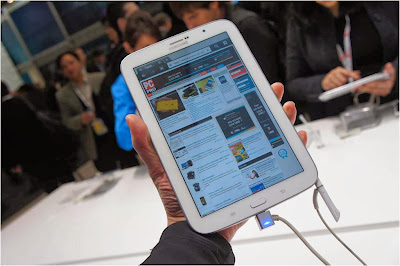
This Android tablet can make students ditch pen and paper for taking notes and turn all digital. The S Pen digitized stylus helps you to draw or write on the screen with acuteness such that your notes or diagrams are perfect and shared or uploaded conveniently to the cloud. There is a multi-window mode too which makes it more useful when working with two apps. The 8-inch Note is lighter and more comfortable for writing than the 10.1 -inch version.
Price- $400

Google Nexus 7

Five Tablet Computers for Students
photo: journerdism.com
New Nexus 7 from Google is the sort of gadget you would need if reading is more of a necessity for you rather than writing. With high resolution and full HD display, the smallest of texts appear brusque and readable. This version is slimmer and lighter than the earlier ones making it a good choice.
Price: $230

Sony Xperia Tablet Z

Five Tablet Computers for Students
photo: digitaltrends.com
This tablet makes you go all digital with your textbooks with the 10 inch screen. It is sleek and does not add on much to the weight of your bag. Moreover, the splendid screen enables you to watch videos during your free time as well. Its USP is the resistance towards water and dust; therefore, this is an investment that will not let you down easily.
Price: $500

Apple iPad and iPad Mini

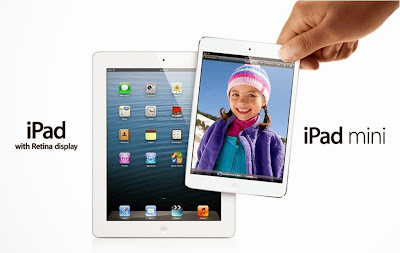
iPads have been reputed long enough for being an excellent gadget for students, the most important reason being the resourcefulness of iTunesU. Apple is associated with secondary schools and universities that offer course materials and lectures along with other such information through this education portal. Additionally there are innumerable apps that are focused especially on education ranging from note-taking to study via the app store. The 9.7- inch iPad with retina display is perfect for reading textbooks, web pages, and magazines. On the other hand, the Mini version of 7.9-inch might be more appealing for students who carry them all day long.

HP Slate Book x2

We know that suggesting a laptop or desktop over an Android tablet is not done; the slate here comes with some laptop-like features that you might not want to miss out on. The added key board dock helps you type faster than on-screen keys. It also adds more battery life and ports, making it perfect for students who can use it all day without worrying about running out of battery life. HP Slatebook has some very productive apps like the Splashtop Remote Desktop which helps students to access their files and computers even when they are away from the dorm.
Price: $480

About the Author:
Saitosh Raigen covers brilliant directories reviews on his blog every year. He consults for different NYC SEM Services and believes that SEM in itself is vast and can only be understood by keeping up with whats going around and doing things to know the results.
Posted by Ravi Kolhe | 12/20/2013 | Continue Reading...

5 Cloud Computing Apps You Should Start Using

In order to manage your digital files across all the devices you’re probably using, you need efficient tools that can provide you with smooth experience in terms of file sharing, access and backup. The struggles with most of these issues have practically become a history with the advancement of cloud computing services. Dropbox has reached millions of users worldwide introducing them to the concept of cloud computing. Still, there are plenty of apps out there than can further facilitate your data management in your everyday or professional life.

Evernote

5 Cloud Computing Apps You Should Start Using-Evernote
This is an easy to use cloud computing app that is particularly popular among business users, enabling them to neatly organize all kinds of notes. Evernote practically functions as a notebook with the addition of file-sharing and syncing options. You can upload photos or short voice recordings and even take “ink notes”. What makes it far more efficient from a paper notebook is the ability to share particular files with the people you choose and still have them with you any time you want. All packed up in a simple and intuitive interface.

Audiobox.fm

If you need a practical solution for storing and streaming your favorite music, you should definitively try out Audiobox.fm. It is a cloud-music service that allows you to play your favorite tunes from different devices. This year, Apple fans have also got the opportunity to start using Audiobox.fm on iPhone, so they can stream their favorite music collections from the other Apple devices they use. The app allows creating “smart” playlists from tracks stored on different devices and even includes social sharing functionality.

Crashplan

For the piles of documents you need safely backed up, Crashplan is one of the best online backup solutions out there. Crashplan offers you continuous file backup with rock-solid encryption (448-bit level). This service encrypts your files before you send them to the cloud and eliminates all the worries about the safety of your most important documents. Crashplan has affordable pricing plans, which could potentially save you thousands of dollars you would otherwise spend on non-practical external drives.

Hojoki

Hojoki is a messaging system designed to help you manage your contacts and communicate across multiple social channels with a team of people you collaborate with. In essence, it is a collaborative platform where you can import your contacts and organize them in different working groups. Hojoki stream displays all the relevant activities in real time, so you can monitor the progress of the tasks your team is working on.

Mint.com

If you want to have a better control over you budget and get an insight into where all your money goes, you should start using Mint.com. Mint is a free personal finance service that you can access from any web browser or mobile device, which enables you to constantly monitor your financial matters. If you decide to give all the necessary bank and credit card information to this service, it will track your account activities, provide you with a summary of your account balance and even send you notifications about late fees, large purchases or rate changes.

Olivia Still is a blogger, technivore, and cloud computing enthusiast. Currently she is a marketing advisor for a number of IT companies, Crucial Cloud Hosting being one of them.
Posted by Ravi Kolhe | 6/09/2013 | Continue Reading...

Android 4.2 Update Rolls Out to LG Google TVs!

Google TV is a smart TV platform from Google that was co-created by Sony, Logitech, and Intel. It was first launched in October 2010 with android operating system and Google chrome browser to create interactive television overlay. Although the first generation smart televisions were created by hardware partners Sony and Logitech, the second generation devices had partnerships from LG, Samsung, HiSense, and Vizio. In 2013 even more hardware partners joint to make their Google TV.

The operating system present in the Google TV is called the Google TV operating system that has the Android version 3.2 i.e. honey comb embedded to it. This is been the operating system for the Google TV for past 3 years. However in the starting of year 2013 Google announced that Jelly Bean operating system may be provided for the Google TV that are manufactured by L.G. Nevertheless, this announcement seemed untrue while this update of new operating system to the Google TV got shelved. Now recently Google has announced again that the Google TV will now be present with Android version 4.2 operating system i.e. the Jelly Bean. While LG has confirmed the news stating that the forthcoming LG Google Smart TV will be having the Jelly Bean Operating System.

The update of Jelly Bean OS to the Google TV is mainly to support developers who will be now able to port the apps which are present in Android phones, phablets, and tablets to the TV. Thus the Google’s Smart TV will indeed become very smart true to its name. The Google chrome will also be updated because such that it won’t be requiring a flash anymore.

The major advantage is that the Google TV will have options for more apps and more games that can be played on the television with the control of magic remote. The downside however is that the conventional chrome browser is removed and an out and out Android based browser is provided which won’t support flash instead supports the HTML 5 option.

The update of the original android version 3.2 operating system honey comb to the latest android version 4.2.2 jelly bean is not the only change that the Google TV users are going to face. Google has decided to change the name of the TV from Google TV to something more relevant to Android such as Android TV or something similar to that. Thus the whole web based interface (flash based Google chrome browser and the name Google TV) will be ridden completely.

The whole concept of Google TV will get a fresh look with more efficient apps and effective connectivity and sync between the Android phone, tablets or phablets and the Google TV. Additionally even the name of the TV will get a new branding.

On a nutshell the Google Android TV is going to have a new reincarnation this October thus making television viewing a better, enhanced and never before experience. This is indeed good news to all the users who had been interested in buying the Google’s smart television.

About the Author:

Maria Lynette is not a well known name. But, the person holding the name wants to be. She writes article on various topics related to mobile aspects especially on Mobile Application Development Companies in California. Follow her on Twitter, Google+, Facebook, Linked In, Stumble upon and Pinterest.
Posted by Ravi Kolhe | 11/10/2013 | Continue Reading...

The Trends of Mobile Commerce in Retail Industry

With the emergence of wireless communication services coupled with the ubiquity of the mobile devices, the retail landscape is gradually changing. The technological advances are creating new opportunities for both online and brick-and-mortar store retailers. Thus, it is no surprise that a number of retailers are launching mobile sites and smartphone apps, leading to the proliferation of mobile commerce sales. In fact, according to a recently published eMarketer study around 25% of America’s online retail transactions will take place on mobile commerce platform by 2017.

M-commerce sales are expected to grow to $38.84 billion this year in comparison to the $24.81 billion figure of last year, which is a growth of 82 percent. And by 2017, sales made through mobile commerce platform will account for more than $108 billion for retail sales in USA. Also, 60% of the sales in m-commerce category will occur through tablet devices this year, predicts the study. In fact, tablet-based purchases, as they are also called, are one of the hottest m-commerce trends and have a profound impact on how online retailers market and sell.

In United States around 12 percent of the ecommerce sales were made through smartphones and tablets, during the fourth quarter of the previous year. The main reason behind this transaction share explosion is the ease of use of tablets and the interactive shopping experience that these devices provide. The mainstream adoptions of tablets since 2011 have actually resulted in the acceleration of mobile commerce sales. In fact, it was also noticed that tablet users spent more time on their devices than one using a desktop computer. According to a Google study conducted back in 2011, the figure is 43 percent. They also found that 33% of people using tablets spent more on such mobile devices than on television. And the trend still continues. Considering the opportunity, retailers are focusing on mobile commerce platforms to reach out to these smart device users. Another study conducted by Adobe in 2012 showed that 43 percent of people using tablets accepted that they like to shop through mobile commerce platforms using their tablets.

The retail industry saw a rapid growth in m-commerce sales made through tablets. As per the eMarketer study, m-commerce sales made through tablets will account for 9.4 percent of the total retail ecommerce sales in this year. And the figure is expected to increase to 16.9 percent by 2016. Smartphones, on the other hand, will account for 5.3 percent of the total retail sales in the ecommerce market this year.

Thus, marketers need to consider this behavioral shift of the new-age buyers and make strategic promotional plans for their products, based on this trend. For brands, it is almost impossible to leave out mobile channels when it comes to marketing and promoting products. But having mobile commerce platforms is not enough, they need to understand what ignites the interest of the tablet and smartphone users and make marketing strategies accordingly.

About the Author:
Ethan Miller is a writing professional specialized in technical writing and an admirer of augmented reality, especially 3D augmented reality. He is fascinated by the world of augmented reality including various augmented reality IOS apps and augmented android apps and their effect on interactive shopping experience.
Posted by Ravi Kolhe | 8/14/2013 | Continue Reading...