Creating a user friendly website might not be an easy task but it can be difference between having a successful business and barely being able to pay the bills. The benefits are countless and usually the more user friendly your platform is, the more successful you will be. Look at Apple, for example, who aim at simplicity and elegance instead of trying to make their OS more intricate and complex. Their take on the matter seems to be quite profitable taking into account that it's currently the most expensive company on the market. All of this is to say that simplicity is important. Why is that? Stay tuned to find out...
Why simplicity is an extremely powerful tool?

There are two answers – a short one and a long one. The short one is that people are busy. The long one is that people are busy and don't want to be bothered with wasting their time running around a website (or anything else, really) looking for something. That's why sites with the simplest design and the most well-organized catalogs are the most successful. Another example is Amazon – look at how simplistic the whole concept is and yet who hasn't heard of Amazon? Most business owners (especially new business owners) underestimate this fact and tend to think that the more complex you make your site, the better. But think about it, for a second. You have to visit lots of sites today. You don't have much time to waste. Maybe you're on your lunch break and looking for a new book or a movie, or maybe you want to purchase a new vacuum cleaner for your anniversary (if that's the case, don't!). Whatever the case, you have only a few precious minutes before you have get back to your daily routine. Now, visualize that and tell me what would you prefer – a simple, well-organized website that immediately gives you what you need, or a fancy-looking, bloated and flashy site that you need to take at least ten minutes of your time to even begin to understand. Most people will always go for simplistic when given the choice, and so should you.
Are there any other benefits?
Of course there are. I've already said the benefits were numerous (or did I? I don't remember... If I haven't, I'm saying it now). For one, the simpler the design of your site is, the less components it will have to load which translates into faster loading sites. Even with the fastest Internet connection today, there are still sites you have to wait for a few seconds to load. That's a few seconds every time you have to do something, which in the end amounts to a lot. People are impatient and if they can find a site that works faster than yours and provides the same services, they will go with it.
A simpler site would also be much cheaper because it will be easier and faster to build. You will be operational much quicker and will have the added benefit of keeping one of the bags with the dollar signs on them, instead of giving them all to the developer. This way, even if there is something wrong with your site (like a bug or something) it will be easier to fix. The site will be cheaper to maintain.
Getting back to people, the simpler your designs are, the easier people will be able to see what they're looking for. Add that to the easier navigation, less money for building and maintaining your site, and I don't think I need to convince you any longer.
About the Author:
Rose Finchley is passionate freelancer blogger and geek. She currently works for the support team of http://www.cleantoperfection.co.uk/end-of-tenancy-cleaning-south-east-london/ and she is really happy with that. In her spare time she loves to take long walks.
|
8/29/2013 | Continue Reading...
Becoming a giant in the blogging world is easy, but staying there is like trying to freeze water in an oven. You are not only up against an unforgiving set of search engines that will drop your rank for accidentally linking from a grey-SEO site; you are also up against a world full of bloggers who are trying to beat you. The only people who have ever had a top blog and kept it for more than a week are the ones who work on it ceaselessly. They are the ones who are coming up with material that should (by all accounts) be published instead of blogged.
Keep up the good work
As it suggests in the introduction, the biggest trick is keeping up the effort. Most blogs peter out after around six months when the blogger has run out of ideas, and very few last past two years. The ones that do are often simply maintained and are not actively promoted or have effort put into them.
Forget about the money
This is the biggest trick, and it is a trick because so many people are not willing to do it. Most of the blogs that go past the six month mark will have affiliate advertising placed onto them. After that point, the blogger starts to maintain the blog in order to gain traffic. They are not actively working on their blog to make it a big success; they are doing it for the few dollars that they can make from affiliate money. This is the reason why these bloggers never make it big.
If you do not want to fall into this trap, then do what no other bloggers are doing, and do not add affiliate advertising to your blog. Do nothing on your blog for the sake of making money. Your every action with regards to your blog needs to be to make it successful, popular and loyally attended. This is something that few people are willing to do because there is no financial gain involved, and that is why so few people ever keep their top blog.
Come up with your ideas in advance
There are a few elements to blogging, and one of them is ideas. A lack of ideas is a hindrance but is not a problem. However, if you want a successful and top blog then you cannot simply stop at ideas; you need inspired ideas. You need ideas that other people have not even thought of yet.
You have seen it a hundred times where you type in one blog topic and the search engine gives you a list of results on the topic. That is because the blog topics are fuelled by uninspired ideas. They are manufactured from the ideas of others, which is why there is so much repetition. In essence, you need to go out of your way to be the first link in the chain. You need to be the first one to come up with these ideas to the point where people are copying your ideas instead of you copying theirs.
So why come up with your ideas in advance?
Well, the answer to that should be obvious: inspired ideas take inspiration. Furthermore, good and inspired ideas take time to come to you and to mature into something that you can actually blog about. You also have the challenge of relating your blog topic to the target audience of your choice. Writing an inspired blog post about “end game” post nuclear survival is all well and good, but it is not going to go down very well on your research blog about the body language of kitties.
Make a plan for the next six months
If you make a plan for the next six months then you can be sure that you are not going to run out of ideas over the next few months. You are planning ahead for your own success, and that is the only way that you are going to be able to keep up the momentum to make your blog a top class blog. You also need to make a six month plan for your blog marketing, as this is just as important if you want to make it big.
About the Author: Korah Morrison, working for CrazyEssayWriter.com as a freelance essay writer.
|
8/15/2013 | Continue Reading...
If your business is looking for continual growth and expansion, one of the best ways to make that happen is through devising an online marketing campaign. One of the primary things you'll need for the campaign is a highly functional and aesthetically appealing website. While creating a website like this may seem difficult, it's not. Here are 5 tips that can help make building your website easier:
Take A Tutorial
If you don't have experience building websites, you can learn a great deal of information by taking free online tutorials regarding how to do so. In addition to attaining step by step instructions from a plethora of informational websites, you can also attend webinars where trained professionals offer you simple, clear instructions regarding how to build a website.
Hire A Professional Website Company
Hiring a professional website company to build your site is a great way to be sure that it is done with excellence and expedience. In short, website companies generally have the knowledge and/or experience necessary to provide you with quality advice that contributes to the construction of a great site. For example, OrangeSoda online marketing solutions will equip you with strategies to market your business through social media, mobile devices, and search engines.

Use A Template
Oftentimes, individuals who don't have experience in website building are intimidated by the idea of creating the site from scratch. Luckily, you don't have to. Instead, you can build a website by using a template containing great background colors and other meaningful images that will give your pages the professional yet engaging look you want.
Create An Outline
The concept of putting together a great website can be intimidating. This is the case for several reasons, including the fact that the good ones tend to have a lot of different components-a home page, FAQ, Share Buttons, opportunities to join e-newsletters, and more. Despite the fact that the multi-faceted nature of websites means that putting one together can take a great deal of effort, building your site will be much easier when you create a detailed outline of everything it will include. Doing so gives you a very clear understanding of the individual components that will contribute to the whole.
Surf The Internet
One of the greatest things you can do if you want to make your building your website easier is to go online and see the different website styles that are already out there. Once you do this, you're no longer building "from scratch" because you'll see a variety of different types which you can use as a model for your website. When you see the unique formats and backgrounds that are out there, you'll more likely be able to visualize and communicate what you want to include and omit from your own website.
About the Author:
Casey Haslem – a 25 year old writer. Her hobbies are reading, painting and pretending she knows how to write a book. She uses OrangeSoda online marketing solutions to help grow her business. She loves meeting people and making new friends. Writing opens up a whole world of new ideas and possibilities for her.
|
8/13/2013 | Continue Reading...
You can increase your Alexa ranking by attracting more traffic, and especially by attracting webmaster traffic. Webmasters are more likely to have the Alexa toolbar installed on their browser. The Alexa rank counts how many people with their toolbar visit websites. The more people with the toolbar that visit, then the higher your Alexa rank rises. This means that ideally you are looking for tools and methods that will increase the amount of visits by web masters. If you want to increase your Alexa rank quickly then you are going to need to use more than one of the tools and methods on this article. Using just one of them is not likely to rank you up very quickly.
Start with an Alexa Site Audit
This is a tool that will scan up to ten thousand pages on your website and then give you tips on how to improve them to increase your Alexa Rank. It gives you tips on how to improve your website performance, your SEO and other factors that influence your Alexa rank. The tool has different levels of subscription so that you can increase your efforts over time. It focuses mostly on getting more traffic, which will invariably increase your Alexa rank.
The Alexa widget

This widget is a nice little tool to insert into your website, and will also help increase your Alexa rank. It will also show you how many backlinks your website has and you can click the widget to get detailed information about your Alexa ranking. The widget will show you your current Alexa rank. You could also try writing a few articles about Alexa that you post on your website. This will invariably attract people who have the Alexa toolbar, thereby increasing your Alexa Rank.
Install the Alexa Toolbar
The Alexa rank judges your website popularity by watching what people with the Alexa toolbar look at. Since you are going to visit your own website on a frequent occasion then it cannot hurt to have the Alexa toolbar in order to make it appear as if you have more traffic. If you can convince your friends and family to install the Alexa toolbar too and have them visit your website, then that will increase your Alexa rank pretty quickly.
Google webmaster tools
They are not directly linked to Alexa in any way, but they are very useful for increasing your website traffic, thereby increasing your Alexa rank. There are a lot of tools and lots of advice within the Google webmaster tools that you can use to increase your traffic numbers. If you use it correctly then you can also improve your PageRank, which will help you to rise up through the Google search engine results pages. This (again) will result in more traffic and a higher Alexa rank.
Add tools to your website
Instead of using tools to directly manipulate your Alexa rank, you can add tools to your website for other people to use. Try to add tools that web masters are going to want to use. So, consider adding a tool that checks for plagiarism or one that checks for backlinks on Google. Some web master tools are pretty easy to design and there are lots of programmers that are willing to create online tools for a reasonable price.
You do not have to turn your website into a tools website, you can just create a web masters tools section. Make sure that your tools are free so that webmasters keep coming back, and soon your Alexa Rank will shoot up. There are even tools that attract non-webmasters that still attract people with the Alexa toolbar, such as a tool that allows people to turn raw information into a correctly written Harvard reference.
Consider using Stumbled or Dugg
For some reason these networks will generate traffic with a higher than normal percentage of Alexa toolbar users. You can use social media networks such as Facebook and Twitter to attract traffic, but for some reason you will get more Alexa toolbar traffic with sites such as Stumbled and Dugg.
Affiliate advertising and related tools
Use affiliate advertising and their free tools to bring more people to your website. This will increase your traffic numbers and so increase your Alexa rank. You can also post affiliate adverts that appeal to webmasters. For example, you could write a great post about SEO and then affiliate advertise it to webmasters who are likely to have the Alexa toolbar. This is going to cost you money, but is a faster way of ranking up your Alexa rank.
About the Author:
This post is written by Kate Funk. She is a professional blogger and writer at Tutorsclass. She specializes in topics of interest to techno geeks and networking enthusiasts.
|
8/09/2013 | Continue Reading...
Many people are drawn into the world of WordPress by one word: free. It's true to some extent too. Everything you need to install files on the server and run a basic WordPress site is no charge to you. However, anyone who is doing something more than throwing up some casual information just for friends or family to see or just for the fun of it, will need to pay money. A basic WordPress page is going to do nothing for your business or profitable blog.
As a real business that is very serious about using the Internet as a powerful tool, you know that using WordPress is going to cost money, but have you truly considered how much the price tag will be? Have you allocated enough of your funding to cover this cost? It's actually very important, but you do need to face reality that you are going to put some money into your WordPress endeavors.
The best way to determine your actual expense is to do something called the Total Cost of Ownership Analysis or TCO. This is a tool used over and over again in brick and mortar business, and it can be helpful for your WordPress expenses as well.
Start with something called "real costs" or the expenses that you may easily overlook because they come out of your decisions as you build your page. Some of these expenses come from:
1. Registering your domain
2. Buying premium WordPress premium themes
3. Paying developers or designers
4. Fees for security services
5. The hosting cost
6. Storage costs
7. Fees for backup software
You also have to consider your personal time. Any time that you invest in building your site is worth money as well, but most people overlook this and don't factor it in.
If you feel that you are paying more than you can afford for your pages, then the best thing to do is carefully analyze the real costs and then determine if there are any you can minimize or pair down. Some things shouldn't be touched, however. You do need a premium theme for an attractive and user friendly site. There are things you can pare down, though. For example, you could maintain your site hosted by WordPress.com instead of self-hosting or choosing managed hosting companies.
Keep in mind that every decision you make could potentially cost money. That means to keep a good idea of all your expenses, record your decisions and real costs before determining if that is the right choice.
About the Author:
Anny Solway is a dedicated writer at ThemeFuse – a leader in the premium WordPress themes area. She likes to discover new ideas about internet marketing, social media and blogging.
|
8/01/2013 | Continue Reading...
Web design is one of the most important elements of your website and ties together aesthetics, navigation, and content to create an effective experience that encourages greater conversions. There are plenty of web design guidelines to keep you on your toes and create something that maximizes usability and aesthetic appeal, but one of the growing online trends is responsive web design. What is responsive web design, and what can you do to make it work on your site?
What is Responsive Design?

Responsive design is all about flexibility, adapting to changes in the environment, and predicting how a user may use a particular page. It came as a response to the growth of hardware as people were browsing less and less on desktops and laptops and more on smart phones, tablets, and other devices.
In the beginning, sites only had one design over all devices. You can imagine the difficulty that comes with navigating a full desktop site on a much smaller mobile device. Over time, developers and web designers realized that mobile versions of their websites were a necessity. It wasn’t exactly forward thinking, but it was an effective solution at the time.
So developers had two versions of the site, one for the desktop, one for mobile, but what about touch screen tablets? What about large, hi-res displays larger than normal desktop screens? Developers had to address the changing scope of web browsers and how they were used in a more concrete way. After all, they couldn’t create seven different versions of the same site. Hence responsive design.
Fluid Grids and Media Queries
“Fluid” really is one of the best words to describe responsive design. Traditionally, sites had fixed-width layouts. Page designs have a specific number of pixels across with the content centered on the page, which becomes a problem when you consider the different screen sizes and resolutions out there.
Fluid grids do away with the concept of rigid pixels and percentage values. In a fluid grid, all of the elements in the layout resize themselves in relation to one another, resulting in a site that looks fine on a big screen or a tiny mobile phone.
However, a site’s design can look horrendous if you narrow down your browser size enough. The solution: media queries. Media queries allow you to gather data about a visitor to your site and apply specific CSS styles. If, for instance, a visitor is browsing on a mobile phone, the site can automatically move navigation bars, remove unnecessary elements, or shrink down the three column layout into just two.
Switching Mindsets
To implement responsive design, you have to change your mode of thinking. While there’s nothing wrong with having a dedicated mobile site based on your business model, responsive design is less about isolated, device-specific sites and more about considering the viewing and browsing context. It’s about considering different user experiences and adapting accordingly.
If you’re considering implementing responsive design into your website, this responsive web design article is a great place to start. Good luck, and remember the advice of Bruce Lee when it comes to design. Be water, my friend—let your design flow with the many technological changes we’re bound to experience in the future.
|
7/11/2013 | Continue Reading...
Every web designer whether he knows SEO or not, should know how to design a website that is completely SEO friendly. This article shares the design tips that should be implemented throughout the web design process.
For any web designer it is very easy to code the most complex of designs and forms but when it comes to SEO friendly designs these brainy people just seem to get confused but no need to worry anymore because this article will help you clear any confusion. Some of the tricks and tips shared below are ones which a designer is always told to take care of but some designers may not know anything about. So continue reading further to know what needs to be done while designing a perfect SEO friendly website.
Coding Errors

This is an expect of web design that all designers should know but it’s often seen that the designer skips aspects to fulfil the clients design needs. Web design is not easy and it can take a long time if the expected results are complex and complicated. To make things easier its important to keep the whole design divided into sections. Also, these sections are sometimes allotted to various designers in a team which leads to a variety of coding. All designers do not design the same way so it could happen that while one designer is neat in coding the other might be more focused on getting the results instead of keeping the code clean. So whether you are designing with a team or operating solo, make sure that no extra open brackets or commas are left without reason in the website code. Also this helps to get fewer errors during a W3C Validation Check.
Managing Files is The Key To Design Success
The number of files is directly proportional to the number of pages to be designed for the website. For every webpage designed there are at least 3-4 more pages containing important details and codes that help the final webpage run successfully in a browser. Such files are also called as the supporting files. Thus, it is highly important to manage all the related files properly and correctly. Also, you must make sure that each of these files are named correctly. Having a well managed site is helpful to any SEO professional looking to optimise your website. It is very difficult for non designers to search for files that need to be edited for proper on-page SEO. Search optimisation specialists rely on the file names to be well organised, but if this is not the case then it will simply increases work load for your SEO specialist. Another important thing is to delete all files that are of no use this will increase the loading time of your web pages.
Creation of Robots.txt
Robots.txt file is a very important file that a web designer should create along with the other files. This is the first file that a search engine’s crawler looks for in any site. This file tells the crawler about the pages and files it should crawl and the ones it shouldn’t. Also, it is best if the designer creates this file because who else would know better about which files need to be hidden from crawling. Also, recently a trend has emerged of placing the link of the XML sitemap in this file.
Create Sitemaps
Any site must have two kinds of Sitemaps, one which is meant for the search engine and one which is meant for the audience. The normal extensions of these files are .xml and .html respectively. Both of these files contain the same data, only the representation and the usage vary in both.
Hence these are the ideas that you should either implement or create for making a website completely SEO friendly.
About the Author:
Danny Nevill is the owner of Universal Web Design which is an affordable small business website design service provider. The team at Universal Web Design are a blend of efficient web designers and internet marketers. No wonder that their clients are always pleased. Always choose an internet marketing agency over a general web design company.
|
7/10/2013 | Continue Reading...
Most of the website owners prefer using the Drupal hosting platform as it is based on an open source technology that enables better efficiency. Drupal is mainly used for creating new websites and distribution of the content over the internet. Drupal is known for its speed, diversity, and dependability. In order to get the complete advantage of Drupal, it is also necessary to select a good Drupal hosting plan.
Here's what to look for in an efficient Drupal hosting plan:
Cost

It is crucial to consider what kind of resources are being provided in a particular cost. Before you sign up for a Drupal hosting plan, it is very important to perform a cost versus benefits comparison of the web hosting companies that you have shortlisted. While comparing the costs it is also important to consider the resources and technical assistance provided. The Drupal hosting plan should be considered as an investment rather than an expense. It's also important to find out the server specification details on which Drupal sites are hosted by the hosting provider. A low specification server may degrade the performance of your website.
Security
It is crucial to have a secure website. The hackers and identity thieves don’t really limit themselves to one individual. Make sure that the web hosting company that you select provides you with complete security and backup features so that your website is always safe. You must ensure that proper protection is provided, otherwise this may affect your online business.
Compatibility
The web hosting company that you select must be able to accommodate the diversity of your website. Make sure that the web hosting company has the expertise to manage the current framework of your website. Make sure that the web hosting company you select enables you to host on Linux/Windows operating system. Easy upgrade options should be available.
24/7 Support
The Drupal hosting company you choose should provide 24/7 expert support through live chat, email and phone. The hosting company should not charge additional fees for troubleshooting any kind of support and server related issues. You may skip the hosting providers who are available only during business hours and week days. In the event of migration to other hosting provider the current hosting provider should assist you with the migration process.
Money Back Gurantee
Consider the web hosting provider who is offering minimum 30 days money back guarantee. Utilize this period to test the support, service and performance of your website. The hosting company should offer full refund if the support and service offered does not meet the expectations. Some web hosting companies also offer upto 45 days to 60 days money back guarantee.
Downtime
Nothing kills a website faster than a chronic downtime. The website users have short attention spans. If you have a slow website, the users will immediately switch to some other website. Before you sign up for Drupal hosting plan, make sure that the web hosting company offers a good uptime for your website.
Make sure to consider the factors mentioned above before you select the Drupal Hosting plan. There are various other factors you have to consider before getting into any web hosting plan, however even if you consider the ones mentioned above you will surely make a good investment.
|
7/09/2013 | Continue Reading...
Making a website successful can be crucial in the overall success of your company or business. Not only does a website create profit through e-commerce, but of course, it spreads the word of your websites to others. Here are a few ways to make your website successful:
Content is the most important part to your website. This is mainly due to the different things that content does to make your website great. Content introduces the customer to your business or your product/s and works as a first impression to many. Content also plays a part in helping your site be found and picked up via search engines due to well-placed keywords. The content of a website is the main focus for Google and Yahoo to find results relating to what people are searching for.

Making your website available and accessible for all is another huge aim for your site. You need to make sure that your site can be fully accessed by all web browsers. More and more websites have added features to aid the disabled take in the content and information of your site. For example, software has been largely used to read out text on websites for the blind and also video information has the option for subtitles for the deaf.
Testing your website is essential. Unknown faults you have not picked up on may still be lying in wait. It is important you get others to test your page using all web browsers available.
Having a professional looking website seems obvious and is of course, easier said than done. However, having this is essential, partly because it creates a good impression on your company or business but also because when customers log onto a very unprofessional looking site, many will keep far away due to the scare of viruses. If your company’s website looks professional, people will feel a lot more comfortable on doing business with you as it looks reliable.
Advertising your site is also a must. If you don’t advertise your site, how will anybody know about it? You could have the best site possible but nobody would know of it. Advertise your URL on business cards, billboards, through social media such as sites like Facebook and Twitter and anything else you can possibly advertise it on.
About the Author:
Jake currently writes for Dimasoft a company that specialises in website design and web hosting.
|
6/19/2013 | Continue Reading...
When it comes to coding skills for SEO, opinions differ as to how much SEO’s need to learn. Some say that internet marketers need to have in-depth programming knowledge to be effective in their roles; these people say that to be a good SEO you need to have expert HTML and CSS knowledge, plus some knowledge of .net, Javascript, Flash, and maybe even other languages. I remember Distilled SEO Tom Critchlow saying once, “every SEO should learn a programming language”, (other than HTML and CSS)
Personally, I think this is way OTT. In my experience, the most you need to do well in day to day SEO is to have a basic knowledge of HTML, and that’s about it. You need to know what HTML is (Hyper Text Markup Language), how it works and what most of the commonly used tags mean. This post is intended to give a few pointers as to what are the important tags and markup for the SEO to know.
Some of the main tags that SEO's need to know:
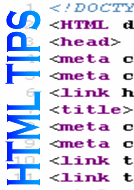
1) <meta name="Description" content=”sample description”/> - The meta description is one of the two pieces of meta data that a SEO needs to know. The description is the snippet of text that is displayed by Google in the result body of the SERPs (Search Engine Results Pages).
2) <title>Sample website title</title> - The meta title of a website is the text that is displayed in the title of the search result snippet when that website comes up in the search engines; it is also the text that is displayed in the title bar of the website.
3) <a href=”www.sample.com”>anchor text”</a> - This is the format for links in HTML.
4) <img src=”images/sample.jpg” – This means an image. The suffix “.jpg” (pronounced jaypeg) denotes the type of images file used. Other image file type include “.GIF”, pronounced “Giff”, and PNG (pronounced “PNG”). “Sample” is the name of the image, “images” is where the image is located.
5) <script> - This means javascript is being used within the tags. Javascript is usually used for interactive elements of a webpage.
6) <ul> - this means a list of bullet points
7) <li> - means a list item
8) <ol> - a numbered list
9) <h1> - denotes a H1 tag – typically insert a keyword here
10) <p> - paragraph
11) <strong> - bold
12) <script src="http://www.google-analytics.com/urchin.js" type="text/javascript"> - This is the sort of tag you see that is for Google Analytics, to send data to the analytics account of the website.
13) <meta name="robots" content="index,follow,NOODP,NOYIR" – This is the tag that specifies commands to the search engine spiders –“ index” means “index this page”; “follow” means “follow the links on this page”; “NOODP” means “don’t use the Open Directory Project (dmoz) snippet in the SERPs”.
14) var google_conversion_id = 1060561510; - Within a JS tag, this means the conversion tracking code for Google Adwords. The id means the identifying id number of the Adwords account.
15) Alt= - The “alternative text” for an image – denotes to Google what the image is about.
16) An important part of using HTML for SEO is searching. Learn how to using CTRL-F to search for content/markup/tags on a wepage (after doing right-click>view source).
17) <no follow> - Denotes that Google will[ not pass “link juice” for a the link with this tag.
Good luck! Remember – if in doubt- Google it!
Armishaws Removals are a leading UK removals firm specialising in removals and storage in the UK, Europe and around the world.
|
6/19/2013 | Continue Reading...
Yes it is, since a website is just a piece of code that is put into a file, loaded onto a server and given a name. So, if you have a notepad type of word processor on your tablet device then you can create a website.
Finding the writing tool for your HTML code
You should grab some sort of notepad word processor. A simple one will suffice, although there are programming apps out there. There are programming apps that will allow you to write code on them, and then it will help you to compile and debug the code too.
Using your HTML programming skills
Whether you have your fancy program writing tool, or you have a good old fashioned notepad, you may begin writing your HTML code. This is where your programming skills come into play. Once you have finished your page then you should save it as an htm file.
Previewing your HTML code elements
If you would like to see a preview of your current code, then you may use a HTML preview app. There are lots of these tools on websites. You may access one via your tablet web browser if you wish. Or, you could download an app that will do it for you.

Testing your HTML code
You may test elements of your HTML code via the preview apps. It will show you if buttons work of if widgets appear. You can test each element individually so that you get it perfect before moving on to testing the whole page at once.
Preview your whole web page
All you need to do is load the code for the page into the HTML previewing app. This will show you the whole page in its glory. You may see how each of your elements fits together, and you may see if your code actually works and does what you thought it would.
Debugging your pages with the HTML preview
Now that you have a preview of your page, it is time to start testing the various elements to see if they work correctly. You will also need to alter to the code and re-preview to be sure that the page is acting a certain way for the right reason.
An app to test dynamic websites
You then need an app that is going to help you test to see if your web page is dynamic. You should have programmed the web page to adapt to whatever browser it is being viewed by. There are apps that will let you test this coding. The will show you what the web page looks like on a phone, tablet and desktop computer. This will help to show you if your dynamic website worked.
Test the page with different browsers
You also want to know what the website looks when it is viewed through varying browsers. Knowing this will help you to decide if the website is stable and compatible with others. There are also apps that will allow you to test this browser problem, as there are also websites that will help you with this problem too.
Buy a domain name for your website
Now that you have your page file, you need to go and buy a domain. You do not need to download an app for this. Use the web browser on your Android, find a site that allows you to purchase a name, and then buy on.
Now you need to find a hosting service
Again, you can do this with your web browser. You do not need an app. Pick a hosting service and buy your web space and bandwidth. They should also offer you tools for loading your site and your domain name onto their server. If you are not sure of the process then make sure you buy from a host that will walk you through it.
And there you have it
You should be able to put your website online. You will also be able to use a similar process to build further pages onto your website, except that you will not have to purchase a domain name or hosting services. Just make sure to check your site for bugs after you have uploaded it.
About the Author:
Kate Funk is a passionate tech blogger and online tutor at tutorsville.net. She coaches individuals in writing and networking skills.
|
6/18/2013 | Continue Reading...
Is your website not apt for mobile visitors? Is it creating problems for such users? If so then better you get it fixed as soon as possible. With the increase in the usage of smartphones, the demand of mobile websites is going on increasing as well. In the near future, websites with mobile experience issues will not rank on a higher position in Google search results.
Experts say that if you have a bad mobile site, you will have fewer smartphone search ranking.
Recently, Google’s Yoshikiyo Kato and Pierre Far in one of their blog posts mentioned that:
To improve the search experience for smartphone users and address their pain points, we plan to roll out several ranking changes in the near future that address sites that are misconfigured for smartphone users.
To explain it further, they also shared two regular mobile configuration mistakes of several users and recommended these search ranking changes will help to bring in the smartphone search experience for Google users.

Faulty Redirects
The first issue is known as a “faulty” redirect, when a page listed in search may possibly redirect all smartphone users to the similar single mobile page, instead of a mobile-optimized version of the page the users are after.
Smartphone-Only Error
The second most common mistake witnessed is while trying to access a web page listed in search, get an error and nothing listed.
Optimizing For Mobile
According to Google, if you configure your mobile friendly pages accurately, it will definitely “improve the mobile web, make your users happy, and allow searchers to experience and experience your content fully.”
Well, if you wish your site to appear on all the platforms including smartphone and desktop then make it responsive. With the expansion in mobile Internet usage, the question arises that how to build websites appropriate for all users.
A responsive web design works on each device and in every screen size. No matter how large or big your system is whether it is a mobile phone or a laptop and desktop, one can browse just perfectly without any error. It focuses mainly on offering an instinctive and satisfying experience for everyone. Mobile phone user or any desktop user all can get benefit from a responsive website and it will also come in the list while searching on smartphones. Therefore, it supports SEO as well which let your website to rank on higher position.
These websites are mainly created for cell phones. Since these days, all business owners have understood the need of such responsive websites; they are heading towards it so as to reach the target audience. They have got its hidden potential and realized how it is changing their online business landscapes.
For businesses who think that being present in different online platforms is a bit tough, responsive websites are an ideal for them. It enables them to expand irrespective of the geographical boundaries and time constraints.
Most importantly, Google has always given more importance to responsively designed sites rather than others with significant content high page ranking.
About the Author:
Deepak Sharma is a digital marketing expert having immense knowledge in customized online technology that helps companies decrease costs and increase sales. You can follow Deepak on Google + and know more about him. This write-up throws light on “How the responsive websites and mobile website development will influence the search result in future.
|
6/17/2013 | Continue Reading...
Website design is very popular marketing business these days. It comprises of different skills and disciplines. It is needed for the production of websites and its maintenance. The company of web design offers various choices for transaction of money, online shopping, booking travel tickets, etc. Nowadays web designing can be described as a spectacular trend. Hence more or less there is an actual amount of compository matter. It usually affects the good side of the business. A person has to be aware for not missing any opportunity for the gain of the business. An important point which is to be taken care of in a web design company is that one’s hopes or strong beliefs should be fulfilled. The several areas of web design are interface design, authoring, proprietary software, user experience design standardized code and search engine optimization.

1) The quality of the online shopping advertisements is mostly showcased by the best web database developer. The developer does it creatively and visually by attracting the attention of the customers. These customers find for the proper data on the Web. Generally information has a specific quality. It is eliminated, edited and included continuously. Therefore it is vital for keeping down the web database secured. This further maintains the consistency of the information.
2) Regarding the case of online shopping, where numerous people gathered around. Moreover the business associates had to produce large quantities of the data needed of the products. It is then presented to their respected customers who urge for correct information. They do it in an accurate and greatly technological technique.
3) Website design and development has huge amount of data and prospective results were provided by search engines. The process was however pretty quick. The most important task of a web database developer is creating the information to be simple and understandable. Moreover it should catch the attention of the mass by providing the specific information as needed.
4) Although the gradual transformation which took place over the masterminds of web database development was brought in full control. The usage of information was readily available in clean and tidy packages. It was usually provided to a person for the commercial business. The customers are provided commercial upbringings along with web database development. These upbringings had efficient method for reaching information.
5) A thorough research for the topic is necessary for cross checking the web design company. Generally the web designers made a mark fro being up-to-date along with the web accessibility rules. Moreover having the knowledge of the utility of the website.
Certain vital prospects are required while making web database which enables in designing or making the specific database. It should have the facility of eliminating of the data only whenever essential. It should also not comprise of any copied written references or accounts. Moreover it should enable in referring other information with the database in a simple and easy procedure. However these prospects should be kept in the mind of the best web database developer.
Visual impact is one of the most important element is marketing. The website design and development has become popular by offering the visual impact in online marketing.
|
6/05/2013 | Continue Reading...
When most people talk about SEO and social media, they speak as if they are separate fields. In reality, both SEO and social media interact in a number of different ways. Here are a few facts about how social media can affect SEO and what companies can do to leverage this connection.
Social Media Affects Search Rankings
Those who use popular search engines often note that social media results rarely appear near the top. Part of this is because Facebook and Twitter have asked Google to limit how pages are indexed. However, most experts believe that search engines actively monitor social media properties, and changes on social media can affect how websites rank. Because of this, causing content to go viral on social media can help a website tremendously. Internet marketers are encouraged to view social media as a means of improving their rankings.
Social Media Creates Organic Links
Bloggers and others who host websites use social media to find information. Because of this, those who actively use social media are more likely to attract their attention. By sharing high-quality information and creating viral content, Internet marketers can use social media as a means of encouraging people to create organic links. These links are among the most powerful SEO properties, and those who are able to capture the attention of bloggers and other website operators can benefit tremendously.

Social Media Influences Search Queries
After finding out certain information on social media, many people turn to search engines to learn more. Because of this, those who keep up with social media will be better able to gauge what users are likely to search for. This insight can be valuable in keyword research, and those who are able to track the pulse of social media may be able to find low-competition, effective keywords and key phrases to target. The Internet is dynamic, and social media is a key for predicting changes.
Social Media Integration
Google remains the most important SEO target, and those who use Google+ are granted some benefits. Google+ search results stand out from other results, and the link shown when searching on Google will often be accompanied by a photograph of the author. As all SEO experts know, capturing the attention of users is critical for achieving higher click-through rates. This integration can be a valuable tool for attracting the attention of viewers.
Search Engines Also Affect Social Media
While the points above discuss how social media can affect SEO, search engines can also affect social media. For example, Facebook has spent a considerable amount of time creating their own search engine features. Websites that succeed on traditional search engines will be likely to succeed on Facebook searches. Efforts dedicated to SEO can also improve your social media visibility.
Social media has become incredibly popular, and Internet marketers will need to take steps to ensure that they are taking advantage of this new field. However, it is important to realise that social media and SEO interact on many levels.
About the Author:
This article was written by Kelly Gray on behalf of Search Factory - an online marketing agency located in Brisbane Australia.
|
5/28/2013 | Continue Reading...
When you first start to create a website there are lots of exciting things that you need to take into account. You will play around with the layout, font, colour, graphics etc. You will also spend a lot of time looking into various different webhosting providers to see who offers the best package at the best price. One thing that you should also take into account, but often may not, is whether you should be choosing a webhosting provider according to your location.
Choosing a webhosting provider that is located in a country other than that which you plan to target could cause you problems. Basically you may find that the webhosting provider is identified by search engines via their IP address. These search engines then list your website in the rankings specific to that country. So for example you may find yourself listed on Google Canada when you wish to target Australia and so on. Now this can be altered depending on your target audience. You will need to look at search engine tools or add specific programs onto your website admin. These are not necessarily the easiest thing you will ever do, especially if you are not very technical. However, a good webhosting provider will offer you plenty of help and guidance to ensure that you are listed in the correct rankings and stay there.

Another thing to check when choosing a webhosting provider according to your location is the hardware that they run. You need to make sure that the company you are considering has up-to-date hardware that protects you and your clients. Basically you need a guarantee that their servers are well maintained and reliable and that they have very little downtime.
You should also ensure that they are running the most up-to-date security programs for the welfare of you and your clients. This will mean that customers can enter details without fear of identity theft and that the information that you store and your business reputation are completely protected.
You also need to ensure that you choose a webhosting provider that can provide the speed and access that your website needs. If you choose a company that offers slow speeds or that has too many companies sharing each server then you will find that your website will disappear into the ether. Even those clients that can find it will soon become irritated as it constantly hangs on each web page. So ask for real data to show exactly how they are performing and if you are unsure how to decipher that data then ask an expert to help you.
You don’t have to choose a webhosting provider that is in the same location as you or your target audience as long as you take the time to do your research and set things up properly. If you choose a reputable company then it really should not matter where they are located in relation to you. However, don’t allow yourself to be seduced by a webhosting provider in a different location with a super cheap deal that will let you down.
About the Author:
This article was provided by Teresa Jens, who works for one of the leading Danish webhosting companies.
|
5/23/2013 | Continue Reading...
If you have plans to publish a website on the internet then you will need to purchase a domain name so that people will be able to find you. The domain name is similar to a company address and telephone number in that it is the unique way that you are identified on the internet. Many people have found that the domain names that they want have already been taken, which has lead to a whole new business in selling expired domain names.
Lots of people think that purchasing a domain name that has expired and not been renewed by the existing owner actually gives them a head start on their competitors. This is because it is possible to inherit all of the information that the previous owner put into that domain name. So for example, you may find that you have immediate site ranking and good link popularity. However, as well as inheriting the good work that has gone into a website and therefore the domain name, you can also inherit the bad so it is important to check certain details before you jump in and buy an expired domain name.
The first thing you need to do is make sure that the domain name and previous website haven’t been black listed for any reason. For this exercise we are going to use Google (other search engines are available) so what you need to do is type in “cache:domainname.com” –obviously substituting the domain name that you are considering– and then see what comes up. If nothing appears then you could have a problem and it is worth contacting Google to see if they have blacklisted the website and domain name.
Next thing to check is what the content of the previous website actually was. You want to ensure that the traffic that is coming to your site is actually people that want what you are selling. You also need to ensure that you are not associating yourself with something that could be harmful to your business.

The next thing on your list of things to check is what back links the previous site was associated with. If the previous site was cited by a search engine for bombarding its back links with spam and low quality content just to try and appear as though it was popular then you may find that you have some work to do to get it back to be rated high again. Google has several tools that will help you check all of these things and more if you go to their online website you can either download the relevant tools or just type the domain name you are considering into them to get the information you need. As said previously other search engines are available and they too have online tools to help you carry out your research.
Finally if you find that the expired domain name (did you know the term in Swedish is domän) has had some bad press but it is the perfect name for you and you absolutely have to have it then it is worth noting that you can appeal to the search engines to have the bad press lifted and your website re-instated. You should know though that this is not easy to accomplish and will take a huge amount of time, proof and correspondence, so make sure that the domain name really is worth it before you buy.
|
5/23/2013 | Continue Reading...
Web development is not the usual pushing the keys on the keyboard and a little movement of the mouse here and there, it is more than that! It requires specific set of skills in order to create a well-functional website that would cater to the needs of the client as well as end users.
When it comes to basic web development, it only focuses on two parts – the design and content. These two are the main focus of developing a simple website. It does not involve too complicated, fancy or extraordinary stuff.
The usual outputs of basic web development are static web sites that do look like an online brochure and one-page website. These kinds of websites are good for smaller businesses that are into offering services to the public like car wash, house cleaning, laundry, etc.
The following are the interdisciplinary skills needed from a developer when it comes to basic web development:
● Web design or graphic design

The web design is what we call “front-end” portion of a website. This is what the visitors or the target users will see right in front of their computers. The design involves proper color combination, placement of the content, navigation bars, logo, and ad placements (optional), among others. As the saying goes, “first impression does last”. If a person sees your website looking a bit out-dated, the images are pixilated, and the colors are too bright for the eyes, for sure he will leave right away without browsing through the site.
This is where the artistic side of a web developer comes into the picture. The ability to mix and match colors, editing images using Adobe Photoshop, and putting them all together will be a greater challenge. However, this is made possible through knowing the ropes in web designing.
● Copyediting, copywriting and Information architecture
This is where content plays an integral part on developing a quality website without having to worry about too technical things like the back-end portion of a website. When it comes to basic web development, the content should be on top of the priority list.
The following are criteria to create good quality content for a website:
i. Search engine optimization
ii. Accessibility
iii. Web usability
The above-mentioned skills may look and sound simple but they are not. These skills go beyond as stand-alone and are extended to cover different aspects of web development such as server side and client side.
Take a look at Pierce Communications for a good web development company to help you out with your next project.
|
5/23/2013 | Continue Reading...
Your on-page SEO (Search Engine Optimization) involves all the things that you do to your website in order to make it more search engine friendly. This is the only part of your SEO that you can control directly and with full-unhindered control. Here are four of the most important things you need to focus on, in order of importance.
1 - Content, Content, Content
Write this on the back of your hand for every time you write a new page or update an old one. You content is the part the viewers see and use. It is not the URL, navigation or formatting. It is the part that people read, see and use, and is the most important part of any website. Here we deal with written content because it is the most search engine friendly.
It has to be useful
People forget that the search engines are built around website use. They are trying to produce results that people will find useful. There is a lot of advice about SEO on the internet, but much of the advice is presupposing that the content of your website offers a use to the reader/user. A website that exists merely to exist is going to fail when it comes to search engine optimization. The search engines are going to try to identify your target audience, and without a use your website will not have one.
Well-crafted content is key
Assuming that your website has a use, you must now provide that use in a productive and efficient manner. For example, if your website’s use is to give horse racing results, then they must be easy to find, well laid out, and matched with relevant and useful text and information. Doing this will help your website later down the line when you have to compete with other websites that do the same thing. If you are both evenly matched SEO wise, it may simply be a case of which website delivers its use in the most efficient and user-friendly manner.
The content has to be targeted
When you read all of the information online about keyword use and placement, it is mostly about rising up through the search engine results. But, what you have to remember is that keywords are also the driving force behind targeting your potential website visitor.
There is little point in rising up through the search engine results for rabbit care, when your website sells toaster ovens. Your content and its subsequent keywords must appeal to your target website user.
Your content must be relevant
This is another factor that some people ignore as they climb up the search engine results. People concentrate so hard on finding the most popular keywords that they do not question whether the article/content they are putting them into is actually relevant. Everything on your website must be relevant to the theme or topic of your website (the same goes for blogs).

The content must be of a high quality
The term “high quality” is bandied about an awful lot when it comes to online content. The truth is that a whole book could be written in order to define what high quality content really is. It does not mean correct spelling and grammar, because some of the world’s best literature is full of purposeful misspellings and grammatical inaccuracies. If you need a guide then consider sticking to a “high school” level of grammatical accuracy, as any adherence to the rules that is more stringent will be overkill.
Ideally, high quality content should have a voice that is unique, individual and appropriate for the given content. It must provide ideas that are both important and interesting for the target viewers. Word choice should be non-repetitive, memorable and specific. It should be organized in a way that is effective and logical. Plus, any topic/genre/theme conventions must be communicative and correct.
Put some important words in bold
The first time your important keyword appears in your text, put it in a bold font. The first time that your second most important keyword appears, put that in bold too. Each article need only have two keywords in bold. The keywords in your title should not be put in bold (even though they may appear first on the page).
2 - Your Meta Tags
Many people have lost faith in their Meta keywords and Meta description tags because they do not understand what they do. They are used to radically affect the search engine optimization of a website in the early days, but do not seem to have any effect at all these days.
This does not mean that you should simply neglect them, or simply ignore them completely. They are still important, but you have to imagine them as if they are the foundations of a house. They may not appear to do much, and nobody really sees them, but just as with the foundations of a house, if they are not there then eventually things are going to start slipping.
The keyword Meta tag needs to have around 12 words or key-phrases in it. Some can be synonyms if you wish. This is what tells the search engine what you are trying to optimize your site for. Your web content, URLS, titles, headers, etc should be a further reflection of what you are trying to optimize your site for.
The Meta description tag should have a short description of about 120 characters (that includes spaces). This should describe your website in a way that will make people want to visit it. It should also have one or two keywords in it.
3 - Your website navigation
This is very important if you want your website to rise up through the search engine results page. Every page needs at least one text-based link pointing towards it. Each page should have at least three links on it that lead to other pages on your website. The navigation needs to be easy to use and must be intuitive so that people can find what they want without having to search too hard.
The navigation must not have any broken links in it and the links should all be done with HTML code. The only times when it is acceptable to use other types of links is if you are purposefully trying to hide web pages from the search engines. This is not recommended, but may be done if you wish to hide pages such as checkout pages or personal information pages.
You should also have a search bar; however, an absence of a search bar will not harm your website’s SEO. A search bar is more for the convenience of the website user. Also, try to vary your anchor text throughout your website. It is sometimes hard to create different types of anchor text for every link, but try to vary your anchor text as much as possible. An over duplication of anchor text may hurt your website’s SEO.
4 - Loading and rendering
Rendering is the part where the page goes from a blank browser screen, to having something appear. Sometimes the render time is too long and it frustrates your viewers. Many people will simply close the tab or click “Back.” Having a slow render time may not affect your website’s SEO very much, but it will affect your website’s popularity, which will hinder your SEO over time.
The loading time for your web page is important. Google measures it with Google Chrome. They measure how long it takes for web pages to finish loading, from render to fully loaded. If the loading time is too long then it will hinder your website’s SEO.
To make your page load faster, you need to have clean and well ordered/well-written page code. You also need to keep your page weight to a reasonable size. This means that you page must be no larger than a few megabytes in size. The “heavier” a website is, then the longer it usually takes to load. If you truly have trouble lowering the weight of your web page, then consider splitting the content between two web pages.
About the Author:
Author bio: Korah Morrison, working for College-Paper.org – the best student’s helper.
|
5/17/2013 | Continue Reading...
1. Register a domain name
The first thing you must do when designing a website is register the domain name, it is however very important that the name has something to do with the content that you will have on your site. If it does not coincide with your site it can impact negatively. When thinking about your name make sure that you keep in mind the following tips.
-
The domain name should be relative to your site
-
The domain name should be easy to spell and pronounce
-
Try to make the domain name as short as possible
-
The domain name should have the correct TDL extension
You should register your domain name with your hosting provider, as it is the easiest method you will come by and will almost guarantee that you are included in the service. The most popular hosting provider is GoDaddy.com, they are the largest provider on the planet so this is a good one to choose if you are unsure yourself. Your domain name will be available within 24 hours of registering.
2. Get a web hosting account
Once you have registered your domain name you will need to consider getting a web hosting account. The problem is that there are so many to choose from making it difficult for you to know what the best option is. It is important to always follow two rules…
-
Avoid any offers that look to good to be true
-
Choose a recognised host
Stick with the above two rules and you should be on to a great start, website hosting itself is cheap, plain and simple so don’t go looking for anything too fancy.
3. Installing WordPress
WordPress is a great way for people to create blogs and websites without having to know how to use HTML. The site is completely free and easy to use making it perfect for beginners. The site has a number of features and is able to produce some very good professional looking sites, templates are available so that you don’t need to waste any money on a designer doing the work for you. So go ahead and install WordPress.
4. Configure your website
Once you have installed WordPress you will need to configure your website to it. To do this you will need to log onto the configuration section on WordPress. It is important to familiarise yourself with WordPress so that you can navigate around it with ease and make any changes to your site.
5. Getting your website indexed on search engines:
The final step is to get your website recognised otherwise the whole process of creating it would be a waste of your time. In order to get your site registered on Google, Bing and Yahoo you will need to register on Submit Express.
|
5/10/2013 | Continue Reading...
5 Things Website Owners often overlook in their online strategy
Website owners consider their online marketing strategies very carefully, or that is what we tend to believe. Yet, there are a lot of websites which are not able to do very well. It all comes down to having a balanced approach in web design and marketing. With the help of some simple strategies, website owners can boost their numbers a lot. Unfortunately, they keep overlooking some important things. Here are the top five mistakes webmasters tend to make with their websites:
Too much focus on driving traffic, but not enough on converting traffic
It is important to bring traffic to your website, but more important is to convert it into sales. A lot of webmasters build elaborate strategies to bring more and more people to their website, but often do not work as hard on converting them into paying customers. Spending a lot on advertisements and offers is a great way to direct users to your website. However, if the website itself is not appealing, or lacks in structure and direction, the users are not likely to convert. This means that all the effort, time and money spent on directing traffic to the website is wasted.
 Too reliant on Google traffic
There is no question that Google is the number one search engine on the internet today. However, it is important to remember that there are other ways people may reach your website. Organic traffic and other search engines are often not considered by overly enthusiastic webmasters who only keep building their efforts towards securing traffic from Google. When Google changes its guidelines and standards, such webmasters tend to lose the most traffic.
Offline Advertising
In today’s world of technology, this is perhaps the most overlooked marketing method. Offline advertising is extremely important, especially for those who want to target users in the rural areas. Advertising locally can be really helpful for your business. The old ways of taking out ads in the local dailies, printing flyers and doing mail drops still bear results – sometimes even better than online marketing. So keep space for them in your marketing plans too.
Customer Service
A great customer service is a sure shot way of encouraging people to buy from you. Someone who has had a good customer service experience with you is not only likely to come back as a returning customer, but will also spread the word and do your marketing for you. Unfortunately, while people spend a lot on getting customers and marketing their services, they don’t always put as much effort in retaining these customers.
Customer Reviews
Though technology is all pervading today, word of mouth marketing is still the most powerful. A satisfied customer, who tells about your services to others, still is the most powerful method of marketing your business. Web administrators need to take cognizance of the fact that customer satisfaction is most important. Unfortunately they don’t always seem to recognize this fact.
About the Author:
Richard has been blogging about online marketing for over 4 years. He has published regular articles on blogs and online magazines. Aside from blogging, Richard is a Magento Enterprise specialist with over 5 years experience building successful eCommerce websites.
|
5/03/2013 | Continue Reading...


