Showing posts with label Create Website. Show all posts

Creating a User Friendly Website and Its Benefits for Your Business

Creating a user friendly website might not be an easy task but it can be difference between having a successful business and barely being able to pay the bills. The benefits are countless and usually the more user friendly your platform is, the more successful you will be. Look at Apple, for example, who aim at simplicity and elegance instead of trying to make their OS more intricate and complex. Their take on the matter seems to be quite profitable taking into account that it's currently the most expensive company on the market. All of this is to say that simplicity is important. Why is that? Stay tuned to find out...

Why simplicity is an extremely powerful tool?

website
There are two answers – a short one and a long one. The short one is that people are busy. The long one is that people are busy and don't want to be bothered with wasting their time running around a website (or anything else, really) looking for something. That's why sites with the simplest design and the most well-organized catalogs are the most successful. Another example is Amazon – look at how simplistic the whole concept is and yet who hasn't heard of Amazon? Most business owners (especially new business owners) underestimate this fact and tend to think that the more complex you make your site, the better. But think about it, for a second. You have to visit lots of sites today. You don't have much time to waste. Maybe you're on your lunch break and looking for a new book or a movie, or maybe you want to purchase a new vacuum cleaner for your anniversary (if that's the case, don't!). Whatever the case, you have only a few precious minutes before you have get back to your daily routine. Now, visualize that and tell me what would you prefer – a simple, well-organized website that immediately gives you what you need, or a fancy-looking, bloated and flashy site that you need to take at least ten minutes of your time to even begin to understand. Most people will always go for simplistic when given the choice, and so should you.

Are there any other benefits?

Of course there are. I've already said the benefits were numerous (or did I? I don't remember... If I haven't, I'm saying it now). For one, the simpler the design of your site is, the less components it will have to load which translates into faster loading sites. Even with the fastest Internet connection today, there are still sites you have to wait for a few seconds to load. That's a few seconds every time you have to do something, which in the end amounts to a lot. People are impatient and if they can find a site that works faster than yours and provides the same services, they will go with it.

A simpler site would also be much cheaper because it will be easier and faster to build. You will be operational much quicker and will have the added benefit of keeping one of the bags with the dollar signs on them, instead of giving them all to the developer. This way, even if there is something wrong with your site (like a bug or something) it will be easier to fix. The site will be cheaper to maintain.

Getting back to people, the simpler your designs are, the easier people will be able to see what they're looking for. Add that to the easier navigation, less money for building and maintaining your site, and I don't think I need to convince you any longer.

About the Author:
Rose Finchley is passionate freelancer blogger and geek. She currently works for the support team of http://www.cleantoperfection.co.uk/end-of-tenancy-cleaning-south-east-london/ and she is really happy with that. In her spare time she loves to take long walks.
Posted by Ravi Kolhe | 8/29/2013 | Continue Reading...

5 Tips To Make Building Your Website Easier

If your business is looking for continual growth and expansion, one of the best ways to make that happen is through devising an online marketing campaign. One of the primary things you'll need for the campaign is a highly functional and aesthetically appealing website. While creating a website like this may seem difficult, it's not. Here are 5 tips that can help make building your website easier:

Take A Tutorial

If you don't have experience building websites, you can learn a great deal of information by taking free online tutorials regarding how to do so. In addition to attaining step by step instructions from a plethora of informational websites, you can also attend webinars where trained professionals offer you simple, clear instructions regarding how to build a website.

Hire A Professional Website Company

Hiring a professional website company to build your site is a great way to be sure that it is done with excellence and expedience. In short, website companies generally have the knowledge and/or experience necessary to provide you with quality advice that contributes to the construction of a great site. For example, OrangeSoda online marketing solutions will equip you with strategies to market your business through social media, mobile devices, and search engines.

build_website_easy
Use A Template

Oftentimes, individuals who don't have experience in website building are intimidated by the idea of creating the site from scratch. Luckily, you don't have to. Instead, you can build a website by using a template containing great background colors and other meaningful images that will give your pages the professional yet engaging look you want.

Create An Outline

The concept of putting together a great website can be intimidating. This is the case for several reasons, including the fact that the good ones tend to have a lot of different components-a home page, FAQ, Share Buttons, opportunities to join e-newsletters, and more. Despite the fact that the multi-faceted nature of websites means that putting one together can take a great deal of effort, building your site will be much easier when you create a detailed outline of everything it will include. Doing so gives you a very clear understanding of the individual components that will contribute to the whole.

Surf The Internet

One of the greatest things you can do if you want to make your building your website easier is to go online and see the different website styles that are already out there. Once you do this, you're no longer building "from scratch" because you'll see a variety of different types which you can use as a model for your website. When you see the unique formats and backgrounds that are out there, you'll more likely be able to visualize and communicate what you want to include and omit from your own website.

About the Author:
Casey Haslem – a 25 year old writer. Her hobbies are reading, painting and pretending she knows how to write a book. She uses OrangeSoda online marketing solutions to help grow her business. She loves meeting people and making new friends. Writing opens up a whole world of new ideas and possibilities for her.
Posted by Ravi Kolhe | 8/13/2013 | Continue Reading...

Is It Possible to Build A Website On Your Tablet?

Yes it is, since a website is just a piece of code that is put into a file, loaded onto a server and given a name. So, if you have a notepad type of word processor on your tablet device then you can create a website.

Finding the writing tool for your HTML code

You should grab some sort of notepad word processor. A simple one will suffice, although there are programming apps out there. There are programming apps that will allow you to write code on them, and then it will help you to compile and debug the code too.

Using your HTML programming skills

Whether you have your fancy program writing tool, or you have a good old fashioned notepad, you may begin writing your HTML code. This is where your programming skills come into play. Once you have finished your page then you should save it as an htm file.

Previewing your HTML code elements

If you would like to see a preview of your current code, then you may use a HTML preview app. There are lots of these tools on websites. You may access one via your tablet web browser if you wish. Or, you could download an app that will do it for you.

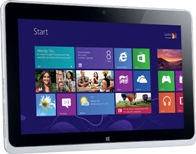
Build website on your tablet
Testing your HTML code

You may test elements of your HTML code via the preview apps. It will show you if buttons work of if widgets appear. You can test each element individually so that you get it perfect before moving on to testing the whole page at once.

Preview your whole web page

All you need to do is load the code for the page into the HTML previewing app. This will show you the whole page in its glory. You may see how each of your elements fits together, and you may see if your code actually works and does what you thought it would.

Debugging your pages with the HTML preview

Now that you have a preview of your page, it is time to start testing the various elements to see if they work correctly. You will also need to alter to the code and re-preview to be sure that the page is acting a certain way for the right reason.

An app to test dynamic websites

You then need an app that is going to help you test to see if your web page is dynamic. You should have programmed the web page to adapt to whatever browser it is being viewed by. There are apps that will let you test this coding. The will show you what the web page looks like on a phone, tablet and desktop computer. This will help to show you if your dynamic website worked.

Test the page with different browsers

You also want to know what the website looks when it is viewed through varying browsers. Knowing this will help you to decide if the website is stable and compatible with others. There are also apps that will allow you to test this browser problem, as there are also websites that will help you with this problem too.

Buy a domain name for your website

Now that you have your page file, you need to go and buy a domain. You do not need to download an app for this. Use the web browser on your Android, find a site that allows you to purchase a name, and then buy on.

Now you need to find a hosting service

Again, you can do this with your web browser. You do not need an app. Pick a hosting service and buy your web space and bandwidth. They should also offer you tools for loading your site and your domain name onto their server. If you are not sure of the process then make sure you buy from a host that will walk you through it.

And there you have it

You should be able to put your website online. You will also be able to use a similar process to build further pages onto your website, except that you will not have to purchase a domain name or hosting services. Just make sure to check your site for bugs after you have uploaded it.

About the Author:
Kate Funk is a passionate tech blogger and online tutor at tutorsville.net. She coaches individuals in writing and networking skills.
Posted by Ravi Kolhe | 6/18/2013 | Continue Reading...

Designing and Developing the Websites Professionally

Website design is very popular marketing business these days. It comprises of different skills and disciplines. It is needed for the production of websites and its maintenance. The company of web design offers various choices for transaction of money, online shopping, booking travel tickets, etc. Nowadays web designing can be described as a spectacular trend. Hence more or less there is an actual amount of compository matter. It usually affects the good side of the business. A person has to be aware for not missing any opportunity for the gain of the business. An important point which is to be taken care of in a web design company is that one’s hopes or strong beliefs should be fulfilled. The several areas of web design are interface design, authoring, proprietary software, user experience design standardized code and search engine optimization.

Designing and Developing the Websites Professionally
1) The quality of the online shopping advertisements is mostly showcased by the best web database developer. The developer does it creatively and visually by attracting the attention of the customers. These customers find for the proper data on the Web. Generally information has a specific quality. It is eliminated, edited and included continuously. Therefore it is vital for keeping down the web database secured. This further maintains the consistency of the information.

2) Regarding the case of online shopping, where numerous people gathered around. Moreover the business associates had to produce large quantities of the data needed of the products. It is then presented to their respected customers who urge for correct information. They do it in an accurate and greatly technological technique.

3) Website design and development has huge amount of data and prospective results were provided by search engines. The process was however pretty quick. The most important task of a web database developer is creating the information to be simple and understandable. Moreover it should catch the attention of the mass by providing the specific information as needed.

4) Although the gradual transformation which took place over the masterminds of web database development was brought in full control. The usage of information was readily available in clean and tidy packages. It was usually provided to a person for the commercial business. The customers are provided commercial upbringings along with web database development. These upbringings had efficient method for reaching information.

5) A thorough research for the topic is necessary for cross checking the web design company. Generally the web designers made a mark fro being up-to-date along with the web accessibility rules. Moreover having the knowledge of the utility of the website.

Certain vital prospects are required while making web database which enables in designing or making the specific database. It should have the facility of eliminating of the data only whenever essential. It should also not comprise of any copied written references or accounts. Moreover it should enable in referring other information with the database in a simple and easy procedure. However these prospects should be kept in the mind of the best web database developer.

Visual impact is one of the most important element is marketing. The website design and development has become popular by offering the visual impact in online marketing.
Posted by Ravi Kolhe | 6/05/2013 | Continue Reading...

5 Simple Steps to Creating a Website

1. Register a domain name

The first thing you must do when designing a website is register the domain name, it is however very important that the name has something to do with the content that you will have on your site. If it does not coincide with your site it can impact negatively. When thinking about your name make sure that you keep in mind the following tips.

  • The domain name should be relative to your site
  • The domain name should be easy to spell and pronounce
  • Try to make the domain name as short as possible
  • The domain name should have the correct TDL extension
You should register your domain name with your hosting provider, as it is the easiest method you will come by and will almost guarantee that you are included in the service. The most popular hosting provider is GoDaddy.com, they are the largest provider on the planet so this is a good one to choose if you are unsure yourself. Your domain name will be available within 24 hours of registering.

2. Get a web hosting account

Once you have registered your domain name you will need to consider getting a web hosting account. The problem is that there are so many to choose from making it difficult for you to know what the best option is. It is important to always follow two rules…

  • Avoid any offers that look to good to be true
  • Choose a recognised host
Stick with the above two rules and you should be on to a great start, website hosting itself is cheap, plain and simple so don’t go looking for anything too fancy.

3. Installing WordPress

WordPress is a great way for people to create blogs and websites without having to know how to use HTML. The site is completely free and easy to use making it perfect for beginners. The site has a number of features and is able to produce some very good professional looking sites, templates are available so that you don’t need to waste any money on a designer doing the work for you. So go ahead and install WordPress.

4. Configure your website

Once you have installed WordPress you will need to configure your website to it. To do this you will need to log onto the configuration section on WordPress. It is important to familiarise yourself with WordPress so that you can navigate around it with ease and make any changes to your site.

5. Getting your website indexed on search engines:

The final step is to get your website recognised otherwise the whole process of creating it would be a waste of your time. In order to get your site registered on Google, Bing and Yahoo you will need to register on Submit Express.
Posted by Ravi Kolhe | 5/10/2013 | Continue Reading...

3 Best Services to Make Own Free Website

Building a website is a great way to share your ideas and thoughts with the world. The website you create may be for fun, it may be for profit, or some combination of the two. Knowing your expectations makes it much easier both to design your website, and to track and make sense of the results. Today, there are many websites for free, these websites presents all the essential features.

Creating free websites has never been easier thanks to the numerous sites, hosts and programs that allow anyone to make their own website and have it up on the Net.
3 Best Services to Make Own Free Website 
Below are some free websites. After sign up, you can create a free websites, publish it, and if you no longer need it or find that it doesn't suit your taste or purpose, you can delete it and not lose anything in the process, since you haven't paid anything for it in the first place.

Posted by Ravi Kolhe | 1/24/2013 | Continue Reading...