Whether it’s a CEO of a multinational company, a 9-5 office worker, a stay-home parent, or a working student, people in the workforce have two things in common –the utmost desire to save time and money and the smartphone.
Thanks to the App store, the smartphone has already redefined many aspects of day to day work. Now, it has become an invaluable asset that gets the today’s working professionals the best value for their time and money.
Here is a list of the top free apps that are designed to make your life much easier –
1. Cloze
Clause essentially collects tweets, emails, Facebook posts and other pieces of email and social media information from your contacts. More than that, Cloze prioritizes information based on the people who are the most relevant to you. It displays the photo of your contacts while providing the snippets of emails and social media information. This app is ideal in filtering relevant information from the people in your network.
2. Manilla
Manilla is a free secure service that is designed to help smartphone owners organize their daily lives by managing virtually everything in a single platform. These include finances, utilities, daily deals, travels, rewards, restaurant reservations, magazine and even Netflix subscriptions. Manilla sends an automatic text and email reminder when your bills are due, hence there is no wasted money on late fees. Apart from this, Manilla also gets you unlimited account document storage for free.
3. Any.do
Any.do is essentially a list-making and task-management app that allows you to build a habit of reviewing your daily tasks. It also allows for location-based reminders, like when you need to pick up a carton of milk on your way home. Any.do’s most notable features include seamless cloud sync, Google task sync, speech recognition alert, and Any.do moment among many others. Any.do is generally a very functional app that allows you to jot down your pending tasks while making sure that you complete them.
4. RedLaser
Owned by eBay, RedLaser is an app that is designed to help you shop smarter and faster. RedLaser searches for the local prices of various items based on your location. It then allows you to see which stores offer the best deal on your favourite products. RedLaser also allows you to make a purchase right from your phone. If for example, there is something at a nearby store that you want to buy, you can remotely pay for it using the app, and your purchase will be waiting for you at the counter.
5. FastCustomer
FastCustomer is perhaps among the most efficient time saving apps as it saves you the time that you would otherwise spend on hold with a customer service representative. All that FastCustomer requires is for you to text the name of the company that you need to speak with. The app also grants you access to its database of more than 3000 companies. What FastCustomer does is to call the company, wait on hold, and call you when the customer representative is ready to take your call.
About the Author:
Sharon Freeman is a freelance blogger and author. She writes about business management, app trends and reviews local companies like TradiePad
|
8/28/2013 | Continue Reading...
Samsung products have been popular since a very long time, and their smartphones have been able to take over a large chunk of sales lately. For instance, Samsung Galaxy S5 sold an unprecedented 10 million units in its very first month. Galaxy S3 still has searches in millions, which is a clear sign of its popularity among fans.
However, here we talk about the upcoming smartphone by the Korean Giant, i.e. Samsung Galaxy S5. It is a much hyped smartphone, which is already gaining popularity, thanks to the rumored technologies it's going to feature. While some features like fingerprint sensors and YOUM Display give it a touch of uniqueness, others like Key Lime Pie OS and 4GB gorgeous RAM add to its whooping speed.

The internet is flooded with visitors who want to read more about the Samsung S5 smartphone and this is due to the right reasons. To add to its feature list, Samsung is said to offer a 16 MP Rear camera along wit 5 MP front camera. If you have used the S4 device, you know that Samsung keeps its promise, when it comes to the high-end shooters and the wonderful experience associated with them.
On forums, the users seem to have changed parties. They seem to like Samsung gadgets more than that of Apple now, although we know Apple has been an unconquerable king of technology in the past. But for how long? This is a question that everyone is asking. Samsung Galaxy S5 will come in the month of April, 2014 as claimed by many top blogs and credible analysts. This will increase the pressure on Apple iPhone 6 to come up with something unique this time, as it is also rumored to release around the same time.
To add icing to the cake, there are many unseen features like Infrared sensors, 16 core processors and barometer in Samsung Galaxy S5. There are no second thoughts that these will change the way we look at present-day smartphones.
Will Samsung S5 really bring a huge revolution in the smartphone industry? Make sure you are aware of all the news regarding the upcoming sensation, also buzzed as the best smartphone of 2014.
Read more here: http://galaxys5us.com/samsung-galaxy-s5-titled-the-best-smartphone-2014/
|
8/25/2013 | Continue Reading...
For any business owner with a web presence these days, one of the most important sectors to allocate resources toward is mobile marketing. This involves a combination of looking at your mobile site and your overall marketing plan.
Strategize and identify

Start with an overall strategy session. What are you currently doing, and what kind of results are you seeing? Are you getting any customer feedback that could help dictate next steps? If not, have you considered doing some kind of survey in order to get some customer feedback – valuable info from the very people you are targeting? Aside from customer feedback, engage in some market research. What are customers responding to these days, and how can you make sure your campaign is on the cutting edge? By answering these questions, you are already laying out a plan to optimize your mobile marketing efforts. If you're not planning in having a full-time customer service to do this type of work, a good idea is to look for employees online by posting a job vacancy ad to conduct a sufficient number of customer satisfaction survey so as to get an idea of your clients' needs. Identify the three main areas where your strategy session indicates you need some improvement, and start putting plans in place to address those.
Use all the tools at your disposal
When moving ahead, do not forget to look outside of your business sector. You need to stay abreast of the latest technological advancements so you know what is available to you. The last thing you want is to spend a lot of time and effort on a particular mobile marketing campaign, only to find out that a new advancement or other software development has rendered your idea hopelessly old fashioned. So always stay in touch with the latest technology trends so you don't fall behind. Another important thing to keep in mind is cross-platform integration. Do not develop separate campaigns for your mobile, TV, and print ads. Of course, each medium offers unique features that you need to take advantage of, but maintain a single brand identity across everything. This will strengthen you entire ad campaign, and your mobile marketing in particular. As it is a relatively new and experimental area, by ensuring that your mobile marketing ties in to your more traditional advertisements, your customers will have a stronger association with your mobile ads.
Utilize the advantages of your medium
Remembering the differences between the mediums is also very important. While you might have more time or space on TV or in print, mobile ads need to pack a quick punch. Mobile users do not spend a lot of time on anything, quickly navigating between messages, articles, and social networks, and might see an ad as nothing more than an annoyance. Thus, you need to make sure that in the split second they are actually seeing your ad that you are getting your message across. Going along with this, think about how you want to incorporate social networks into your marketing strategy. Social networking is a huge part of mobile usage, and a great place for you to do some high level, low cost marketing.
There is no single, surefire mobile marketing plan, but all of the tips described above are important aspects of any successful mobile campaign. Take these into account, and you will be well on your way to getting the most out of your mobile marketing budget.
About the Author:
A.Singh is an Indian journalist who lives in the UK and writes on behalf of local and international websites and magazines since 2010.
|
8/07/2013 | Continue Reading...
FOXTEL GO
IPHONE, IPAD
You don't need to be at home to watch Foxtel, If you're already paying for the service, the Foxtel Go app lets you access 60 live channels (depending on your subscription package) and hundreds of hours of catch-up TV content for no extra charge over a Wi-Fi or 3G/4G connection from anywhere in Australia. An Android client is coming soon.
PANDORA RADIO
IPHONE, IPAD, ANDROID, WINDOWS PHONE, BLACKBERRY
Pandora is perfect for the times when you want to listen to music but can't be bothered queuing up tracks. Just tell it the name of an artist, song or composer you want to listen to, and it'll create a personalised radio station that plays similar music. Like a real radio station, however, you can't replay tracks, and you can only skip tracks a handful of times per day.
SPOTIFY
IPHONE, IPAD, ANDROID, WINDOWS PHONE
You'll have to cough up $12 a month to access it on a mobile device, but the vast catalogue of over 20 million tracks and various cool playback features make Spotify a worthwhile investment. The 'radio' feature lets you create a personalised station of music similar to a certain song or artist (similar to Pandora), and you can sync as many tracks as you like for offline listening,
TUNEIN RADIO
IPHONE, IPAD, ANDROID, WINDOWS PHONE, BLACKBERRY
Remember when mobile phones used to come with built-in FM tuners? Now you can just download Tuneln Radio and access not only the local stations, but thousands of stations around the world as well. The app makes it easy to navigate between different genres of stations, and you can save the ones you listen to most to the favourites tab.
SOUNDCLOUD
IPHONE, IPAD, ANDROID
Whether you're an aspiring musician or simply someone that loves music, SoundCloud is the place to be for streaming new tunes fresh out of the recording studio. You can follow musicians you like, get notifications whenever they upload new tunes, share tracks and sets with your social networks, and even record and upload music directly from your mobile device.
About the Author:
This is a guest post contributed by Karim a writer in the tech area. He would like to share great saving with www.3simonly.com offering the best unlimited deals found in this URL for your smartphone.
|
8/02/2013 | Continue Reading...
Yes, we’re talking about S3 folks.
Let’s skip the latest model for now that is S4 as it seems many S3 owners decided to keep their phone despite this latest one being unveiled.
And why not? S3 is packed with features that make it adorable and amazing. Suffice to say, it’s one for keeps.
So, how’s your S3 doing? To keep it running efficiently, maximize its potential by downloading these apps.
Kindle

With its extra wide screen, S3 makes e-book reading experience come with ease.
This is good news for bookworms out there who are still contemplating whether to get hold of an Amazon Kindle e-book reader. Even without that reader, you can still benefit from the app by downloading it using your S3.
Browse through a wide selection of free e-books, anywhere you are, using your smartphone.
Chrome
There’s no doubt that Android’s default browser is a performer but Google Chrome takes the competition further with its features.
Coupled with S3’s large screen, navigation and content viewing turns out seamless. Plus, the app is syncable to your desktop Chrome. Talk about facilitating file sharing. Your bookmarks and preferences are as well imported easily.
Now you can continue write an essay you earlier started while on your way home.
Facebook Home
If you are one of those Android users whose days are incomplete without checking Facebook, then this app should be on your phone, now.
Facebook Home replace your standard launcher for Android, which gives your S3 a custom new interface along with quick access to Facebook.
After downloading this app, your S3 is sure to look like a new phone.
SwiftKey
Dubbing itself as the mind-reading keyboard, Swiftkey predicts what you’re typing next even before you’ve pressed a key. It, indeed, replaces your phone’s default keyboard with one that not only understands you, but also reads through you.
Swiftkey gets better the more you use it as it becomes familiarized with your way of forming messages. Eventually, it will have to do all the typing for you. You can try using this app for a month and see whether you’re ready to drop the fee for it.
Pixlr
One of the many reasons why S3 remains a wise buy smartphone is its camera.
With easy-sharing and action shot features, we need not be surprised to hear many users claim this is what they purchased their S3 for. And if you love really taking photos then you can use some help from a high-quality mobile photo editor like Pixlr.
Pixlr offers users with over 600 effects, borders and overlays all for free. Edit your photos like a pro and save them according to your preferred resolution.
Evernote
Having troubles organizing? This app may be just the aid you need so you can keep up with busy days ahead.
Transfer notes, images and files with other devices with Evernote app on it. Save your ideas so they need not go floating in the air. Record audios. Capture photos. Write about what’s on your mind.
Do all these for free with Evernote.
Reddit
According to the site’s real-time statistics (as of July 24, 2013), Reddit had 70,017,371 visitors last month from more than 183 different countries, viewing a total of 4,567,928,584 pages.
If these massive figures aren’t enough to convince you why Reddit should be on your S3 then check their page online. The funny, informative, heart-warming stories featured on the site and voted by users might automatically turn you to a Reddit loyal follower.
See for yourself.
There’s no need to be jealous about those who have had their own android 2013 models. With a refresh, your S3 can undoubtedly look as good, and even beat without a fight their newer counterparts.
About the Author:
Nettie Gray isn’t the type who’d switch phones everytime a new model is released. But she’s that user who would religiously wait for app updates she can install on her phone.
|
7/25/2013 | Continue Reading...
We’re living in the smartphone age.
Phones today are no longer a form of luxury. They have become a necessity. Almost, if not everything can be done with just that one device that fit right on our palms. It helps us keep up with the fast-paced environment we are in.
And since they do a lot more than just texting and calling, it is important that phones survive busy days. Their life span should last.
But it’s not everyday that you are able to bring a charger and find access to an outlet. So here are few ways how you can save your phone’s battery life.
Disable notifications.

How many apps do you have? Do you use them all?
Chances you have already grown tired of games you once were so hooked into, now, you no longer open them. But even though you no longer use these apps, they still consume much of your battery’s energy. Notifications come and go, and most of them you just ignore.
Your screen lights up and vibrates repeatedly in a day. If you’re getting confused between an incoming message and notification, then get rid of apps you no longer use. Then you will be able to conserve power.
Turn down location requests.
Do you really need to update everyone where you are? Are you sure that your posts are kept private and that no one with bad intent is stalking your accounts for your whereabouts?
Do yourself a favor, and turn off apps that ask your consent to detect and share your location.
Give yourself some room for privacy. Owning a smartphone already keeps you busy, at least leave some room so you can move freely off the radar.
Turn on location requests only when necessary.
Keep it cool.
Positioning your phone beside gadgets that are hot will also cause your phone’s temperature to increase, and consequently, perform poorly.
Keep your phone away from hot devices. Also, kill apps that are still running even when you are not using them.
Adjust screen brightness.

Are you a fan of screaming bright screens?
That you can already write an essay with your phone as the only source of light. That simply peeking on your screen can wake the person beside you. Or make people in a dark room stare at you as though you have committed a crime.
Adjust your phone’s brightness when you can clearly see through a dim screen. It will not only help you save power, it will also protect your eyes from glare.
Disable antennas.
Make sure that your bluetooth is turned off when not in use. Do the same as well with your wi-fi.
And during those moments when your battery is on the verge of passing, and you still need it alive, put it on airplane mode for the meantime so all radios are automatically turned off. Disable the airplane mode when you are to use the phone.
Lower the volume.
In a usually quiet place such as offices, loud ringtones can be disturbing.
Make it a habit to keep your volume low, especially when you are not expecting any urgent call or message. If you are keeping your phone within your reach then it’s least likely you will have problems hearing notifications.
About the Author:
Nettie Gray always challenges her friends to put down their phones during get togethers. The first one to surrender foots the bill. She ensure that her phone is on silent mode to resist temptations of checking it out.
|
7/25/2013 | Continue Reading...
Mobile device adoption is a growing trend for years, so it’s not surprising that their features and performance are getting better and better. By now you have probably started using your Android device instead of your PC for most of your everyday needs. This means that you have gigabytes of important data you want a constant access to. To ensure that your most important files are always at your hands, you should consider backing up your device to the cloud by using one (or more) of the services designed for that.
Google Drive

Google’s online storage and backup service is a feature-rich app you can smoothly use on your Android device for backing up different kinds of data. The reason it is regarded as one of the best cloud backup solutions is the fact that it works seamlessly on mobile devices and offers plenty of storage, syncing and sharing features at a low price. In fact, free Google Drive account provides you with 5GB of free storage space, which can be enough for storing your most important files. Using this kind of backup means you’ll always be able to access your data, even if you intend to replace your device and move the data to a new one.
Dropbox
Dropbox is an alternative to Google Drive, which offers somewhat different sharing and collaboration features, but is still an excellent solution for file backup. Dropbox gives only 2GB of storage space for free, but you can expand this amount through its referral program. The service automatically updates your files and keeps the history of document changes for 30 days, meaning that you can access the previous versions of your files in case you need them. For paid accounts, the version history period is unlimited. Apart from this, you can easily share your files with the users you choose and access them from multiple devices.
InDefend Mobile Backup
If you want to keep your contact data, call log, settings and messages safely in the cloud, you should start using the InDefend Mobile Backup app that allows you to backup all these files in several simple steps. You need to create an InDefend account within the app itself and allow it to access the data you want to send to the cloud. The app automatically encrypts your files and allows you to schedule backups, so that you can be sure you’ll always have the access to the latest version of your files.
Sandisk Memory Zone
This free app supports plenty of cloud storage services such as Google Drive, Dropbox, Box and SugarSync and it allows you to store the data from your SD card in the cloud. You can create a customized backup plan by scheduling backups and choosing a cloud storage provider of your liking. Sandisk Memory Zone is easy to install and use, which is why it can be an excellent backup solution for your Android phone.
G Cloud Backup
G Cloud Backup allows you to send your photos, notes, call logs or messages to the cloud. It is a small sized app with an intuitive interface, which lets you backup and restore all the files you choose. One of the most attractive features of G Cloud is the fact that it gives you generous 8GB of free space, which may be more than enough for having all your phone data in the cloud.
About the Author:
Olivia Still is a blogger, tech addict, and cloud computing enthusiast. Her field of expertise is Magento hosting.
|
6/28/2013 | Continue Reading...
Android smartphones are quite common nowadays Well they get slow with time and you need to give it some and to make it better otherwise it starts lacking In Almost every app.. There are some built-in functions that can help speed up your smartphone.
Let us see some steps to Speed it up …
Update it Frequently: Updating fixes bugs and upgrades many firmware and it helps to Improve the decision making time and function execution time.
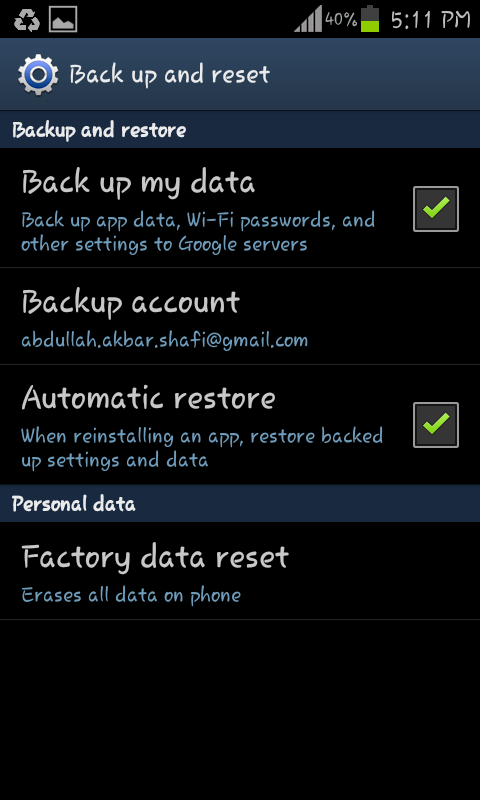
Hard Reset: Resetting bring backs the phone to its brand new condition everything get new and it moves like a new phone. (don’t forget to back up your important data before reset as it removes everything from your phone).
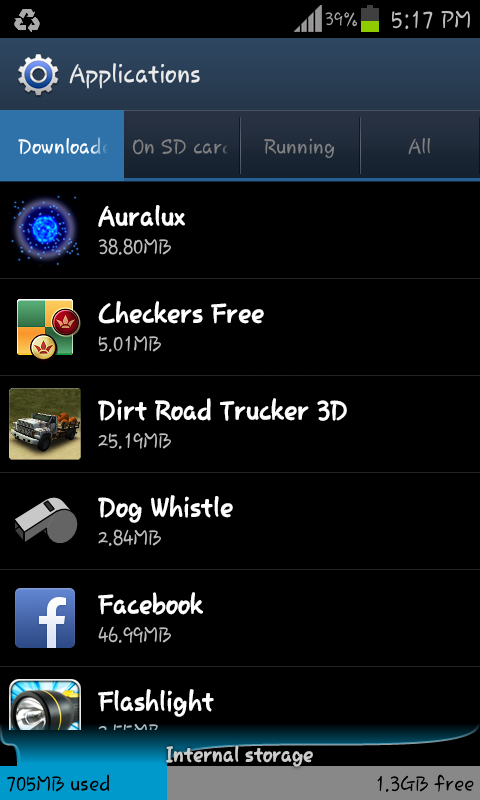
Move Data from internal memory to external: Internal memory is used for all the operations to carry on soo the more space available the more phone will be efficient. Soo move your data from Internal memory to SD card or some external Memory.
Uninstall Rarely used Applications: The applications you no longer use you should Uninstall them.
Restarting your Smartphone: It Ends all the processes that were being using RAM.
Task manage:r In task manager there is a option to kill active application and free Ram by killing The Running option.. use it frequently it also helps to save the battery.
About the Author: This post is written by Abdullah Akbar.. Writer At Techbeasts.com
|
6/24/2013 | Continue Reading...